

Table of content
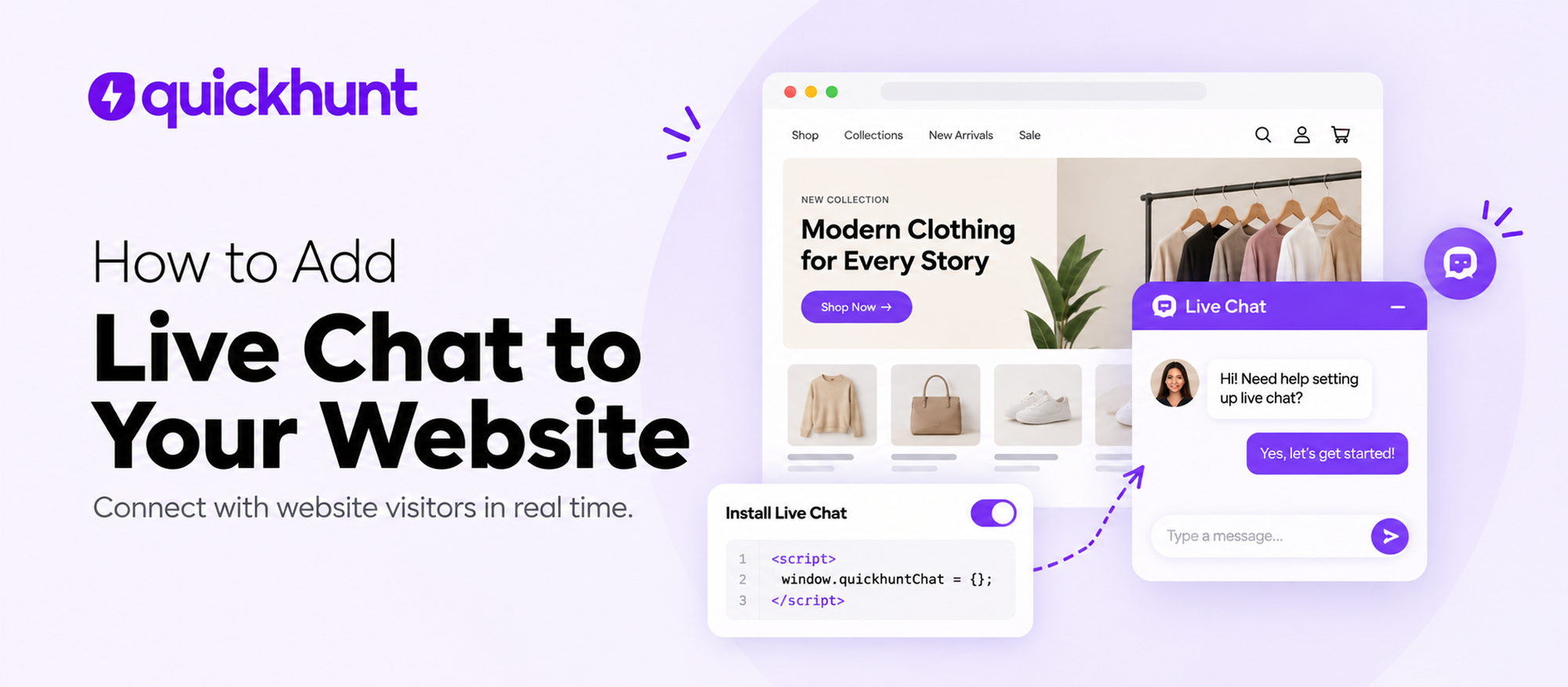
Live chat lets you talk to website visitors right away. You answer their questions and show them around your site. Visitors skip email or contact forms. They reach your support team straight from the page. Visitors get quick help. They learn about your products or services. They feel ready to buy or sign up.
Quickhunt live chat lets you add a chat box to your site. Visitors start conversations with no app and no extra account. You match the chat box to your brand colors. You pick a friendly hello message. Visitors contact your team easily. Your team handles all chats in the Quickhunt dashboard. They reply to questions in one spot.
Online stores, SaaS firms, and Shopify app makers gain better support with live chat. Users enjoy a smoother experience. A shopper may ask about prices. A new user may ask about setup. A current user may ask about a tool. Your team answers these questions fast. Users keep going with no long waits.
You need no hard coding skills. You follow easy steps. You put the Quickhunt chat box on your site. You change how it looks. You check it works. This guide shows each step in plain words. You set up live chat. You build closer ties with your visitors.
What Is Live Chat and How Does It Work?
Live chat is a tool. Website visitors talk with a business through a small chat window. Visitors ask questions, request help, and get answers. They stay on the website. They open no other app. Businesses offer quick support with live chat. They explain products, solve problems, and guide users through buying.
Example: A customer visits your Shopify store. The customer wants more details about a product. The customer clicks your live chat icon and asks a question. Your support team gets the message in a live chat dashboard and replies right away. This process helps the customer find an answer and keep shopping with confidence.
How Does Live Chat Work?
Live chat works through a small chat widget on your website or web app. First, you add a live chat tool, such as Quickhunt Live Chat, to your website and customize its appearance to match your brand. Visitors can then click the chat icon, type their questions, and send messages directly to your support team. The live chat dashboard receives each message, so your team can read it and reply in real time. Visitors can continue browsing your website while they chat, making the process simple and convenient.
Once a conversation starts, your support team can answer questions, share helpful links, explain product features, and guide visitors through common problems. In addition, some live chat tools offer saved replies, chat history, and AI-powered answers to help teams respond faster. For example, a Shopify merchant might ask for help setting up an app, while an online shopper might need product details before placing an order. Live chat helps businesses handle these requests quickly, improve customer support, and build stronger relationships with their users.
Why Your Website Needs Live Chat
Your website helps people discover your business, explore your products, and learn about your services. However, visitors may have questions before they feel ready to buy or sign up. If they cannot find quick answers, they may leave your website and look for another option. Live chat gives visitors a simple way to contact your team, get helpful answers, and keep moving toward their goals.
1. Give Visitors Quick Answers
People value fast and helpful support. With live chat, visitors can ask questions directly from your website instead of waiting for an email reply. As a result, your team can clear up confusion, explain your services, and help visitors make decisions with confidence.
2. Turn More Visitors Into Customers
Some visitors need extra help before they make a purchase. For example, a shopper might ask about shipping costs, product features, or available discounts. Your support team can answer these questions through live chat and help shoppers take the next step. Therefore, quick conversations can reduce doubts and create more sales opportunities.
3. Build Trust With Your Audience
Customers feel more confident when they know your business can help them. A friendly greeting and a useful response show visitors you care about their needs. Moreover, live chat creates a direct connection between your team and your audience, helping you build stronger customer relationships over time.
4. Make Customer Support Easier
Live chat helps your support team manage customer questions from one dashboard. Instead of handling every request through email or phone calls, agents can answer messages online and use saved replies for common questions. In addition, some live chat tools offer chat history and AI features to help your team work faster.
5. Help Customers During Important Moments
Visitors often need help while browsing product pages, comparing plans, or setting up an account. Live chat lets them ask questions without leaving the page. For example, a SaaS user can ask for help with a feature, while a Shopify merchant can request guidance with an app setup. Consequently, your team can solve problems and help users continue their journey.
6. Learn From Customer Questions
Every conversation gives your business useful insights into customer needs. By reviewing chat history, your team can spot common problems, identify confusing website content, and find areas for improvement. Furthermore, these insights can help you update your FAQs, improve product pages, and create a better experience for future visitors.
In short, live chat helps your website deliver faster support, build trust, and create more opportunities for growth. With a tool like Quickhunt Live Chat, you can connect with visitors, manage conversations, and provide helpful support throughout their journey.
Live Chat vs. Chatbots
Live chat and chatbots help businesses answer customer questions, but each option works differently. Live chat connects visitors with human support agents, while chatbots use set rules or artificial intelligence (AI) to respond automatically. Both tools help businesses offer faster support, improve customer experience, and keep visitors engaged. However, each option serves different needs.
With live chat, customers can talk directly with a support agent, explain their problems, and receive personal guidance. For example, a Shopify merchant might need help setting up an app, or a shopper might have questions about a product. A human agent can understand the situation and provide a useful response. In contrast, a chatbot can answer common questions, share links to help articles, and guide users through simple tasks without waiting for an agent.
Key Differences Between Live Chat and Chatbots
Which Option Should Your Business Choose?
Your choice depends on your customers' needs and your support goals. Live chat works well for businesses whose customers need personal help, detailed answers, or guidance with complex issues. Meanwhile, chatbots suit businesses with many repeated questions and a need to offer basic help outside regular business hours.
However, you can combine both tools for a stronger support experience. A chatbot can answer simple questions first and connect customers with a human agent if they need more help. As a result, your team can save time while customers still receive personal attention for important issues.
For websites, SaaS products, and Shopify apps, live chat helps build trust through direct conversations. Chatbots can handle routine requests, while human agents focus on more challenging problems. By choosing the right mix, your business can improve response times, support customers more effectively, and create a smoother user experience.
How to Add Live Chat to Your Website With Quickhunt
Your website attracts visitors, but quick and helpful answers can turn those visitors into loyal customers. With Quickhunt Live Chat, you can give people a direct way to contact your team, ask questions, and get help without leaving your website. Whether you run a business website, a SaaS platform, or a Shopify app, Quickhunt helps you bring customer conversations into one convenient place.
You don't need to build a chat system from scratch. Simply set up your Quickhunt account, configure your chat widget, add it to your website, and test the connection. Follow the steps below to get started.
Step 1: Get Started With Quickhunt Live Chat
Every great customer conversation starts with an easy way to connect. First, visit the Quickhunt website and create an account if you haven't already signed up. Next, log in to your dashboard and select Live Chat from the left-side menu.
The Live Chat section gives you access to the setup process, so you can prepare your chat experience before visitors start sending messages. Take a moment to explore the available settings and get your workspace ready for customer conversations.
Step 2: Customize Your Chat Widget to Match Your Brand
Your live chat widget should feel like a natural part of your website, not an unrelated pop-up. Quickhunt lets you configure the available widget settings so you can create a consistent experience for your visitors.
Choose a style that fits your brand and prepare a friendly welcome message. For example, you could greet visitors with, "Hi there! Need help? Our team is here for you." A clear, warm greeting encourages visitors to ask questions and makes your support feel more approachable.
Before moving ahead, review your settings and make sure the widget suits your website's design. A clean, familiar chat window helps visitors find support without interrupting their browsing experience.
Step 3: Get Your Quickhunt Live Chat Installation Code
Now it's time to connect Quickhunt with your website. Open the Live Chat installation instructions in your Quickhunt dashboard and follow the steps to access the widget code.
This code connects your website to Quickhunt's chat system. Copy the code carefully and keep it ready for installation. You don't need to create the widget yourself or write a complete chat application. Instead, Quickhunt provides the installation instructions to help you add the chat feature to your existing website.
Need help with the setup? Follow the official Quickhunt Live Chat Widget Installation Guide for detailed instructions.
Step 4: Add Quickhunt Live Chat to Your Website
Think of this step as opening a direct communication channel between your business and your visitors. Open your website's CMS, theme editor, or code settings and locate the appropriate place for the Quickhunt widget code.
Follow the installation instructions for your website platform, then paste the code into the specified location and save your changes. If you use Shopify, WordPress, or a custom-built website, check your platform's instructions before editing the code. The exact process can vary by platform and theme.
After you save your changes, open your website in a new browser tab. Look for the Quickhunt chat icon, usually near a bottom corner of the page. If you don't see it, double-check the code placement and save your website settings again.
Step 5: Test Your Chat Widget Before Welcoming Visitors
Your chat widget may appear on your website, but a quick test helps you confirm the full experience works correctly. Open your website as a visitor and click the Quickhunt chat icon. Send a test message, then return to your Quickhunt dashboard to check for the conversation.
Next, reply to the message from your dashboard and confirm the response appears in the chat window. This simple test helps you check the connection between your website and your support workspace.
Also, open your website on a mobile device. Make sure the widget fits the screen, stays easy to access, and doesn't block important page elements. If you spot any issues, review your installation and widget settings before inviting customers to use the chat.
Step 6: Start Helping Visitors in Real Time
Once your test succeeds, your Quickhunt Live Chat widget can help visitors connect with your team. Encourage your support team to respond clearly, use a friendly tone, and share useful links whenever they help answer a question.
For example, a potential customer might ask about your pricing, while an existing user might need help with a product feature. Your team can use these conversations to guide visitors, solve problems, and understand customer needs.
Over time, review recurring questions and use those insights to improve your website content and support resources. Each conversation can help you discover a better way to serve your customers.
Turn Website Visits Into Helpful Conversations
Adding live chat gives visitors an easy way to reach your team at important moments. With Quickhunt, you can set up a chat widget, connect it to your website, and test the experience before you begin handling real conversations.
Ready to make your website more welcoming and helpful? Set up Quickhunt live chat and give your visitors a simple path to answers, guidance, and better customer support.
Common Live Chat Mistakes to Avoid
Live chat helps businesses answer customer questions, build trust, and provide quick support. However, a poor chat experience can frustrate visitors and push potential customers away. Long waits, confusing replies, and too many automated messages can make people leave your website without getting the help they need.
- Slow Responses: Reply quickly to keep customers engaged and prevent frustration.
- Robotic Replies: Use friendly, natural language to make conversations feel personal.
- Too Much Automation: Give customers an easy way to contact a human agent.
- Ignoring Messages: Monitor incoming chats and respond to every customer.
- Unclear Answers: Keep replies simple, direct, and easy to understand.
- Too Many Questions: Ask only for the details you need to solve the problem.
- Ending Chats Too Early: Confirm customer satisfaction before closing a conversation.
- Ignoring Feedback: Review chat history to find common problems and improve support.
- Lack of Team Training: Train agents to handle questions confidently and professionally.
- No Follow-Up: Check in with customers if their issues need more time to resolve.
Conclusion
Live chat plays an important role in helping businesses build strong relationships with their customers. It gives website visitors a simple way to ask questions, get quick answers, and find the right products or services. Instead of making customers wait for an email reply or search through multiple pages, live chat lets them connect with your team in real time. Quick and friendly conversations can reduce customer frustration, build trust, improve the shopping experience, and encourage more visitors to take the next step. However, businesses need to respond quickly, provide clear answers, and offer personal support to make every conversation useful.
Adding live chat to your website can help you create a more helpful and engaging customer experience. With a tool like Quickhunt Live Chat, you can connect with visitors, manage customer conversations, answer questions, and provide support directly through your website. Customize the chat widget to match your brand, make it easy for visitors to reach your team, and review conversations to discover areas for improvement. Start using live chat to support your customers throughout their journey, build lasting relationships, and create more opportunities for business growth.
Frequently Asked Questions
1. What Is Live Chat?
Live chat is a communication tool that allows website visitors to talk with a business in real time. Visitors can ask questions, get product information, solve problems, and receive help without leaving the website.
2. How Does Live Chat Work?
Live chat adds a chat widget to your website. Visitors click the widget, type a message, and start a conversation with your support team. Your team can reply directly through a live chat dashboard and help visitors find answers quickly.
3. Why Is Live Chat Important for Businesses?
Live chat helps businesses provide faster customer support, answer questions, build trust, and improve the website experience. It also helps businesses understand customer needs and guide visitors toward the right products or services.
4. How Can I Add Live Chat to My Website?
You can add live chat by choosing a live chat tool, customizing its chat widget, and installing the provided code on your website. With Quickhunt Live Chat, you can follow the installation guide to set up your widget and start connecting with visitors.
5. Is Live Chat Better Than Email Support?
Live chat works well for visitors who need quick answers, while email suits detailed requests or issues requiring more time. Businesses can use both channels to offer flexible customer support and help customers through different stages of their journey.


.svg "footer-logo")




.svg "fecebook")
.svg "linkdin")
.svg "twitter")



.png)