

Table of content
AI technology now plays a big role in daily work and online experiences. Many businesses want faster support, smarter automation, and better customer interactions. Because of this, AI assistant tools have become very popular across industries. They help teams save time, reduce manual work, and respond to users without delay.
Today, people expect instant answers and smooth digital experiences. They dislike waiting for support or searching through long help pages. An AI assistant tool solves this problem by giving quick, clear, and accurate responses at any time. It supports customers, guides users, and helps teams focus on important tasks.
Companies use an AI assistant for business needs such as support, sales, feedback, and internal work from one place. As a result, teams work faster, and users feel more confident while using products. This guide explains the meaning, features, benefits, and real examples of an AI assistant in a simple and practical way.
What Is an AI Assistant?
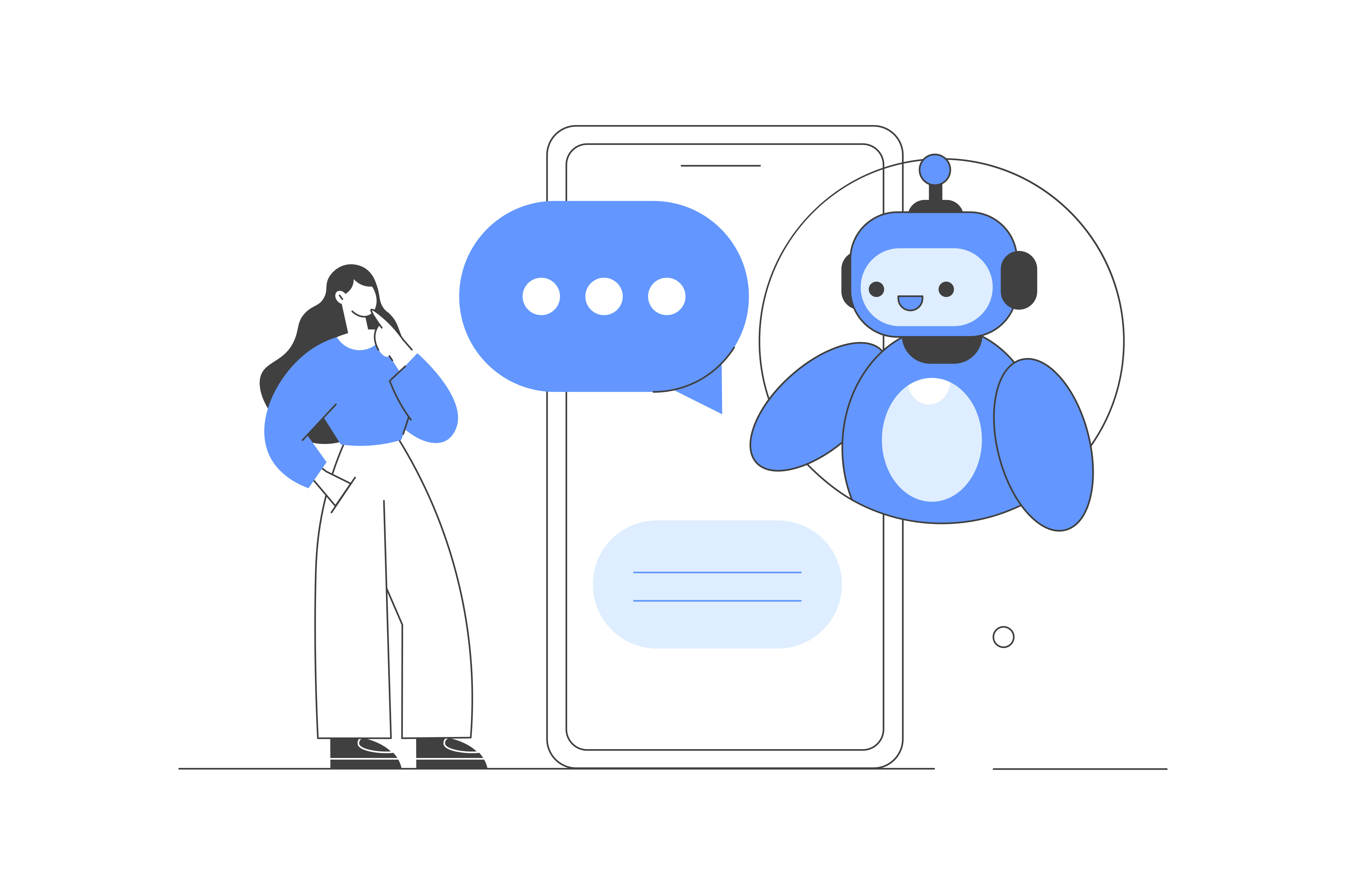
An AI assistant acts as a smart digital helper. It understands user questions and responds with useful answers. It supports people during daily tasks and business work. It uses artificial intelligence to learn, think, and improve over time.
An AI assistant reads user messages and identifies intent. It then gives fast and accurate replies. It helps users find information, solve problems, and complete actions without delay. Many businesses rely on an AI assistant platform to support customers and teams all day.
An AI assistant works inside apps, websites, dashboards, and help centers. It answers questions, explains features, and guides users step by step. It reduces confusion and saves time for both users and support teams.
Modern AI assistants handle more than simple replies. They understand natural language and context. They remember previous interactions and give better responses each time. Because of this, many companies consider them among the best AI assistant solutions for scaling support.
Businesses rely on an AI assistant to scale support. One assistant helps thousands of users at the same time. It stays available 24/7 and never gets tired. As a result, teams focus on growth instead of repeated questions.
How Does an AI Assistant Work?
An AI assistant works through a clear and simple process. First, the user types a question or clicks a button. The AI assistant reads the message instantly. Next, it breaks the sentence into small parts to understand intent and meaning.
After understanding the request, the AI assistant searches its connected data. This data can include help docs, FAQs, chat history, product guides, or company rules. Then, it selects the best possible answer from this data.
Once the AI assistant finds the answer, it responds in natural language. The reply feels human and easy to read. In many AI assistant platforms, the assistant also learns from past chats. Over time, it improves replies and becomes more helpful.
AI assistants also connect with tools like CRMs, feedback systems, and dashboards. Because of this, they work well as an AI assistant for business operations, helping teams save time while users receive fast support.
Benefits of an AI Assistant
An AI assistant helps users finish tasks faster and with less effort. It supports teams, customers, and businesses every day. Many companies choose the best AI assistant to improve efficiency and user satisfaction.
Instant Responses
An AI assistant gives answers in seconds. Users get help without waiting for human support. As a result, response time drops and satisfaction grows.
Natural Conversation
An AI assistant understands normal language. Users type questions like in real conversations. Therefore, users feel comfortable and confident during interactions.
24/7 Availability
An AI assistant works all day and all night. Users receive help during weekends and holidays. Because of this, businesses never miss user questions.
Smart Question Understanding
An AI assistant understands intent, not only words. It connects questions with correct answers. As a result, users get accurate responses every time.
Knowledge Base Support
An AI assistant connects with help docs, FAQs, guides, and policies. Users find answers faster. This feature also reduces repeated support tickets.
Multi-Channel Support
An AI assistant works inside websites, apps, dashboards, and live chat tools. Users receive help from one place. This creates a smooth experience.
Learning Over Time
An AI assistant improves with usage. It learns from questions and interactions. As a result, answers become better and more accurate.
Easy Integration
An AI assistant connects easily with SaaS tools, CRMs, and support systems. Teams set it up fast and start using it without effort.
Analytics and Insights
An AI assistant tracks common questions and user needs. Businesses learn user problems clearly. Therefore, product and support decisions improve.
Types of AI Assistants
AI assistants come in different forms. Each type serves a specific purpose. Businesses choose one based on goals, users, and daily tasks. Below are the main types of AI assistants used today.
Rule-Based AI Assistants
Rule-based AI assistants follow fixed instructions. Developers set rules in advance. The assistant responds only within those rules.
For example, this type answers basic questions like pricing, office hours, or setup steps. It works well for simple tasks. It does not learn or adapt over time. However, it gives fast and accurate replies for common questions.
Many businesses use rule-based AI assistants for FAQs. They reduce support workload and save time.
Conversational AI Assistants
Conversational AI assistants understand natural language. They hold real conversations with users. They respond based on intent, context, and past messages.
This type supports customer support, sales, and onboarding. It understands different ways users ask the same question. Over time, it improves answers through learning.
SaaS products often use conversational AI assistants inside apps. Users get help without leaving the product. As a result, engagement increases.
Task-Based AI Assistants
Task-based AI assistants focus on actions. They help users complete tasks faster. They connect with tools and systems to perform jobs.
For example, this assistant creates tickets, schedules meetings, updates feedback status, or sends reminders. Teams use it to boost productivity and reduce manual work.
Task-based AI assistants work well for internal teams. They keep work organized and smooth.
Common Use Cases of AI Assistants
AI assistants bring speed and comfort, but they still face limits. Even the best AI assistant needs proper setup, training, and human support to deliver strong results.
Customer Support
An AI assistant helps support teams handle customer questions faster. It answers common queries instantly and works all day without breaks. Users get help inside apps, websites, or help centers.
Many companies connect the AI assistant with help docs, FAQs, and knowledge bases. As a result, users find answers without waiting for a support agent. Support teams also spend less time on repeated questions and focus on complex issues.
Sales & Lead Generation
Sales teams use an AI assistant to engage visitors and collect leads. The assistant chats with users, asks basic questions, and shares product details. This process builds interest and trust early.
The AI assistant also qualifies leads by checking needs and intent. Sales teams receive better leads and close deals faster. Meanwhile, visitors get quick and helpful responses during their decision process.
Product & Feedback Management
Product teams rely on an AI assistant to gather and manage customer feedback. The assistant collects ideas, feature requests, and bug reports in one place. Teams review feedback faster and spot trends easily.
The AI assistant also answers product-related questions. Users learn about features, updates, and usage without searching through long docs. This approach keeps users informed and engaged.
Internal Team Support
An AI assistant also supports internal teams. Employees ask questions about processes, tools, or policies and get instant answers. Teams reduce internal emails and meetings.
Many companies use the AI Assistant for onboarding. New hires learn faster through guided answers and resources. As a result, teams stay productive and aligned.
AI Assistant vs. Chatbot: Key Differences Explained
Many people mix up an AI assistant and a chatbot, but both serve very different purposes. Both tools help users, yet their abilities and value levels differ a lot.
Challenges & Limitations of AI Assistants
AI assistants bring speed and comfort, but they still face limits. Many teams see issues during real use. Clear awareness helps businesses set the right expectations.
Limited Understanding of Complex Questions
AI assistants handle common questions well. However, complex or unclear requests often cause confusion. Users may phrase the same question in many ways. As a result, the AI assistant may give incomplete or wrong answers.
Lack of Human Emotions
AI assistants do not feel emotions. They respond based on data and rules. Because of this, they struggle during emotional or sensitive conversations. Customers sometimes want empathy, not automated replies.
Dependence on Data Quality
AI assistants learn from stored data. Poor data leads to poor answers. If teams fail to update help docs or FAQs, the AI assistant shares outdated information. This issue affects trust and user confidence.
Limited Context Awareness
AI assistants often miss deeper context. They focus on single questions instead of full conversations. As a result, users may repeat details. This experience frustrates many customers.
Integration Challenges
Some businesses face setup issues. AI assistants need proper integration with tools like CRM, help desks, or feedback systems. Without smooth integration, teams lose efficiency.
Security and Privacy Risks
AI assistants handle user data. Weak security creates risk. Businesses must protect user information at all times. Poor security planning can damage brand trust.
Over-Reliance on Automation
Many teams rely too much on AI assistants. Automation saves time, but human support still matters. Some issues need personal attention. Balanced support improves customer satisfaction.
Training and Maintenance Effort
AI assistants need regular updates. Teams must review answers, add new content, and fix gaps. Without ongoing effort, performance drops quickly.
Why Quickhunt Is the Best AI Assistant for Business
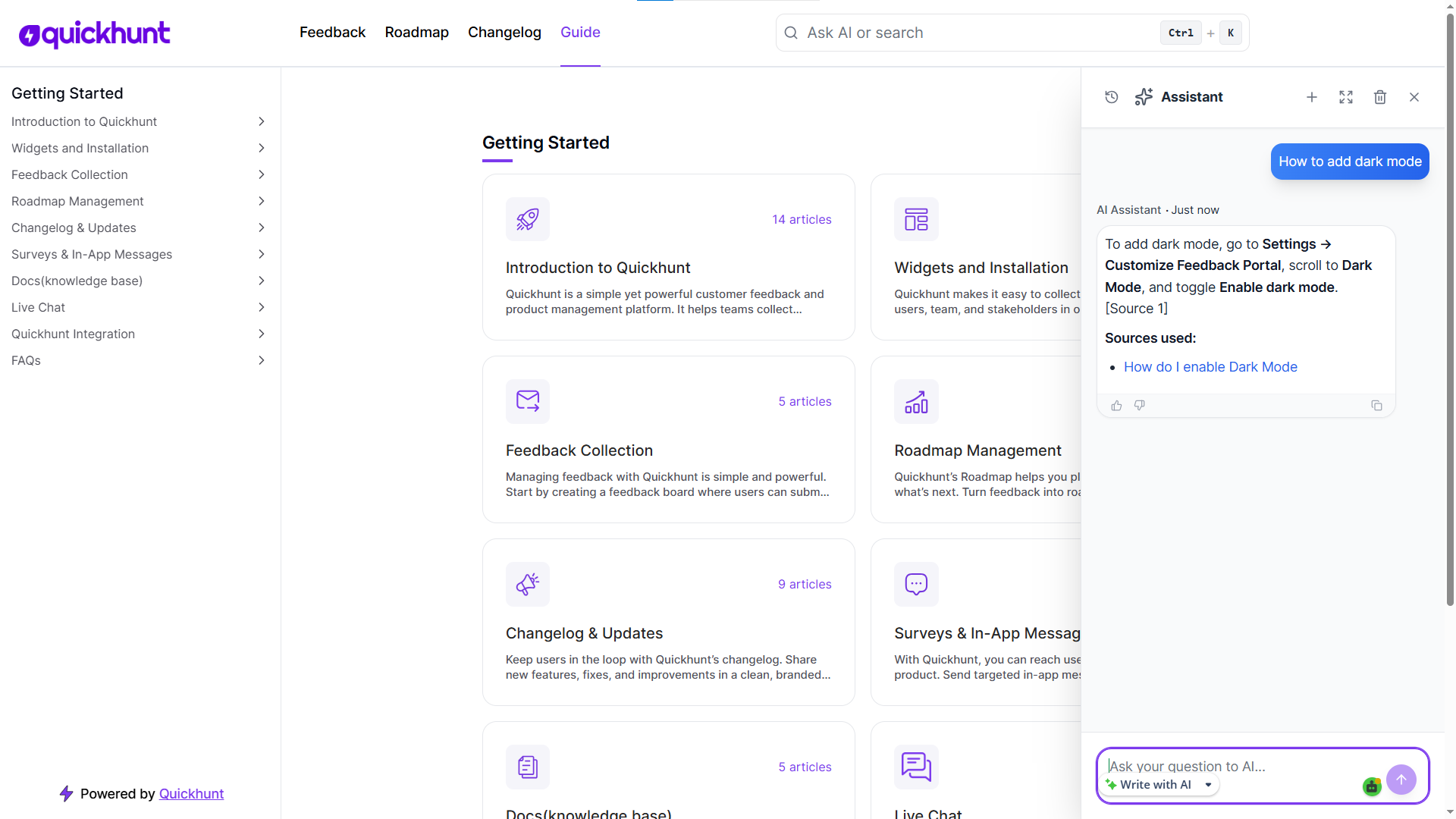
Quickhunt helps businesses run smarter with a powerful AI assistant designed for real work. It answers user questions instantly, supports customers 24/7, and reduces repetitive support tasks. Teams collect feedback, manage help docs, and guide users inside the product without switching tools. Because everything stays connected, businesses save time and deliver faster support. Quickhunt is one of the best AI assistant tool for growing companies, combining customer support, feedback collection, and knowledge management in one place.
Key highlights of Quickhunt’s AI Assistant:
- Instant answers to customer questions
- 24/7 support without extra staff
- Centralized feedback and feature requests
- Easy knowledge base and help doc access
- In-app guidance to improve product adoption
- Simple setup with no technical complexity
Conclusion
Quickhunt also supports growth by keeping users informed and engaged. The AI assistant helps product teams understand feedback, improve features, and increase product adoption. With easy setup, simple controls, and strong reliability, Quickhunt gives businesses a practical AI assistant that improves efficiency, boosts user satisfaction, and supports long-term success.
An AI assistant helps people work faster and smarter every day. It answers questions, supports users, and handles repeated tasks without delays. Many teams use it to save time and reduce stress. It also improves customer support and keeps users happy.
Small startups and large companies both gain value from an AI assistant. Teams respond faster and stay available all day. Customers receive help without waiting for agents. As a result, trust grows and engagement improves.
Every business wants better results with less effort. An AI assistant supports this goal by handling daily work smoothly. Teams focus on growth while the assistant manages routine tasks. For many companies, an AI assistant becomes a smart partner for long-term success.
FAQs
How does an AI assistant help businesses grow?
An AI assistant answers user questions, supports sales, and guides customers. It reduces manual work and speeds up responses. Teams gain more time for planning and improvement.
Why do support teams use an AI assistant?
Support teams use an AI assistant to reply faster and stay available all day. It handles common questions and reduces ticket volume. Agents then focus on complex issues.
Can an AI assistant replace human support teams?
An AI assistant supports teams instead of replacing them. It manages simple tasks while humans handle deeper problems. This balance improves service quality.
How does an AI assistant improve customer experience?
An AI assistant gives instant answers and clear guidance. Users find help without delays. This creates smooth and stress-free interactions.
Is an AI assistant useful for small businesses?
Yes, an AI assistant helps small teams manage support and sales easily. It reduces workload and lowers costs. Many startups rely on it for daily operations.
How long does setup take for an AI assistant?
Most tools offer quick setup with simple steps. Teams connect to docs, FAQs, or chat tools and start using them soon. No complex setup slows progress.


.svg "footer-logo")




.svg "fecebook")
.svg "linkdin")
.svg "twitter")



.png)