

.png)
Table of content
Modern SaaS teams release new updates faster than ever. Every week brings fresh features, bug fixes, and small improvements that make a product better for users. When changes happen so often, keeping customers informed becomes a real challenge. Many users never know what’s new or why something looks different. Clear communication builds trust, and changelog tools make that easy.
A changelog tool helps teams share product updates in one clean space. It connects the product team with users and creates a transparent relationship. When customers see regular updates, they feel confident that the product keeps improving. They also understand how those updates make their work easier.
Strong communication keeps users engaged. Every announcement, big or small, reminds customers that the product grows with their needs. SaaS teams use changelog tools to celebrate progress, show effort, and highlight value. These tools turn every release into a story of improvement that users actually notice.
What Is a Changelog?
A changelog shows every change a team makes in a product. It lists updates, fixes, and new features in one clear place. SaaS teams use a changelog tool to share these updates with users in a simple way.
A changelog helps users stay informed about what has improved or changed in a product. Each update appears with a short title, date, and a quick note that explains the change. It makes the product journey clear and easy to follow for everyone.
A release notes tool helps SaaS teams share product updates in a clear and simple way. It makes it easy to write, design, and publish changelogs without any coding or setup. The platform gives teams a clean layout for updates and lets them add tags such as "New," "Fixed," and "Improved" to keep everything organized.
Many SaaS teams use changelogs to show progress and keep users engaged. A changelog tool also builds trust because it shows that the team works hard to improve the product every day.
By using a changelog app, teams share product stories in a transparent way. It turns every update into a message that connects the team with its users and makes the product experience better with each release.
How to Choose the Right Changelog Tool
Selecting the right changelog tool helps SaaS teams communicate updates clearly and improve user engagement. Focus on these points:
- User-Friendly Interface: Pick a changelog app that feels simple and intuitive. Ensure teams can add updates quickly without extra training.
- Integration Options: Choose a tool that connects easily with your website, app, email services, and analytics. Integrations save time and keep updates consistent.
- Customization and Branding: Look for features that allow color, font, and layout customization. Match your release notes tool with your brand’s style and tone.
- Multiple Communication Channels: Use a changelog tool that supports in-app notifications, emails, and public pages. Reach users in the way they prefer to improve engagement.
- Feedback Collection: Select a changelog app that lets users comment, vote, or react to updates. Customer feedback helps prioritize future releases effectively.
- Analytics and Insights: Track user engagement with your release notes tool. Check which updates users read, interact with, or ignore.
- Pricing and Free Plans: Evaluate tools with free or affordable plans. Check limits on users, updates, and integrations before deciding.
Using these guidelines ensures teams select a changelog tool that strengthens communication, builds trust, and boosts user engagement.
Top 12 Free Changelog Tools for Modern SaaS Teams
Modern SaaS teams move fast, and every release matters. A great free changelog tool helps share updates, build trust, and keep users informed. Here are the 12 best free changelog tools that make it easy to write release notes, show product progress, and stay connected with customers.
1. Quickhunt
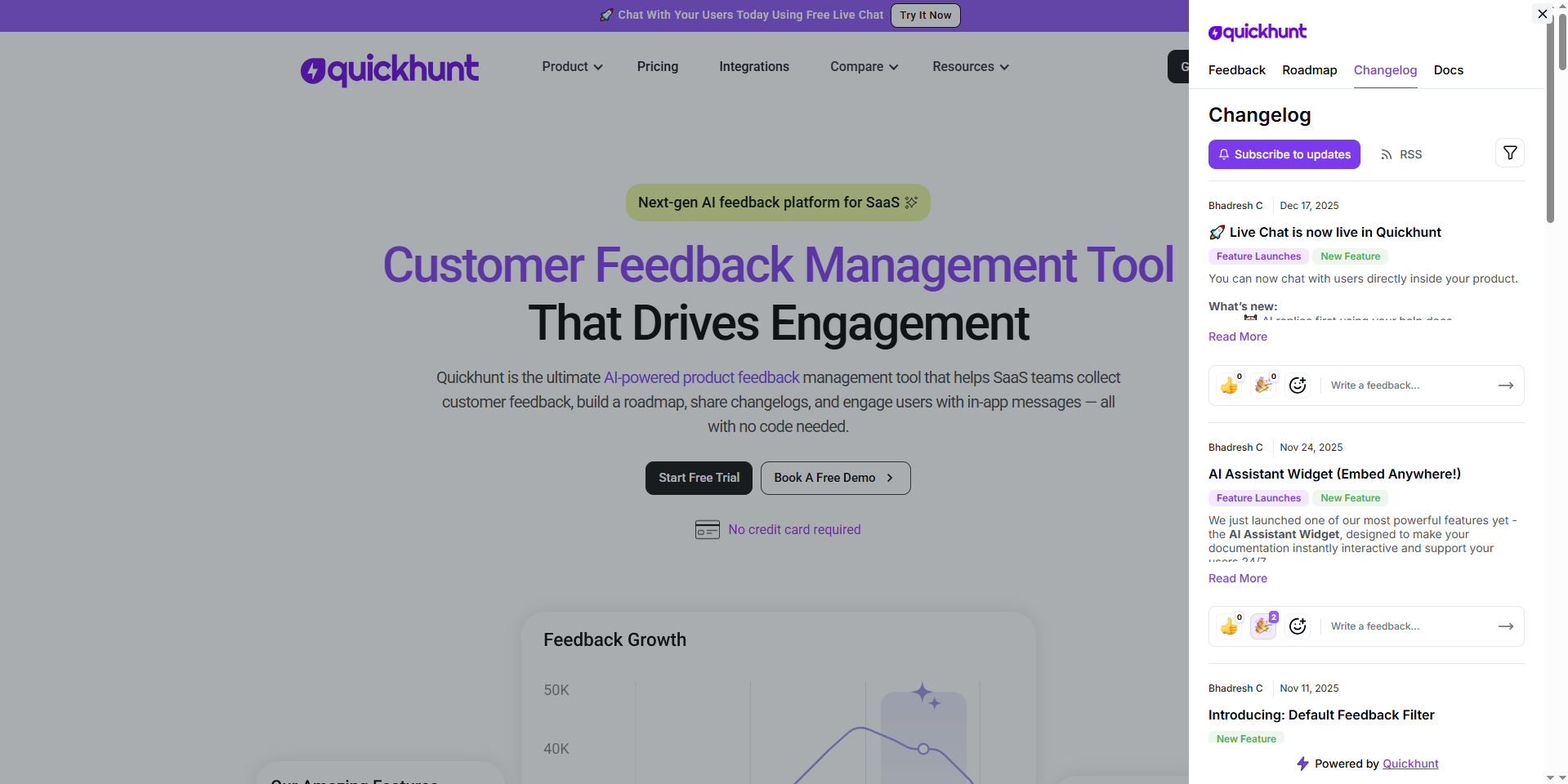
Quickhunt helps SaaS teams manage feedback, publish updates, and build changelogs in one place. The platform works as a complete AI changelog tool and product management system. Teams create and share release notes using AI in seconds. Quickhunt also lets users share changelogs automatically through an RSS feed, so customers always stay informed. It makes communication smooth and simple for every SaaS team.
Key Features:
- Create changelogs and release notes instantly with AI
- Share changelogs using RSS feed and public pages
- In-app widget for new feature announcements
- Feedback board and roadmap management in one place
- AI Assistant inside help docs for instant user answers
- Markdown and image support for detailed posts
Cons:
- No mobile app yet
- Limited integrations in the free version
Pricing:
Free plan available. Paid plans start at $23 per month with advanced customization, integrations, and analytics.
2. Beamer
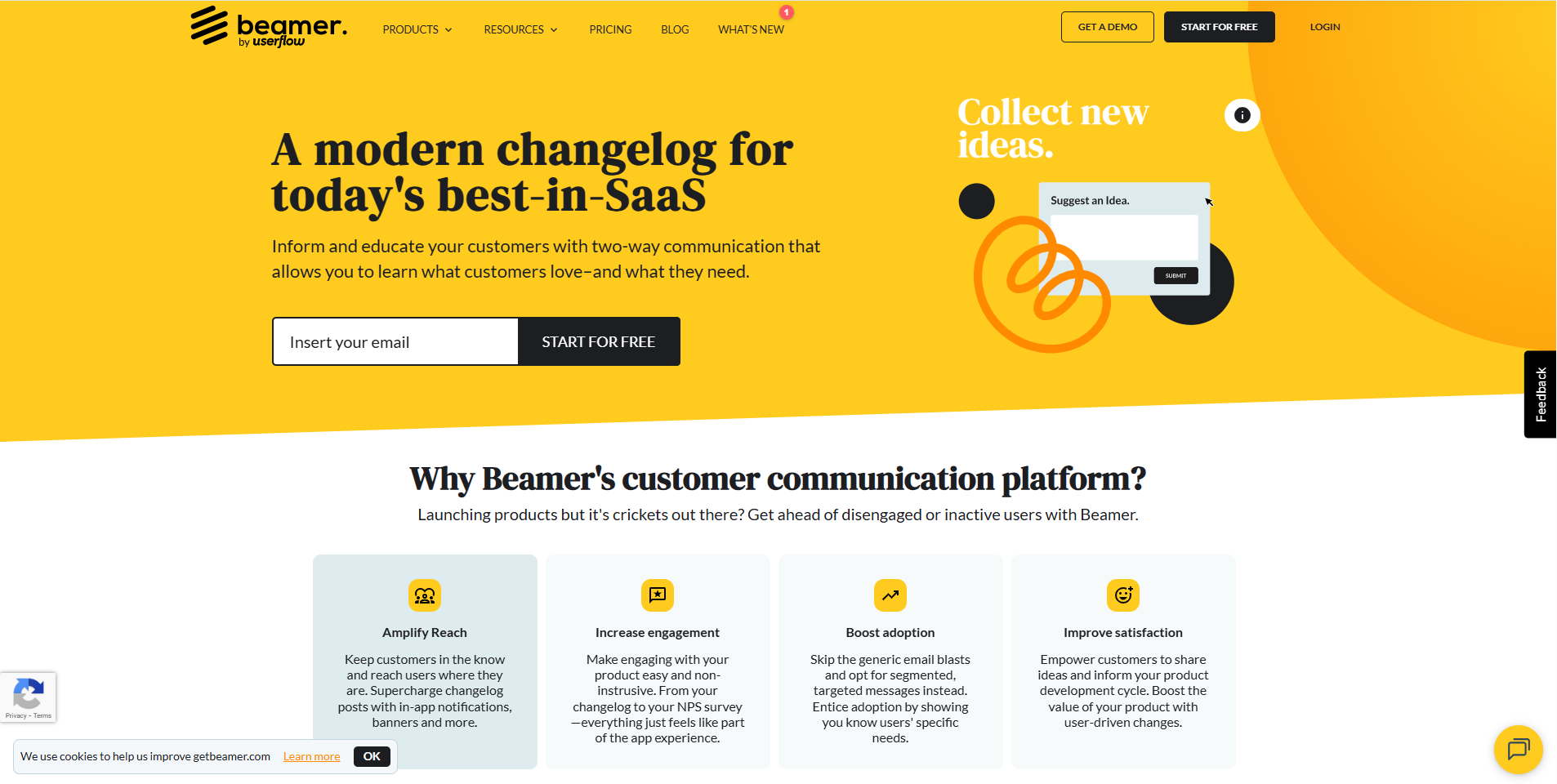
Beamer helps SaaS teams create and share release notes with customers. The changelog tool includes widgets, notifications, and analytics to help teams boost engagement. It lets users post updates directly in-app and track reactions in real time.
Key Features:
- Beautiful in-app changelog widget
- Push notifications and email alerts
- User segmentation for personalized updates
- Analytics to measure update performance
- Integration with tools like Intercom and Zapier
Cons:
- Branding removal is available only in paid plans
- Limited customization in the free plan
Pricing:
Free plan available. Paid plans start from $49 per month.
3. Headway
.png)
Headway offers a simple changelog app for startups and developers. Teams use it to publish release notes, feature updates, and product announcements without any coding. It focuses on simplicity and helps users build a clean public changelog page.
Key Features:
- Clean public changelog page
- Custom branding for company identity
- Simple editor for updating posts
- Embeddable widget for websites
- Instant update sharing through links
Cons:
- No analytics on the free plan
- Lacks feedback collection features
Pricing:
Free plan available. Paid plans start from $29 per month.
4. ChangeCrab
.png)
ChangeCrab helps teams publish release notes quickly and share updates via email or link. It focuses on simplicity and visual clarity. Startups use ChangeCrab to announce changes and keep customers informed about product progress.
Key Features:
- Public changelog page with a clean layout
- Image and GIF support for better updates
- Custom domains for branded pages
- Auto email notifications for subscribers
- Easy-to-use editor
Cons:
- No integrations with tools like Slack or Zapier
- Limited analytics
Pricing:
Free plan available. Paid plans start from $10 per month.
5. AnnounceKit
.png)
AnnounceKit combines a changelog tool and an announcement system. It helps SaaS companies share release notes with style. Teams can post updates, send notifications, and collect reactions from users in one platform.
Key Features:
- Interactive changelog widget
- Custom branding and styling
- User reactions and feedback on posts
- Team collaboration for updates
- Integration with Slack, Intercom, and Zapier
Cons:
- Free plan limits the number of posts
- Setup can take time for beginners
Pricing:
Free plan available. Paid plans start from $19 per month.
6. LaunchNotes
.png)
LaunchNotes works as a changelog app and communication hub for SaaS teams. It allows product managers to share new features, product updates, and release notes in an engaging way. It helps teams align with customers and internal stakeholders.
Key Features:
- Central hub for changelog and announcements
- Email and in-app notifications
- Custom domains and branding
- User segmentation and targeting
- Analytics dashboard
Cons:
- Complex setup for small startups
- The free plan has limited customization
Pricing:
Free plan available. Paid plans start from $29 per month.
7. Noticeable
.png)
Noticeable helps teams share product updates and release notes with their users easily. It focuses on simplicity and engagement. The tool combines a changelog, update feed, and newsletter system to keep users connected.
Key Features:
- Public changelog and in-app feed
- Scheduled publishing for planned releases
- Markdown and media support
- Analytics to track engagement
- Integration with webhooks and APIs
Cons:
- Free version limits update visibility
- Few layout customization options
Pricing:
Free plan available. Paid plans start at $29 per month.
8. ProductLift
.png)
ProductLift connects feedback, roadmaps, and changelogs in one app. It lets teams manage the full product communication cycle—from collecting ideas to posting release notes. It’s great for SaaS founders who want a single workspace for updates.
Key Features:
- Feedback collection board
- Product roadmap and changelog tool
- Public page for updates and announcements
- Upvote system for user ideas
- Simple and modern dashboard
Cons:
- Limited integrations in the free version
- No dark mode
Pricing:
Free plan available. Paid plans start at $25 per month.
9. ReleaseNotes
.png)
ReleaseNotes helps teams write and publish professional release notes without extra effort. It works as a modern changelog app that focuses on clarity and structure. It’s ideal for teams that want to keep users informed about every version release.
Key Features:
- Structured release note templates
- Public changelog feed
- Custom branding and logo
- Team collaboration
- Analytics dashboard
Cons:
- No feedback or voting options
- Free plan limits storage
Pricing:
Free plan available. Paid plans start at $19 per month.
10. Canny
.png)
Canny helps SaaS teams collect feedback, manage feature requests, and share product updates in one simple platform. It works as a changelog tool and feedback board combined. Teams use it to publish release notes, track customer ideas, and announce new features through a public changelog page. A strong Canny alternative gives teams more control, easier setup, and smarter ways to share updates with users.
Key Features:
- Feedback collection and voting board
- Public changelog page for product updates
- Integration with Slack, Intercom, and Zapier
- Tagging system for features and improvements
- Custom branding and analytics
Cons:
- Free plan limits the number of feedback boards
- No AI tools for changelog writing
Pricing:
Free plan available. Paid plans start at $19 per month.
11. Changelogfy
.png)
Changelogfy helps SaaS businesses communicate product updates and release notes with users clearly. The tool combines a changelog, product roadmap, and feedback board in one clean interface.
Key Features:
- In-app changelog widget
- Public update page
- Feedback and roadmap features
- Emoji reactions on updates
- Integration with Slack and Zapier
Cons:
- Free plan includes branding
- Limited automation options
Pricing:
Free plan available. Paid plans start from $29 per month.
12. Olvy
.png)
Olvy simplifies changelog management by combining release notes, feedback, and announcements in one tool. It helps SaaS teams understand user responses and share updates across multiple channels. Teams that look for more flexible and modern options can explore this Olvy alternative for better control and easier product communication.
Key Features:
- AI-powered changelog writing
- Integration with GitHub, Slack, and Jira
- Public changelog and feedback board
- Custom branding and styling
- Real-time team collaboration
Cons:
- The interface may feel complex for small teams
- Limited options in the free version
Pricing:
Free plan available. Paid plans start at $29 per month.
Why a Good Changelog Tool Matters for SaaS Growth
A good changelog tool helps every SaaS business grow faster and stay connected with users. It gives teams an easy way to share updates, new features, and fixes clearly. A well-written changelog keeps customers informed and builds trust in the product. A modern changelog app also helps teams create simple and engaging release notes that show product progress. Every update becomes a small story of improvement that increases user confidence and loyalty.
A clear changelog also supports marketing and customer success. Marketing teams use release notes to promote new features, while customer support teams use them to reduce confusion. The changelog becomes a single place for every product update, which improves transparency and teamwork. SaaS companies that use a changelog tool grow faster because they communicate better, engage users often, and create a stronger bond with their customers.
The Last Line
Modern SaaS teams move fast and need the right tools to keep users updated with every change. A good changelog tool helps teams share updates, release notes, and product improvements in one clean, simple place. It builds trust, increases engagement, and keeps communication open between teams and users.
Each changelog app listed above offers a unique way to manage updates and connect with customers. Tools like Quickhunt, Beamer, and Headway make it easy to post product updates and boost transparency. Whether a team wants AI-powered changelog creation, in-app updates, or public release notes, the right changelog tool brings structure and clarity to product communication. Clear updates lead to stronger customer relationships, smoother growth, and a better product experience for everyone.
FAQs
1. Why do SaaS teams use a changelog tool?
SaaS teams use a changelog tool to share product updates, new features, and fixes with users in a clear and organized way. It helps teams build transparency, improve communication, and keep customers informed about every change inside the product.
2. What makes a good changelog app?
A good changelog app offers an easy editor, a public changelog page, and in-app update widgets. It allows teams to post release notes, collect customer feedback, and share updates instantly through email or RSS feeds.
3. How often should a SaaS company update its changelog?
A SaaS company should update its changelog every time it releases a new feature, improvement, or bug fix. Regular updates help users see progress and build trust in the product.
4. Can a changelog tool help with user engagement?
Yes. A changelog tool increases engagement by showing users that the team keeps improving the product. When users see updates and detailed release notes, they feel involved and connected to the product journey.
5. What is the best free changelog tool?
Quickhunt is the best free changelog tool for modern SaaS teams. Quickhunt stands out because it lets teams create changelogs with AI and share them through an RSS feed without extra cost.


.svg "footer-logo")




.svg "fecebook")
.svg "linkdin")
.svg "twitter")



.png)