

.png)
Table of content
Every business collects information every day. Teams create guides, answer customer questions, solve problems, and document processes. Over time, all this information grows fast. Without a proper system, people spend too much time searching for answers, repeating tasks, and asking the same questions again and again.
A knowledge base helps organize important information in one place. It gives customers and teams quick access to answers, guides, tutorials, and helpful resources. Instead of waiting for support or searching through scattered files, people can find information faster and solve problems on their own.
Many companies now use knowledge bases to improve customer support, reduce repeated work, and create better user experiences. Startups, SaaS companies, eCommerce brands, and large businesses rely on them every day to save time and share knowledge efficiently.
This complete guide explains the purpose of a knowledge base, its benefits, different types, important features, and simple steps for building one successfully. You will also learn best practices, examples, and knowledge base software that help businesses create better knowledge systems.
What Is a Knowledge Base?

A knowledge base is a central place for storing and sharing information. Businesses use it to keep answers, guides, tutorials, instructions, policies, and important resources in one organized system. People can quickly search and find the information they need without asking support teams or coworkers for help.
Companies create knowledge bases to make information easy to access and simple to understand. Instead of keeping documents in different folders, emails, or spreadsheets, teams organize everything in a single location. This setup helps users find answers faster and complete tasks with less effort.
A knowledge base usually includes articles, step-by-step guides, FAQs, troubleshooting content, onboarding resources, and product instructions. Users can open a search bar, type a question or keyword, and get relevant results within seconds.
Many businesses use knowledge bases for customer support and internal team communication. Customers use external knowledge bases to solve problems on their own. Employees use internal knowledge bases to access company processes, training materials, and work instructions.
A well-organized knowledge base saves time, improves productivity, reduces repeated questions, and creates a better experience for users. As businesses grow, a strong knowledge base becomes an important part of daily operations.
Why Is a Knowledge Base Important for Businesses?
A knowledge base helps businesses keep information organized in one place. Customers and employees can quickly find answers without searching through emails, messages, or documents. Fast access to information saves time, improves productivity, and creates a smoother experience for everyone.
A knowledge base also reduces support work and improves customer satisfaction. Customers can solve common issues on their own, while support teams spend more time on important tasks. As a business grows, a help center helps teams stay efficient and provide consistent answers across every channel.
What Are the Different Types of Knowledge Bases?
Knowledge bases come in different formats because every business has different goals. Some teams need a space for employees to find company information. Others want customers to solve problems on their own. The right type depends on who needs the information and how people use it.
Here are the main types of knowledge bases:
Internal Knowledge Base
An internal knowledge base stores information for employees inside a company. Team members use it to find company policies, onboarding guides, training materials, process documents, project details, and workflows.
Many companies use an internal knowledge base to help employees find answers quickly instead of asking coworkers for help every time.
External Knowledge Base
An external knowledge base gives customers access to helpful information. Visitors can search articles and find answers without contacting support.
Self-Service Knowledge Base
A self-service knowledge base allows users to solve problems on their own. Customers search for answers, follow step-by-step guides, and fix issues without waiting for a support agent.
People now prefer self-service because it saves time and gives instant help.
Hosted Knowledge Base
A hosted knowledge base runs on a third-party platform. Companies create content, and the software provider handles hosting, updates, and maintenance.
Teams choose this option because the setup takes less time.
AI-Powered Knowledge Base
AI-powered knowledge bases help users find answers faster. Artificial intelligence scans content and suggests helpful information based on user questions.
Community Knowledge Base
A community knowledge base allows users to share answers and help other users. Customers, experts, and community members create discussions and solutions.
Different knowledge base types solve different problems. Some focus on employee support, while others improve customer experience. Many businesses combine multiple types to create a better support system.
Knowledge Base vs Help Center vs FAQ Comparison
What Features Should a Good Knowledge Base Have?
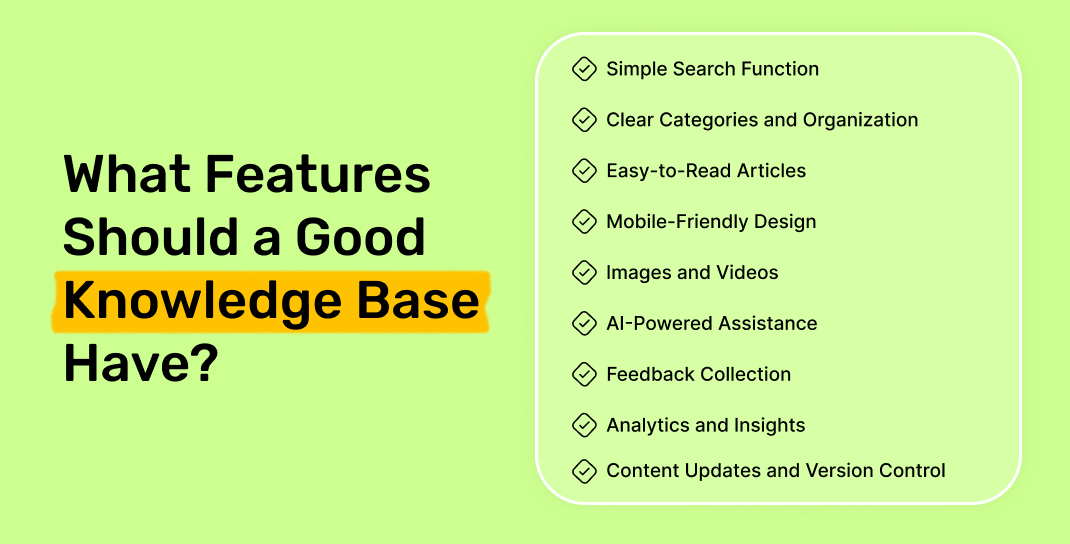
A knowledge base should help people find answers fast and solve problems without confusion. Users do not want to waste time searching through messy articles or endless pages. A strong knowledge base keeps information organized, easy to read, and simple to use. Here are the most important features every knowledge base needs.
Simple Search Function
Search plays a big role in every knowledge base. People visit support pages because they need quick answers. A smart search bar helps users find articles in seconds.
Search should understand keywords, phrases, and common spelling mistakes. Fast and accurate search results improve the user experience and reduce frustration.
Clear Categories and Organization
Users should move through content without getting lost. A good organization makes articles easy to find.
Create categories and subcategories based on topics. Group related content together so visitors can move from one article to another without extra effort.
Easy-to-Read Articles
People scan content before they read every word. Long paragraphs and difficult terms create confusion.
Mobile-Friendly Design
Many users search for answers on phones and tablets. A knowledge base should work smoothly on every screen size.
Pages should load quickly and fit smaller displays without broken layouts. Mobile users expect a simple experience from start to finish.
Images and Videos
Visual content improves learning. Screenshots, GIFs, videos, diagrams, and AI image to video tools help users follow instructions with less effort. A picture can explain a process faster than a long paragraph. Visual guides also reduce mistakes and improve understanding.
AI-Powered Assistance
AI improves support experiences. AI assistants can suggest articles, answer questions, and guide users to the right information. Users receive answers faster, and support teams spend less time handling repeated questions.
Feedback Collection
Customer feedback helps improve content quality. Small feedback options can show if an article solved the problem.
Simple buttons like:
- Helpful
- Not Helpful
help teams understand user needs and identify weak content areas.
Analytics and Insights
Analytics shows how people use the knowledge base. Teams can track:
- Most viewed articles
- Search terms
- Failed searches
- User behavior
These insights help teams update content and improve weak areas.
Content Updates and Version Control
Information changes over time. Products receive updates, features change, and processes improve.
Regular updates keep articles accurate and useful. Version tracking also helps teams manage edits and maintain content quality.
Internal Linking
Links between articles create a better experience. Users can discover related content without starting a new search.
For example, a billing article can link to payment settings or subscription guides. Internal links help visitors continue their journey with less effort.
A strong knowledge base combines speed, clarity, and easy navigation. Search, organization, AI features, and simple content work together to create a better experience for every user.
What Are the Benefits of Using a Knowledge Base?
- Faster customer support: Users find answers quickly without waiting for support replies.
- Reduces support tickets: Customers solve common issues on their own.
- Saves team time: Support teams avoid answering the same questions repeatedly.
- Improves self-service: Users access help articles and guides anytime.
- Keeps information organized: Teams store all knowledge in one place.
- Boosts team productivity: Employees find important information faster.
- Helps employee training: New team members learn processes quickly.
- Supports business growth: Teams manage more users without extra workload.
- Builds customer trust: Clear information creates a better user experience.
- Reduces support costs: Businesses handle more customer questions with fewer resources.
Who Should Use a Knowledge Base?
- Customer Support Teams: Reduce repeated questions and help customers find answers faster.
- SaaS Companies: Share onboarding guides, tutorials, and product instructions in one place.
- Product Teams: Store feature updates, product details, and release notes for easy access.
- Startups: Support users with fewer resources and save team time.
- Remote Teams: Keep company processes, documents, and team knowledge organized.
- HR Teams: Share onboarding guides, company policies, and training materials.
- E-commerce Businesses: Answer common questions about shipping, returns, and products.
- Large Organizations: Give employees and customers one place to find information quickly.
- Agencies and Service Companies: Store workflows, client information, and internal guides.
- Any Business That Handles Repeated Questions: Save time and improve the overall experience.
What Are Some Real Knowledge Base Examples?
Many companies build a knowledge base to store and share information in one place. Users can read guides, find answers, learn processes, and solve problems without extra support. Here are some real knowledge base examples:
Quickhunt Knowledge Base
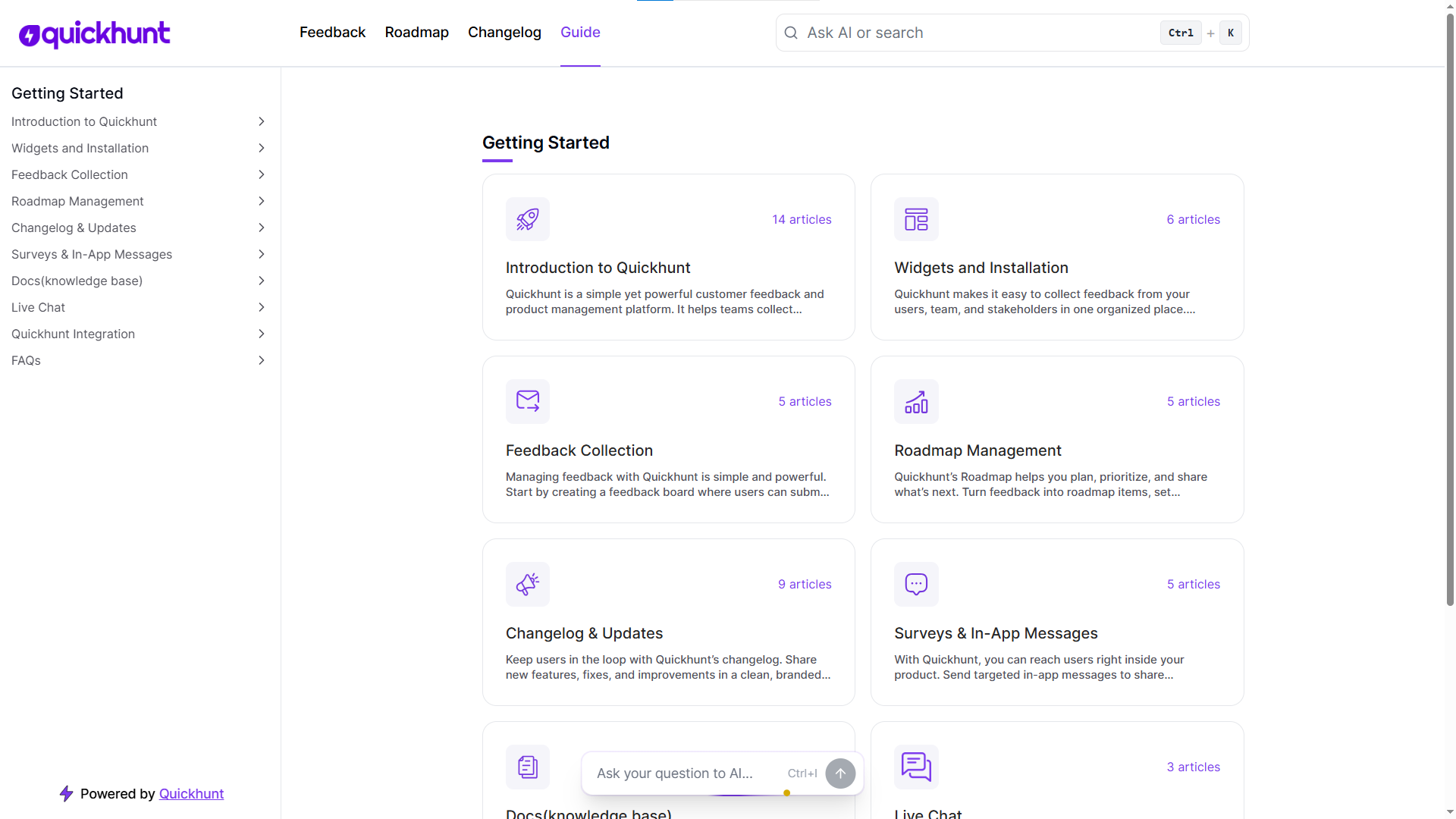
Quickhunt allows teams to create a central knowledge base with help docs, FAQs, product guides, and AI-powered search. Teams can organize information and help users find answers quickly.
Atlassian Knowledge Base
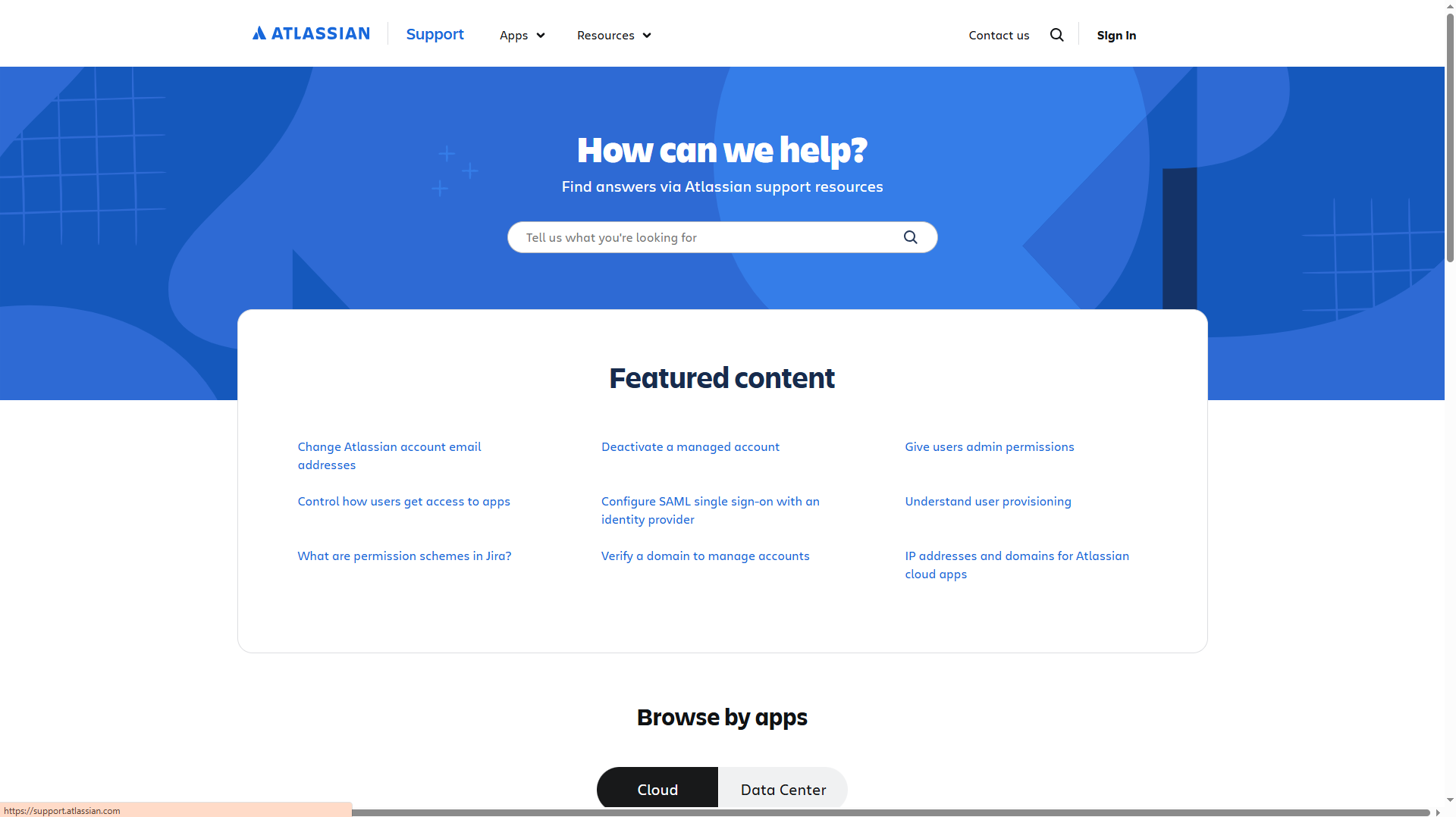
Atlassian uses a knowledge base to help users learn products like Jira and Confluence. Users can access setup guides, troubleshooting steps, product information, and technical resources.
Microsoft Knowledge Base
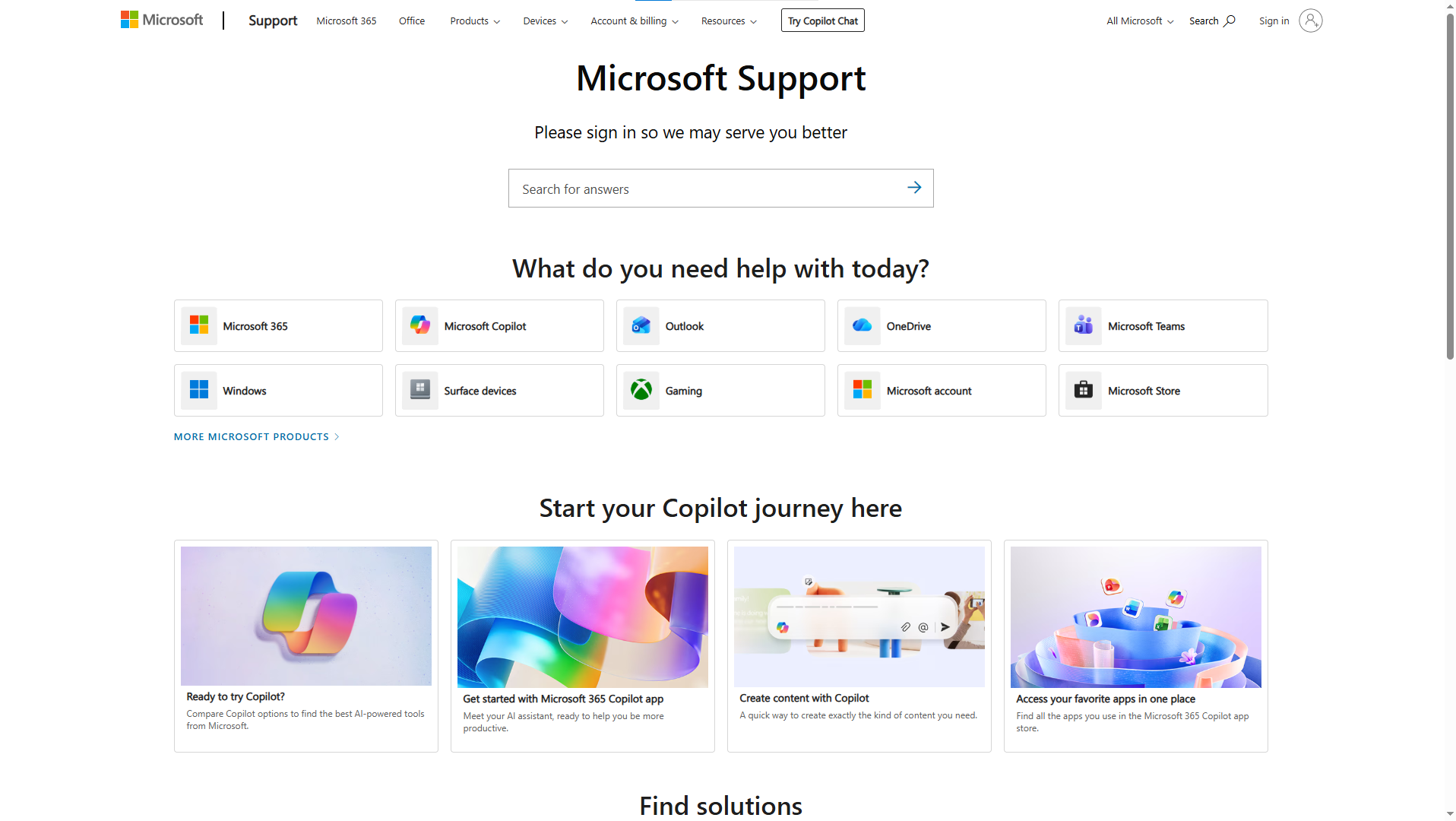
Microsoft maintains one of the largest knowledge bases. Users can search articles for Windows, Office, Azure, and software issues. The platform helps users solve technical problems and learn product features.
HubSpot Knowledge Base
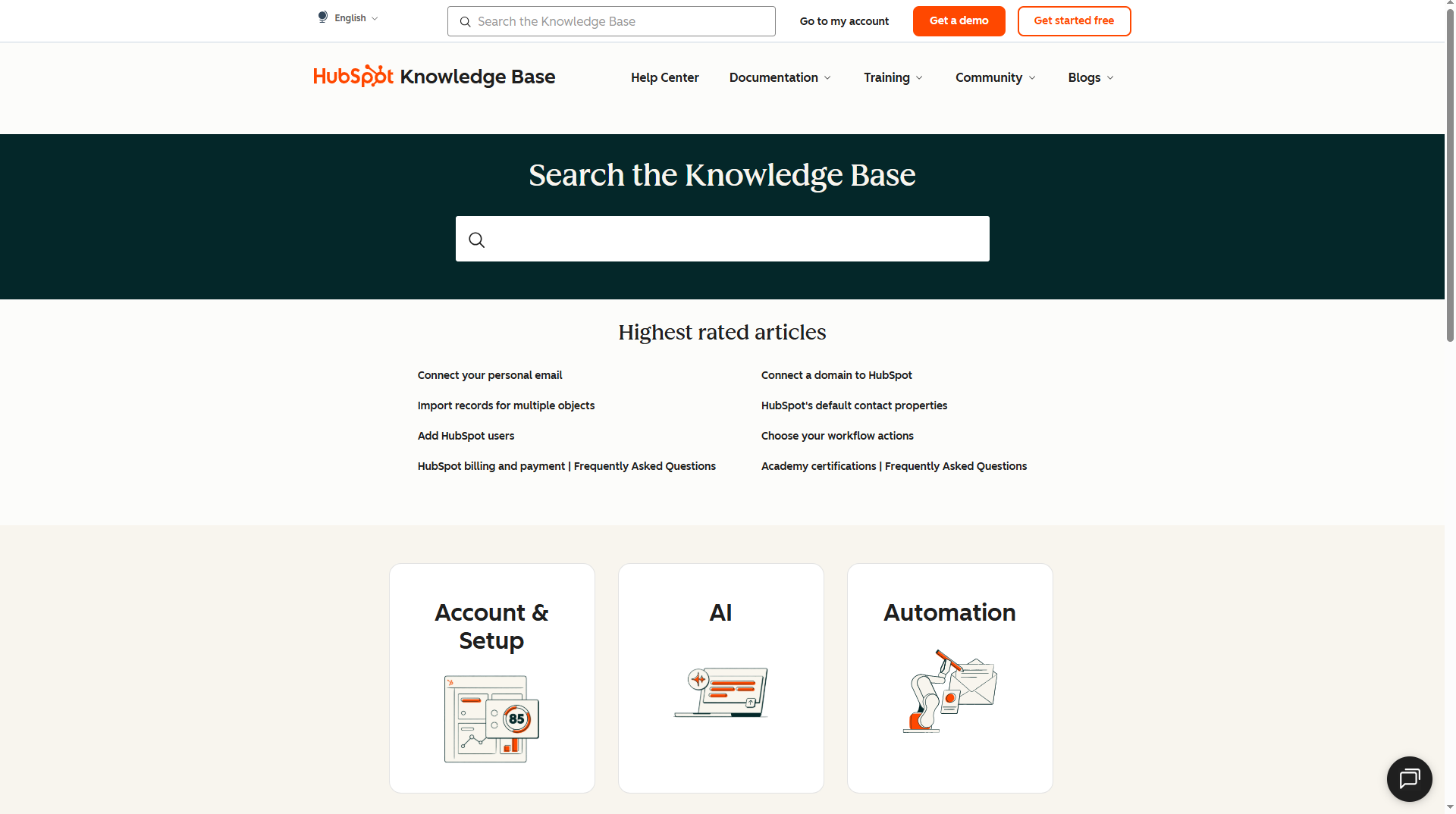
HubSpot provides articles for CRM tools, marketing software, customer support, and sales features. Users can follow simple instructions and improve their workflow.
Salesforce Knowledge Base
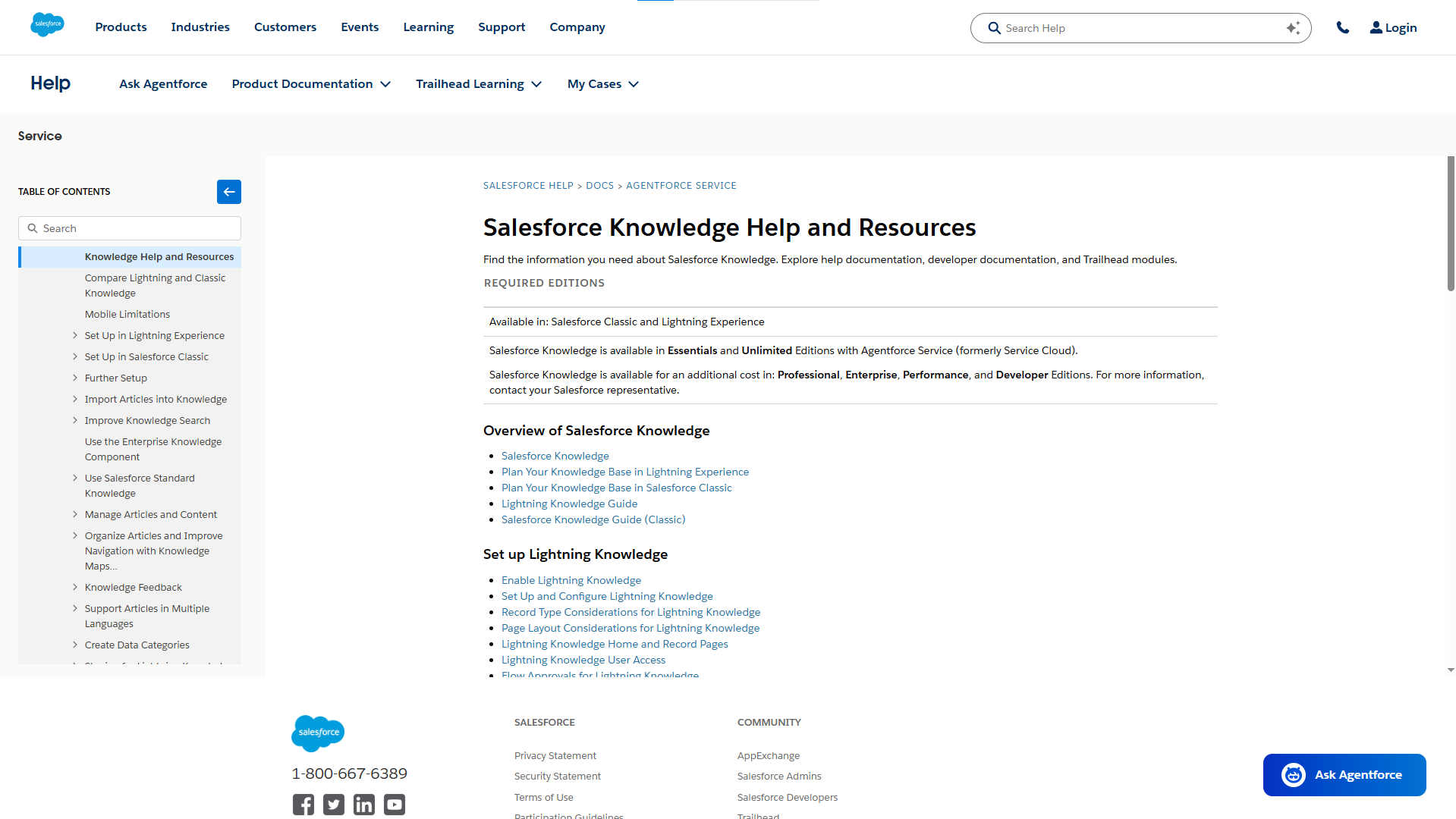
Salesforce stores product details, setup instructions, troubleshooting guides, and customer resources in its knowledge base. Users can find answers without contacting support.
Adobe Knowledge Base
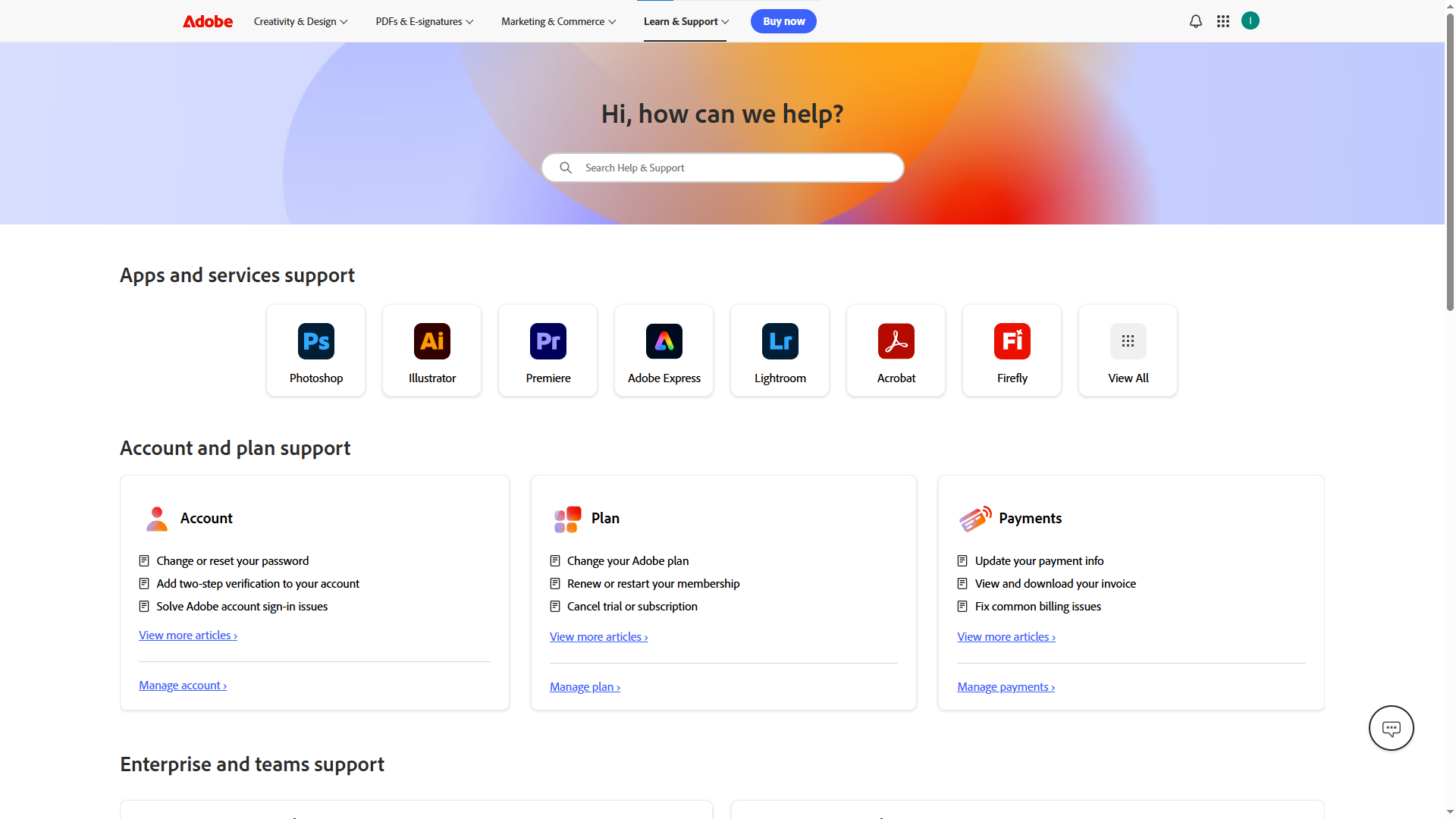
Adobe gives users access to product tutorials, installation steps, account information, and issue solutions. Users can learn tools and fix problems faster.
How Can AI Improve a Knowledge Base?
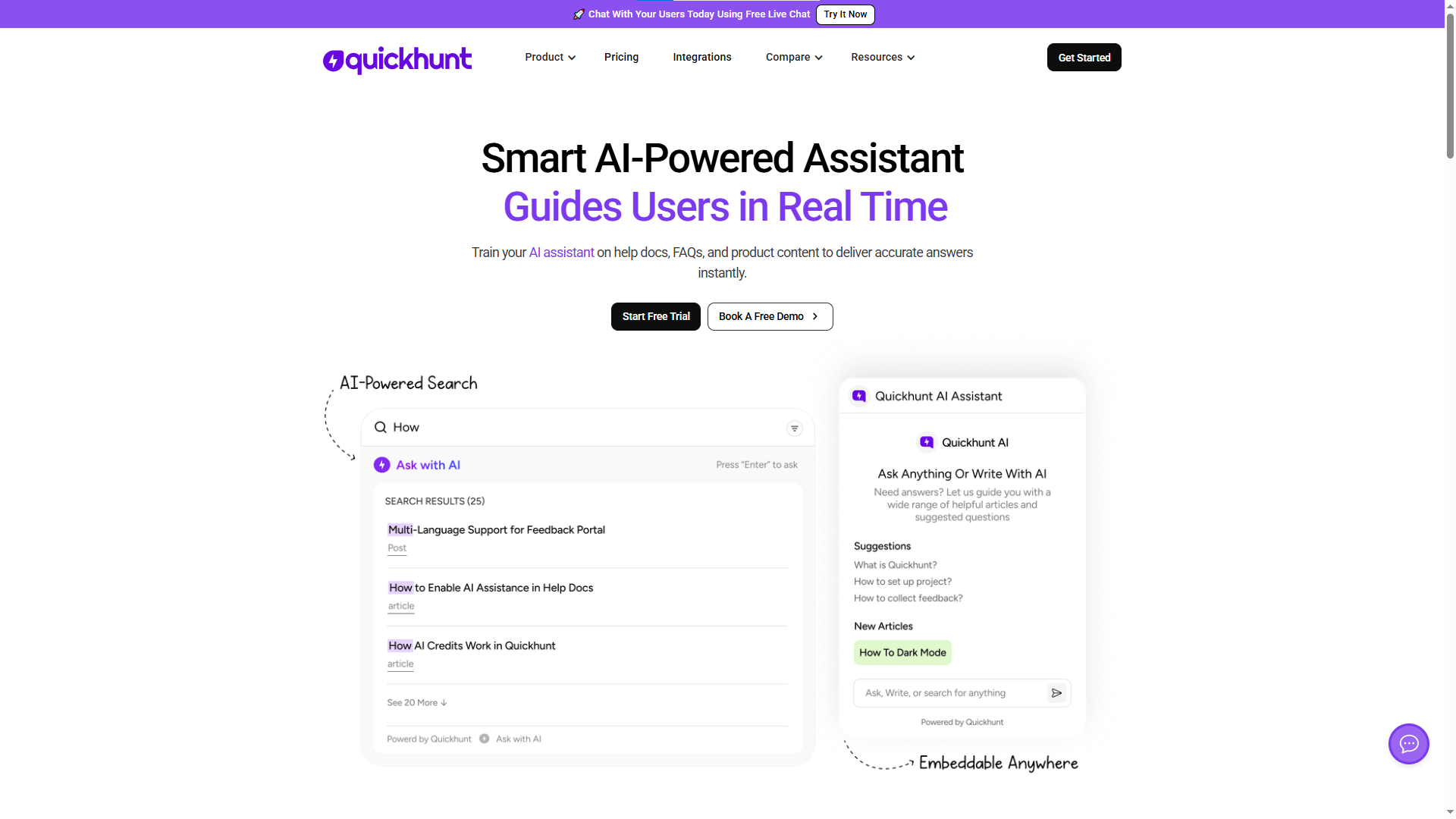
AI assistants make a knowledge base smarter, faster, and easier to use. Users find answers quickly without searching through many pages. Support teams save time because the AI knowledge base chatbot handles common questions and reduces repetitive work. AI-powered search understands user intent and shows the most useful articles based on user needs. Users spend less time searching and more time solving problems.
AI also helps teams create and manage content faster. Teams use AI to generate article drafts, create summaries, and organize information in a simple way. AI can find outdated content and help teams keep articles accurate and useful. It can also suggest related articles so users discover more helpful resources without extra effort.
AI assistants support users all day and night. Users receive instant help at any time without waiting for support teams. AI also studies search patterns and common questions to help businesses understand user needs. Teams can improve content based on real user behavior and create a better self-service experience. AI transforms a basic knowledge base into a smart system that improves support, saves time, and helps users get answers faster.
How to Create a Knowledge Base Step by Step
Building a knowledge base helps users find answers faster and helps teams save time. A good setup keeps information clear, organized, and easy to search. Follow these simple steps to create a knowledge base. If you plan to choose a tool, explore our guide on knowledge base software to compare features and find the right option for your team.
Step 1: Set Clear Goals
Start with a clear plan. Decide why you want a knowledge base. You may want to reduce support tickets, help customers solve problems faster, or give your team one place for information. Clear goals help you build useful content.
Step 2: Understand User Needs
Think about your users first. Look at common customer questions, support requests, and repeated issues. Find topics people search for most often. User needs should guide your content.
Step 3: Collect Important Information
Gather all useful content in one place. Include guides, FAQs, product details, onboarding steps, troubleshooting help, and company resources. Keep only accurate and useful information.
Step 4: Create Content Categories
Group content into simple sections. Good categories help users find answers quickly. You can create sections like Getting Started, Account Setup, Billing, Product Features, Troubleshooting, and FAQs.
Step 5: Write Easy-to-Read Articles
Use simple words and short sentences. Focus on one topic in each article. Add clear headings and step-by-step instructions. Help users solve problems without confusion.
Step 6: Add a Search Feature
A search bar helps users find answers fast. People often search instead of browsing categories. A strong search experience saves time and improves user satisfaction.
Step 7: Add Images and Videos
Visual content makes learning easier. Add screenshots, videos, GIFs, and examples. Images help users follow steps without confusion.
Step 8: Test the User Experience
Open your knowledge base and test every section. Search for articles, click links, and check article flow. Make sure users can find information quickly.
Step 9: Keep Content Updated
Review articles often. Remove old information and add new updates. Fresh content builds trust and keeps users happy.
Step 10: Track Results and Improve
Watch article views, search terms, and user feedback. Find content gaps and improve weak areas. Small updates help your knowledge base grow over time.
Why Quickhunt works as the Best Knowledge Base Software
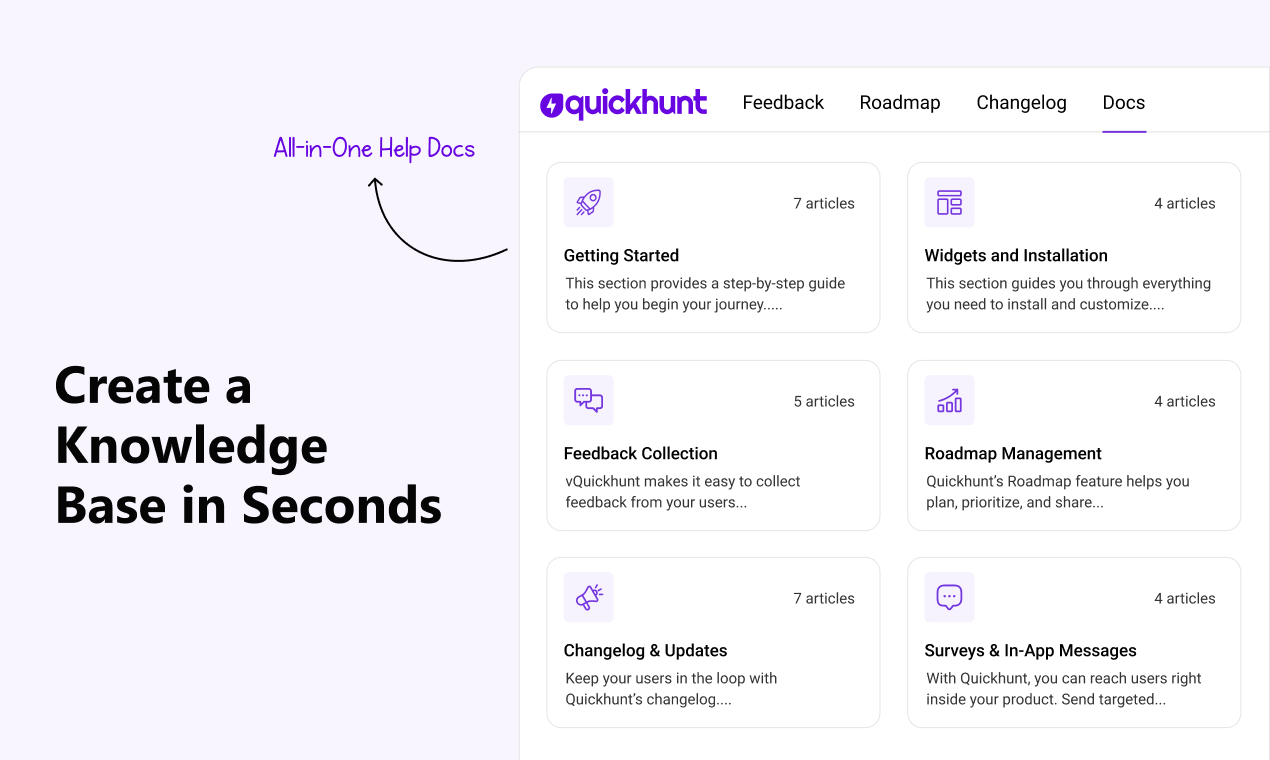
Teams need a simple way to share answers, guides, and product information. Quickhunt gives businesses one place for help docs, FAQs, customer feedback, roadmaps, changlogs, in-app messages and AI-powered support tools.
Quickhunt helps teams create clear knowledge articles in minutes. Users can find answers fast through smart search and AI assistance. Support teams save time and reduce repeated questions.
Quickhunt also keeps your content organized. You can build help centers, manage product updates, collect user feedback, and improve customer experience from one dashboard.
Growing startups and product teams need speed and simple workflows. Quickhunt brings both. Teams spend less time on support and more time building great products.
Quickhunt gives businesses an easy path to create a better knowledge base experience.
The Last Line
A knowledge base helps people find answers fast and solve problems without extra effort. It keeps important information in one place and makes support easier for both teams and customers. Companies save time, reduce repeated questions, and create a better user experience through clear and organized content.
As businesses grow, information also grows. A strong knowledge base keeps everything easy to find and simple to understand. Teams work faster, customers stay happy, and support becomes more efficient. Add AI tools, smart search, and helpful articles, and your knowledge base becomes a powerful resource for long-term growth.
FAQs
What Is a Knowledge Base?
A knowledge base is a centralized system that stores and organizes information in one place. Businesses use it to share answers, guides, tutorials, documentation, FAQs, troubleshooting steps, and important resources with customers or employees.
Which types of knowledge bases do companies use?
Companies use internal and external knowledge bases. Internal knowledge bases support employees and teams. External knowledge bases help customers find guides, answers, and product information.
How can a company create a knowledge base?
Start with clear goals. Collect useful information and group content into categories. Write simple articles, add a search feature, and keep content updated.
Which features make a knowledge base useful?
A good knowledge base includes smart search, categories, tags, clear navigation, media support, and simple article management. AI features also improve the experience.
Which industries benefit from a knowledge base?
SaaS companies, healthcare teams, eCommerce brands, educational platforms, IT teams, and customer support departments use knowledge bases to share information and help users.
Can AI improve a knowledge base?
AI helps users find answers faster. AI search, chat assistants, and smart suggestions improve navigation and reduce support requests.


.svg "footer-logo")




.svg "fecebook")
.svg "linkdin")
.svg "twitter")



.png)