

Table of content
SaaS products grow fast, and users ask questions every day. Support teams often repeat the same answers again and again. Therefore, smart SaaS teams create a knowledge base to save time and help users faster. A strong knowledge base gives users clear answers without waiting for support replies.
Many SaaS founders choose to build a knowledge base early because users prefer self-service. Users search, read, and solve problems on their own. As a result, a customer knowledge base improves satisfaction and builds trust. It also supports teams as products scale.
Teams often create knowledge base content to explain features, setup steps, pricing details, and common issues. A well-planned knowledge base for customer support reduces tickets and improves response speed. In addition, a customer service knowledge base helps support agents give accurate answers.
A customer support knowledge base also helps new users learn faster. Teams can even create their own knowledge base for free with modern tools and a simple setup. Overall, companies build a knowledge base to support growth, improve experience, and keep customers happy.
What Is a Customer Knowledge Base?
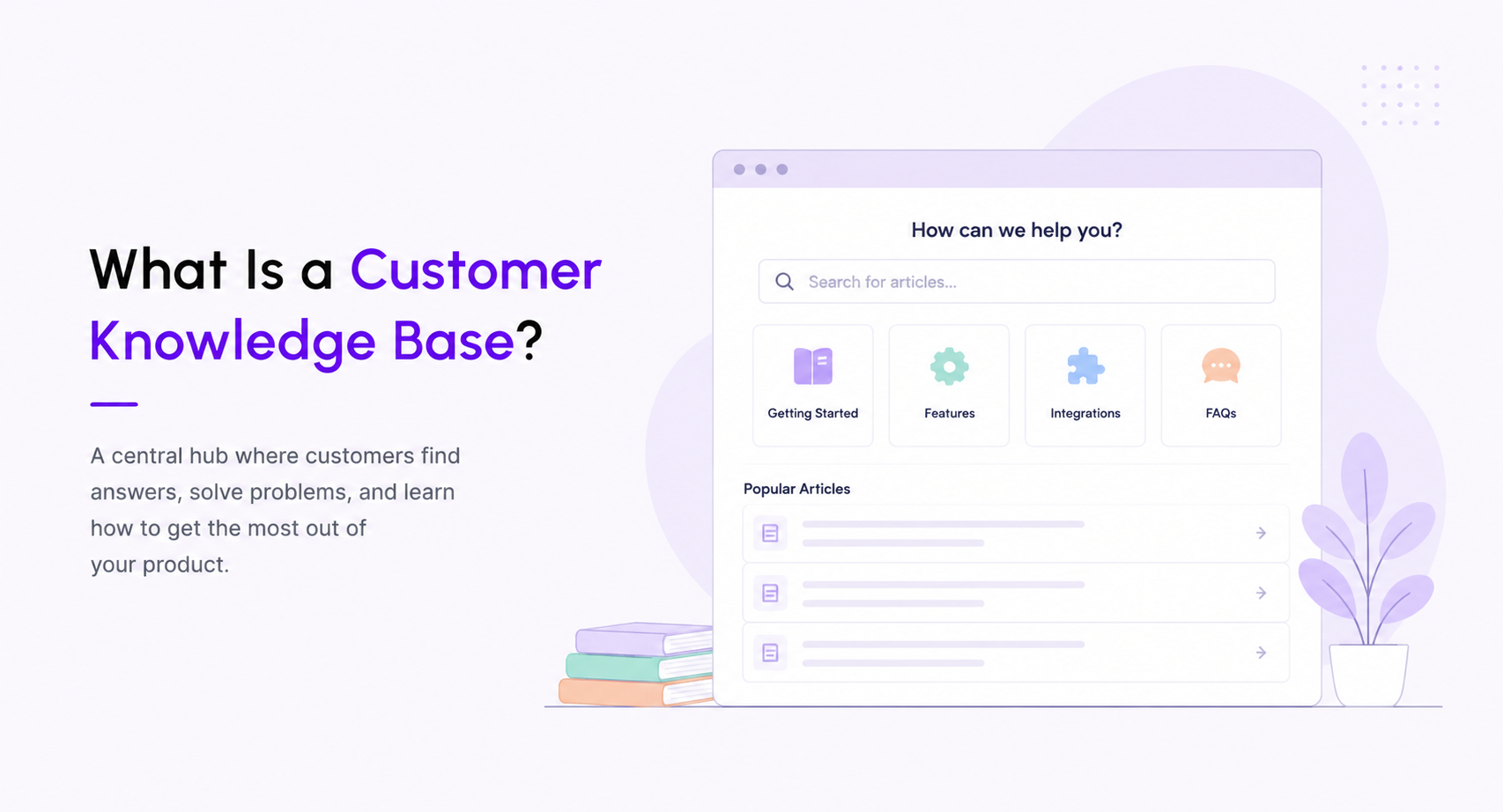
A customer knowledge base works as a central place where users find answers without contacting support. SaaS companies create a knowledge base to share guides, setup steps, feature explanations, and fixes in one clear location. As a result, users solve problems faster and feel more confident while using the product. Teams also build a knowledge base to keep help content organized and easy to access.
A strong knowledge base for customer support helps users help themselves. Instead of sending emails or opening tickets, customers search articles and follow simple steps. Therefore, support teams save time and focus on complex issues. Many SaaS teams create knowledge base content to improve onboarding, reduce churn, and increase product adoption. A clean customer service knowledge base also builds trust because users see clear and honest help.
Modern SaaS companies build a knowledge base as part of their growth strategy. A well-planned customer support knowledge base answers common questions, explains features, and shares updates. Teams often create their own knowledge base for free at an early stage, then expand content as the product grows. With the right approach, companies create knowledge base content once and help thousands of users every day.
Why SaaS Companies Should Build a Knowledge Base
1. Reduce Customer Support Workload
SaaS products receive the same questions every day. Therefore, teams need a faster solution. When you create a knowledge base, users find answers without contacting support. As a result, support teams save time and focus on real issues. A strong customer support knowledge base removes repeated tickets and improves daily workflow.
2. Help Customers Find Answers Instantly
Users want quick solutions. They do not like waiting for emails or chats. A customer knowledge base gives instant help through clear articles. Because of this, users feel confident and satisfied. When companies build a knowledge base, they improve the overall user experience.
3. Improve Product Onboarding
New users often feel confused during setup. Clear guides solve this problem. A customer service knowledge base explains features step by step. Therefore, users start using the product faster. Better onboarding leads to higher engagement and long-term usage.
4. Scale Support Without Hiring More Agents
As users increase, support requests also increase. Hiring more agents costs money. However, one article helps thousands of users. When SaaS teams create knowledge base content, they support growth without growing costs. This approach keeps teams efficient and focused.
5. Build Trust and Product Confidence
Clear help content shows professionalism. Users trust products that offer easy guidance. A public knowledge base for customer support builds transparency and credibility. As a result, users rely more on the product and stay loyal.
6. Save Support and Operational Costs
Live chat and email support require time and resources. Self-service support costs less. When companies build a knowledge base, they reduce support expenses. At the same time, users still receive quality help. This balance improves business efficiency.
7. Enable Self-Service for Global Users
SaaS products serve users across regions and time zones. Support teams cannot stay online all the time. A well-written customer service knowledge base offers help 24/7. Users get answers anytime without delays.
How to Create a Knowledge Base for SaaS Products
SaaS products grow fast. Users ask questions every day. Support teams face repeated issues again and again. Therefore, SaaS teams need to create a knowledge base that gives instant answers. A strong customer knowledge base helps users solve problems without waiting. At the same time, it helps teams save time and effort.
Moreover, a clear knowledge base for customer support builds trust. Users feel confident when they find answers quickly. Because of this, SaaS teams should focus on quality, structure, and clarity while they build a knowledge base.
Choose the Right Knowledge Base Tool
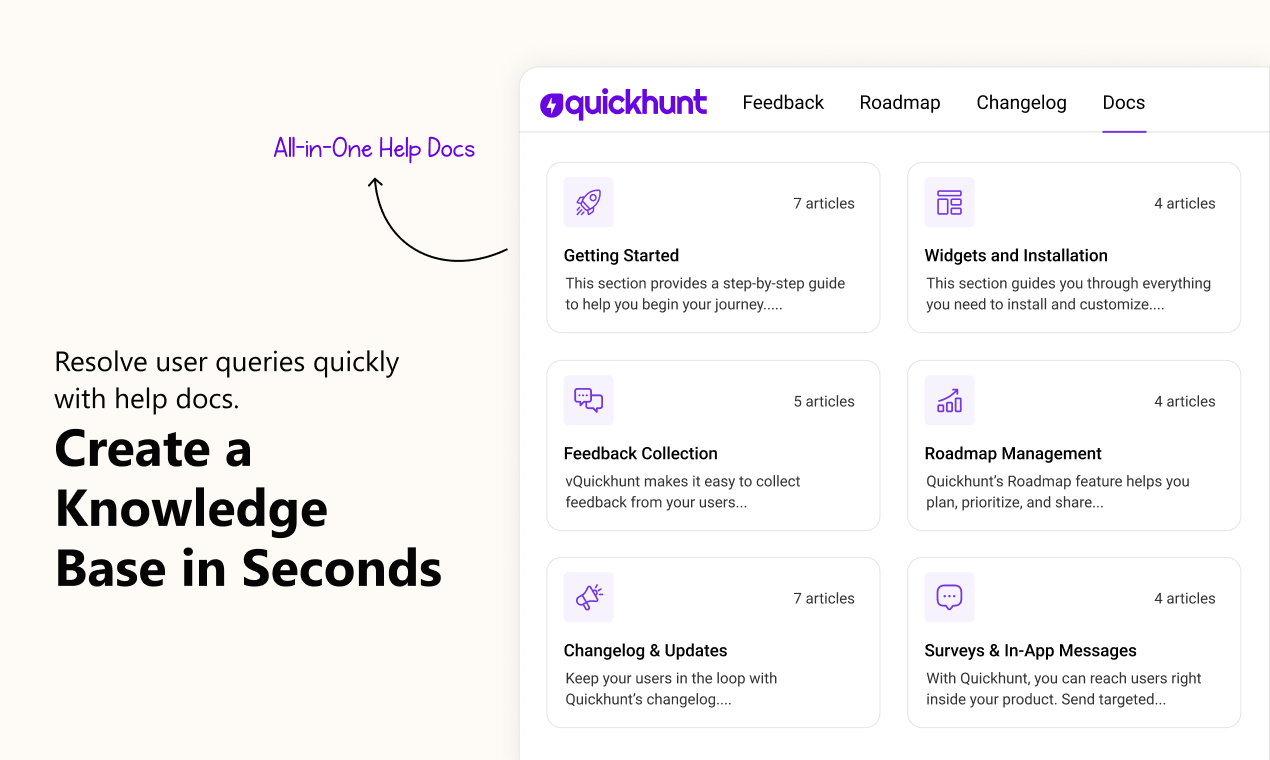
The right tool plays a big role while you create knowledge base content. A good tool helps teams publish, update, and manage articles with ease. It also supports search, categories, and access control.
Always pick a tool that matches your SaaS size and goals. Some teams need a simple setup. Others need advanced options. Many teams also prefer tools that help them create their own knowledge base for free during the early stages.
Quickhunt also includes an AI assistant that works as a knowledge base chatbot, helping users find answers instantly while making it easier for teams to create, update, and manage knowledge base articles from one place.
A strong tool supports:
- Fast article creation
- Easy editing
- Clear navigation
- Search-friendly structure
When teams select the right platform, they build a knowledge base that users enjoy using. As a result, support teams handle fewer tickets.
Quickhunt supports a customer support knowledge base and a customer service knowledge base from one dashboard. Teams avoid tool switching and save time. Quickhunt also includes an AI assistant that helps users find answers faster and helps teams create and update articles with ease. Early-stage teams can also create their own knowledge base for free with Quickhunt.
Create a Simple Knowledge Base Structure
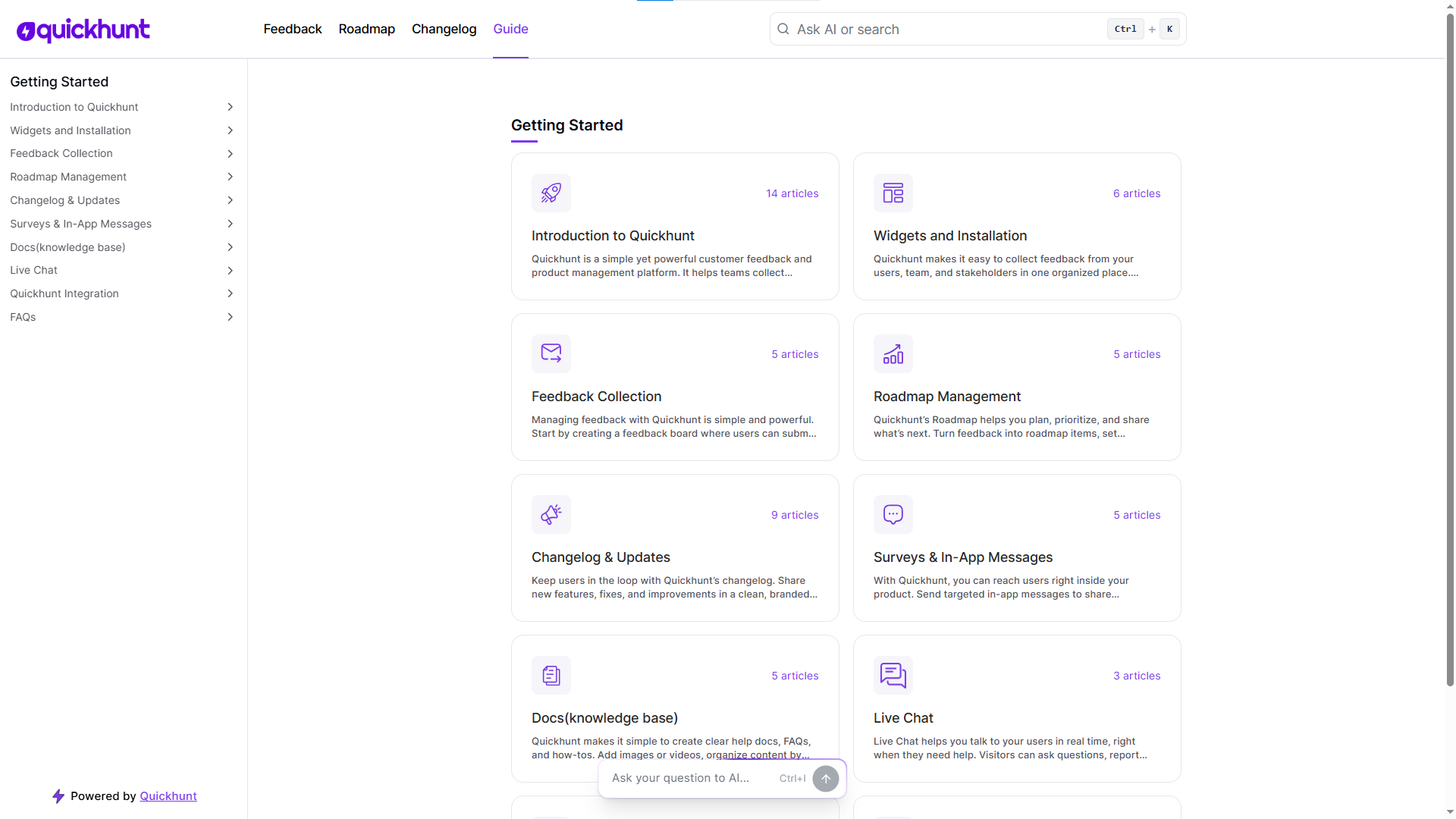
A simple structure keeps users focused. Complex layouts confuse readers and increase exits. Therefore, teams should plan before they create knowledge base sections.
Start with main categories like:
- Getting Started
- Account Setup
- Features
- Billing
- Troubleshooting
Then, place articles under the right section. This approach helps users scan faster. It also improves the overall customer support knowledge base experience.
Moreover, a clean structure supports search engines. Because of this, your customer service knowledge base reaches more users through search results.
Write Clear and Easy-to-Follow Articles
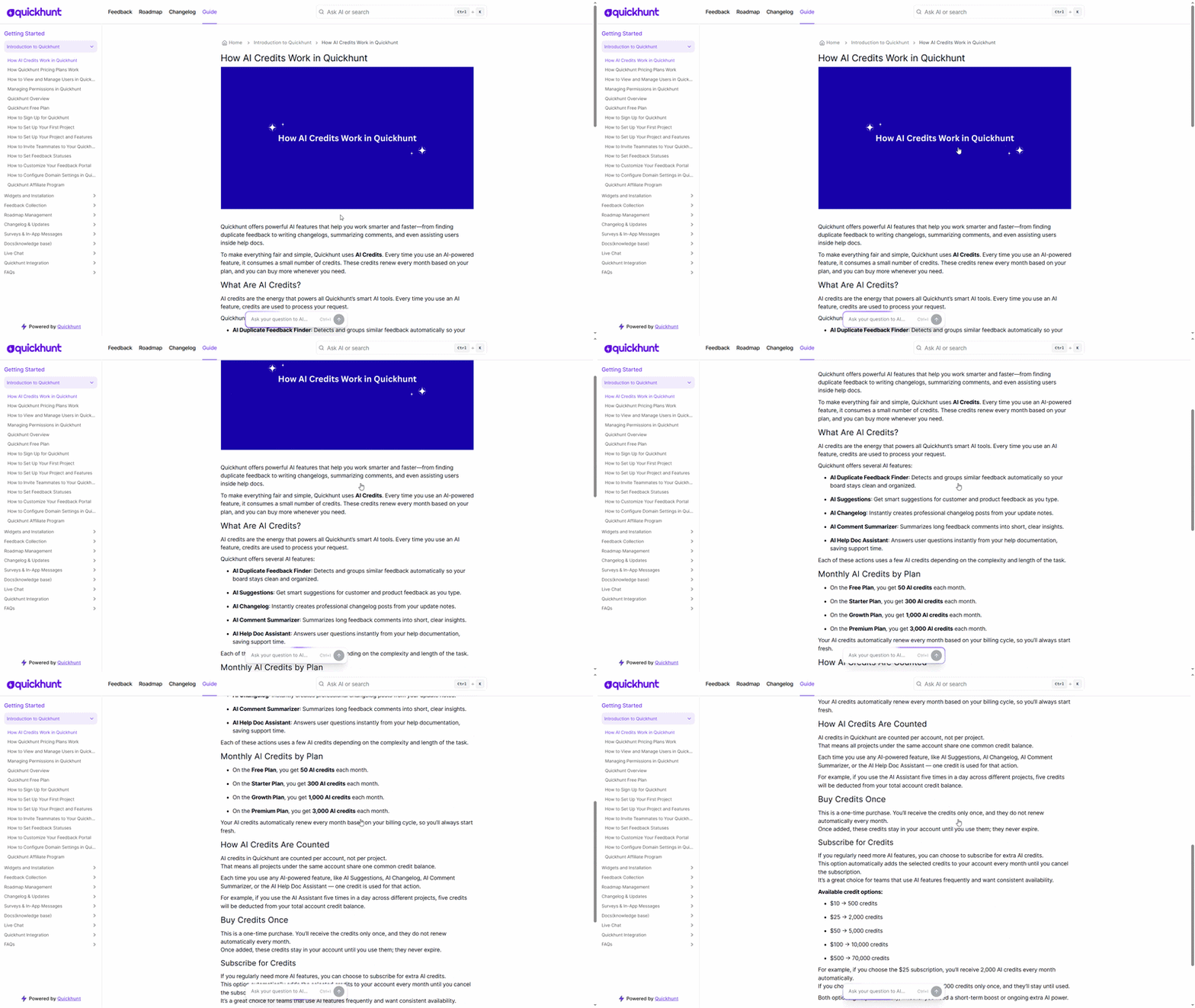
Clear writing improves success. Short sentences guide users better. Simple words reduce confusion. Therefore, teams should focus on clarity while they create knowledge base articles.
Each article should:
- Start with the goal
- Explain the steps in order
- End with a clear result
Always write as you speak. Avoid complex terms. Avoid long paragraphs. This method helps users understand faster. As a result, your customer knowledge base becomes more useful.
In addition, a consistent tone builds trust. When users feel comfortable reading, they return again. That habit strengthens your knowledge base for customer support.
Add Screenshots, Videos, and Examples
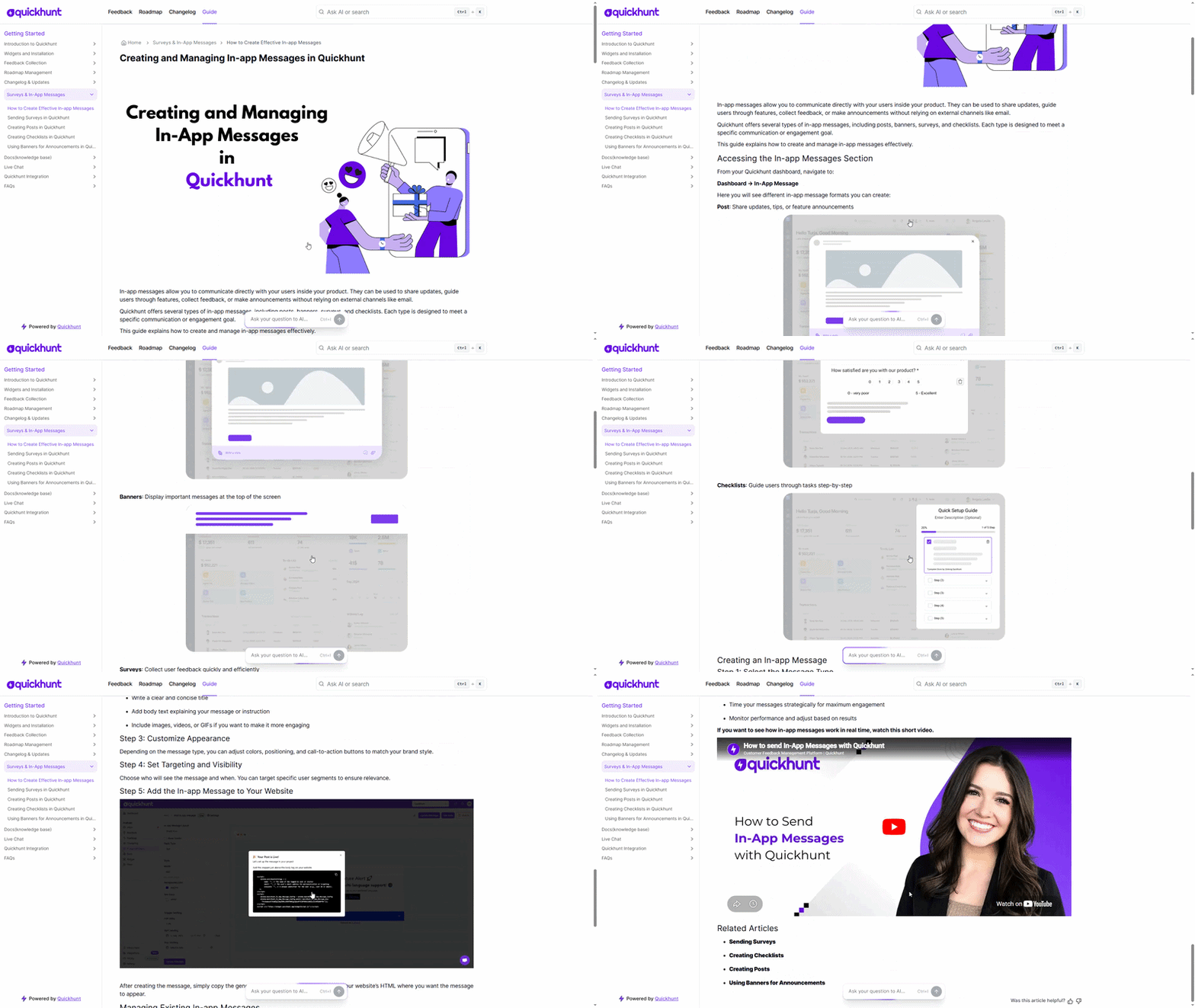
Visuals explain better than text alone. Screenshots show real actions. Videos guide users step by step. Examples remove confusion. Because of this, visuals improve every customer support knowledge base.
Many SaaS companies also combine their documentation with an AI assistant so users can ask questions in natural language and receive instant answers based on existing knowledge base articles. This creates a faster self-service experience while reducing support requests.
Add:
- Screenshots for each step
- Short videos for complex flows
- Real examples for common tasks
Visual content reduces reading time. It also helps non-technical users. Therefore, teams should always add visuals while they build a knowledge base.
This approach also lowers support requests. Users fix issues faster. Support teams gain more time for advanced tasks.
Organize Content with Categories and Tags
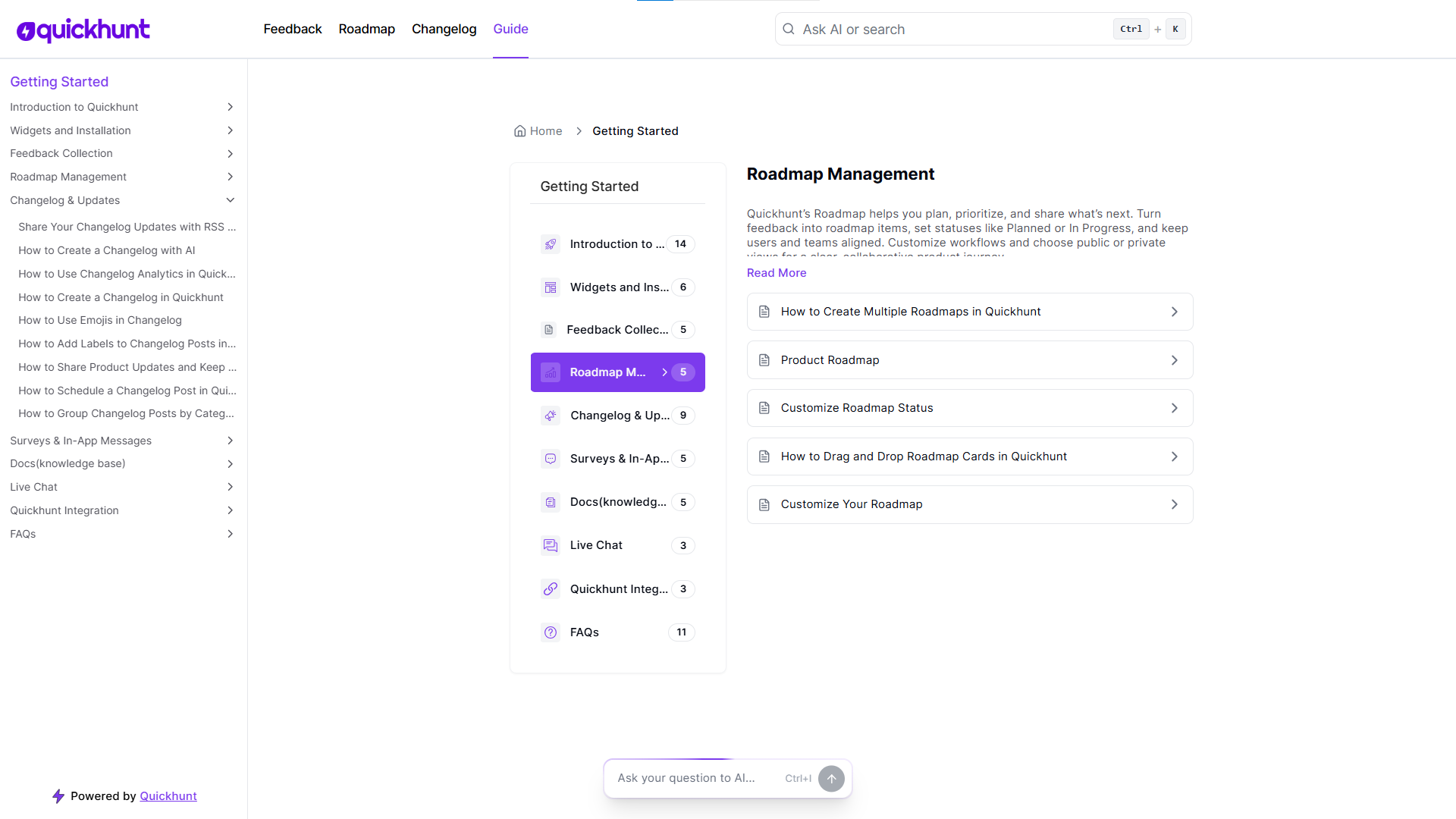
A good organization keeps content easy to find. Categories group similar topics. Tags connect related articles. Together, they improve navigation across the customer service knowledge base.
Use categories for main topics. Use tags for specific actions or features. This system helps users move between articles smoothly. As a result, users explore more content.
A strong organization also supports growth. As your SaaS adds features, you can expand content without confusion. That structure helps teams create knowledge base content faster.
When teams organize well, they build a knowledge base that scales with the product.
Best Practices and Tips to Create a Knowledge Base
To create a knowledge base that users love, you need clear content, smart structure, and regular updates. A strong customer knowledge base helps users solve problems fast and helps teams save time. Follow these best practices to build a knowledge base that works for SaaS products.
Focus on Real User Questions
Start with real questions from users. Check support tickets, chat logs, and emails. These questions guide you to create helpful articles. A knowledge base for customer support should always solve common problems first. This approach helps users trust your online knowledge base from day one.
Use Simple and Clear Language
Use easy words and short sentences. Avoid complex terms and long explanations. Users want fast answers. A simple customer service knowledge base improves understanding and reduces confusion. Clear writing also helps new users learn your product faster.
Keep Articles Short and Scannable
Break content into small sections. Use headings, short paragraphs, and numbered steps. This format helps users scan content quickly. A clean layout improves every customer support knowledge base and increases article usage.
Organize Content in a Logical Way
Group articles by features or user goals. Use categories and tags to improve navigation. A clean structure helps users find answers without frustration. Good organization also helps teams build a knowledge base that scales with product growth.
Add Visual Support
Screenshots and short videos explain steps faster than text alone. Visual content improves clarity and reduces reading effort. An online knowledge base with visuals feels modern and helpful. Visual guides also reduce follow-up questions.
Update Content on a Regular Basis
Review articles often. Remove outdated steps and add new feature details. A fresh customer knowledge base builds trust and keeps users informed. Regular updates also improve search performance.
Optimize for Search Inside the Knowledge Base
Add clear titles and common keywords that users search for. A strong search feature improves article discovery. This step improves every knowledge base for customer support and saves time for support teams.
Use the Same Writing Style Everywhere
Keep tone, format, and terms consistent across articles. Consistency helps users understand content faster. It also helps teams create knowledge base content without confusion.
Track Performance and Improve
Check article views, search terms, and customer feedback. These insights help you improve content quality. Data-driven updates help you create a knowledge base that grows with users.
Common Mistakes When You Create a Knowledge Base
Many SaaS teams try to create a knowledge base but fail to get real results. These mistakes reduce value for users and support teams. Avoid the issues below to build a knowledge base that customers actually use.
Creating a Knowledge Base Without Clear Goals
Many teams create knowledge base content without a clear purpose. This approach leads to random articles and poor structure. Always decide the main goal first. A customer knowledge base should answer common questions and solve real problems. A customer support knowledge base should reduce tickets and save time. Clear goals help you build a knowledge base with focus and direction.
Using Complex Language and Long Explanations
Complicated words confuse users. Long paragraphs push readers away. A customer service knowledge base must use simple words and short steps. Clear language helps users understand faster. Easy content also improves trust in your online knowledge base.
Ignoring Search and Navigation
Many teams create knowledge base content but forget search and structure. Poor navigation frustrates users. Categories, tags, and clear titles help users find answers fast. A strong knowledge base for customer support always includes search-friendly content. Good structure also helps teams build a knowledge base that scales.
Writing Articles Without Real User Questions
Some teams guess topics instead of using real data. This mistake hurts the value of a customer support knowledge base. Use support tickets, chats, and emails as content ideas. Real questions lead to helpful articles. This approach strengthens your customer knowledge base and improves self-service.
Skipping Visual Help
Text alone often fails to explain SaaS features. Screenshots and short videos improve clarity. Visuals guide users step by step. A strong online knowledge base always includes images. Visual content also reduces confusion and repeated questions.
Leaving Content Outdated
Outdated articles break trust. Old screenshots and wrong steps confuse users. Regular updates keep your customer service knowledge base reliable. Fresh content shows care for users. Ongoing updates help you build a knowledge base that stays useful.
Final Thoughts
Every SaaS product grows with users, features, and daily questions. Because of this, teams need to create a knowledge base early and manage it with care. A strong customer knowledge base gives users quick answers and builds trust. It also helps teams save time and focus on product growth. When you build a knowledge base, users learn faster and feel more confident while using the product. An online knowledge base works as a single place for guides, tutorials, and solutions. It supports users at every step and improves the overall product experience.
SaaS teams should create knowledge base content with clear steps, simple words, and helpful visuals. A knowledge base for customer support reduces repeated questions and lowers support pressure. A well-organized customer service knowledge base also helps support agents reply faster and stay consistent. Many tools now help teams create their own knowledge base for free, which makes the process easier for startups. By choosing the right knowledge base software and clear structure, teams can build a knowledge base that users enjoy using. In the long run, a strong customer support knowledge base becomes one of the most valuable assets for any SaaS product.
FAQs
How can SaaS teams create a knowledge base for users?
SaaS teams can create a knowledge base by listing common user questions first. Next, teams can write clear answers and publish them inside an online knowledge base. This process helps users find help fast and lowers support requests.
Why should SaaS companies build a knowledge base early?
SaaS companies should build a knowledge base early to support growth. A customer knowledge base helps users learn features without help from agents. As a result, teams save time and improve user trust.
How does a customer knowledge base help customer support teams?
A customer knowledge base gives users instant answers. Therefore, a customer support knowledge base reduces repeat tickets. Support teams then focus on complex issues instead of simple questions.
Can startups create their own knowledge base for free?
Yes, startups can create their own knowledge base for free by using modern SaaS tools. Many tools offer basic plans to create knowledge base content without cost. This option works well for early-stage products.
How does an online knowledge base improve user experience?
An online knowledge base gives users control. Users search, read, and solve problems without delays. Because of this, a customer service knowledge base builds confidence and improves product adoption.
How do teams build a knowledge base with a clear structure?
Teams build a knowledge base by grouping articles into simple categories. Clear titles and tags help users move fast. This structure keeps the customer support knowledge base easy to use.



.svg "footer-logo")




.svg "fecebook")
.svg "linkdin")
.svg "twitter")



.png)