

Table of content
Customers may never hear about it.
A changelog gives you a way to share product updates with your customers. You can use it to announce features, small improvements, bug fixes, and major changes in one place.
A good changelog should feel easy to read. Customers should quickly understand the update, see its value, and know how to try it. Short copy, headings, screenshots, and videos can make a big difference.
Many SaaS companies already use changelogs to keep customers up to date. Using the right changelog tools can also make it easier to create, publish, organize, and share product updates from one place. Their approaches can give you ideas for your own product updates.
Below, we’ve mentioned 10 changelog examples from SaaS and technology companies. Each example shows a way to share product updates and gives you ideas you can use for your own changelog.
What Is a Changelog?
A changelog records every important change a team makes to a product. It can cover new features, bug fixes, improvements, design updates, integrations, and removed features.
For example, a software company may add a new payment option, fix a checkout problem, or improve its dashboard. The team can add each update to the changelog with a short description. Users can then check the changelog and learn about recent product changes.
A changelog can cover both small fixes and major launches. A small fix may need only a short note. A major feature may need screenshots, a video, or a help article.
A changelog works like a running history of a product. It shows users how the product grows and helps them keep track of new features and improvements.
A changelog and release notes can look similar, but they serve slightly different purposes. A changelog gives customers an ongoing place to follow product changes, while release notes often provide more detail about a specific release or version. If you want to understand the key differences and learn which format fits your product, check out our guide to changelog vs. release notes.
10 Changelog Examples to Inspire Better Product Updates
A changelog can do more than list new features. A well-written update can catch attention, explain a change, and give customers a reason to try something new. The following SaaS changelog examples show different approaches to product update communication.
Each company below takes its own approach to product updates. Some use short notes, while others add images, videos, examples, or detailed guides. You can study these styles and pick ideas for your own changelog.
1. Quickhunt Changelog Example
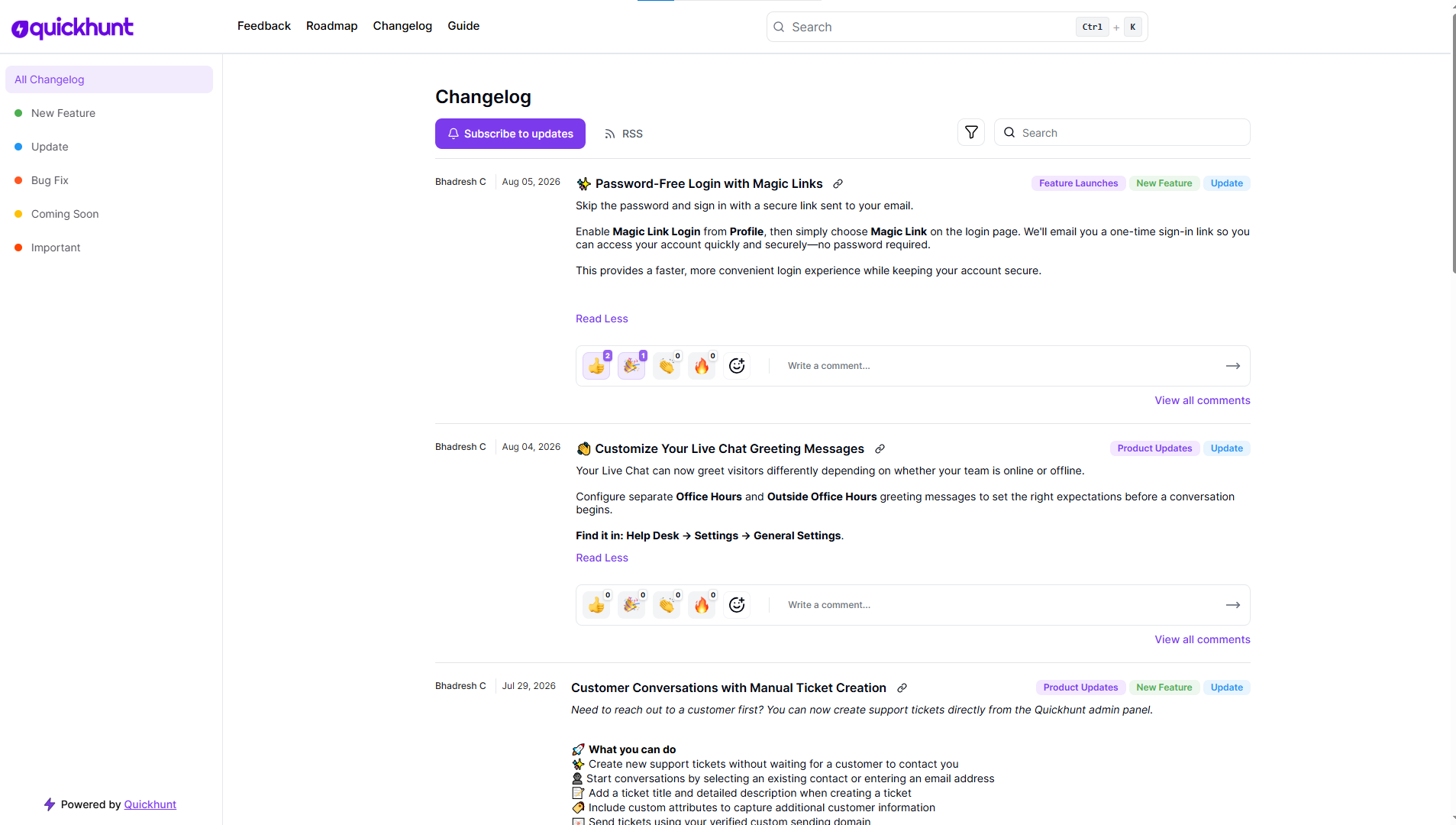
Quickhunt is one of the SaaS changelog examples that shows how product updates can become part of an ongoing customer conversation. Quickhunt takes a more interactive approach to product updates. Its changelog helps teams share new features, improvements, and fixes with customers.
Teams can also use in-app messages to bring important updates directly into the product. For teams looking for changelog tools, Quickhunt brings product updates, in-app messages, live chat, a knowledge base, and customer feedback into one place.
This approach can help solve a common problem: customers often miss new features after a launch. A changelog page alone may not get enough attention. An in-app message can put the update in front of users as they work.
Quickhunt also puts focus on user feedback. Teams can announce a change, let customers try it, and collect their views.
This creates a simple flow:
Launch → Tell users → Let them try → Get feedback
For SaaS companies, this approach can make product updates feel more active and connected to the customer experience.
Try this idea:
Share major updates in your changelog and use in-app messages for features you want more customers to discover.
Want to create a changelog for your own SaaS product? Watch this quick video to see how you can create and publish a product update in Quickhunt.
2. Notion Changelog Example
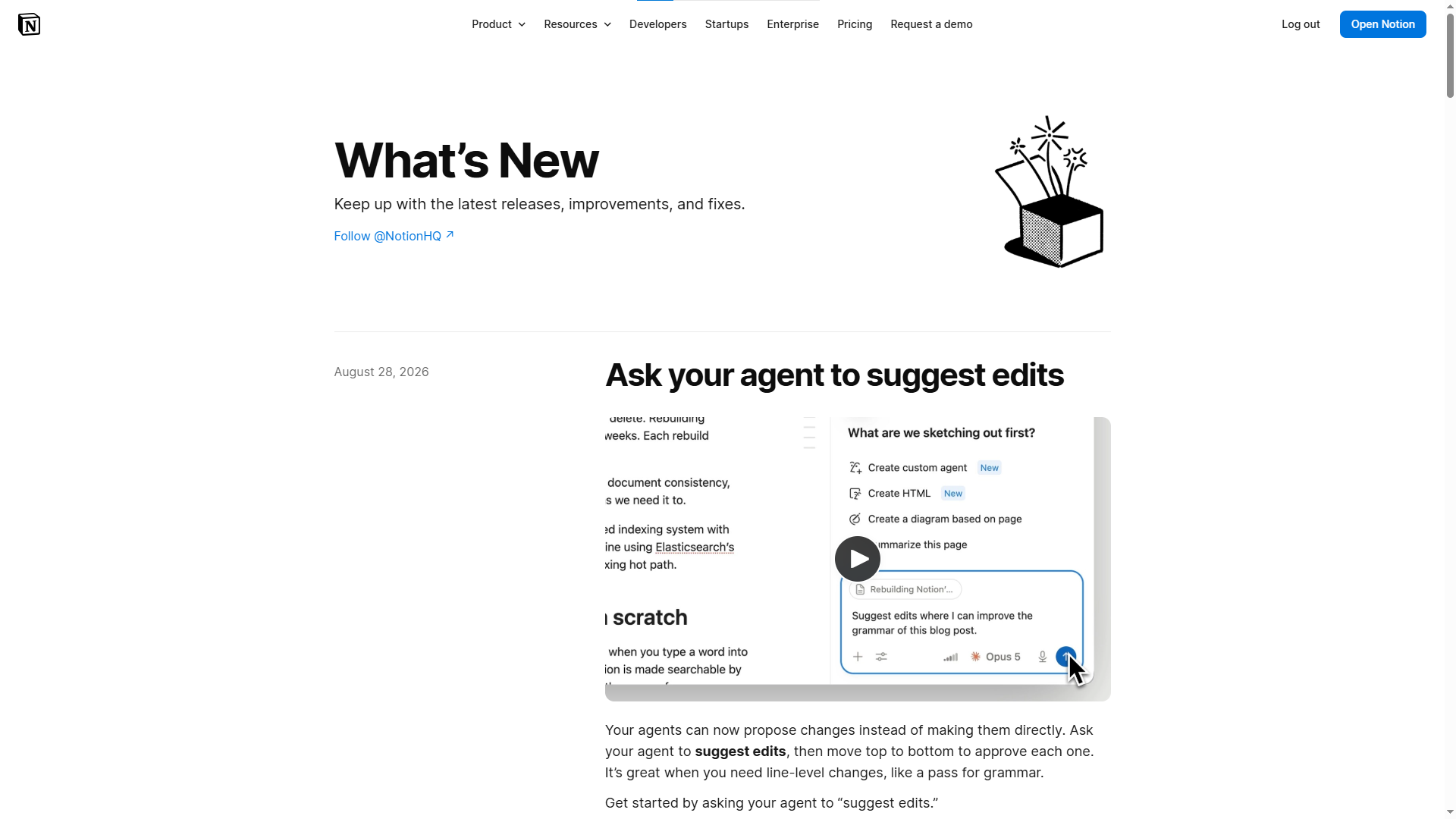
Notion keeps its product updates clean, short, and visual. Its release page brings new features and improvements together in one place. Many updates include screenshots or videos, so users can see the feature before they start using it.
This style fits Notion well. The product includes many tools, menus, settings, and workflows. A long block of text could make a simple feature feel hard to understand.
A screenshot can solve the problem in seconds.
For example, a new setting may need only a short explanation plus an image showing its location. Users can look at the image, understand the change, and move on.
Notion also avoids making every update feel like a long announcement. Small changes stay short, while larger features get more room.
Try this idea:
Use a short title, a few clear lines, and one useful image. Let the product screen explain part of the update.
3. Slack Changelog Example
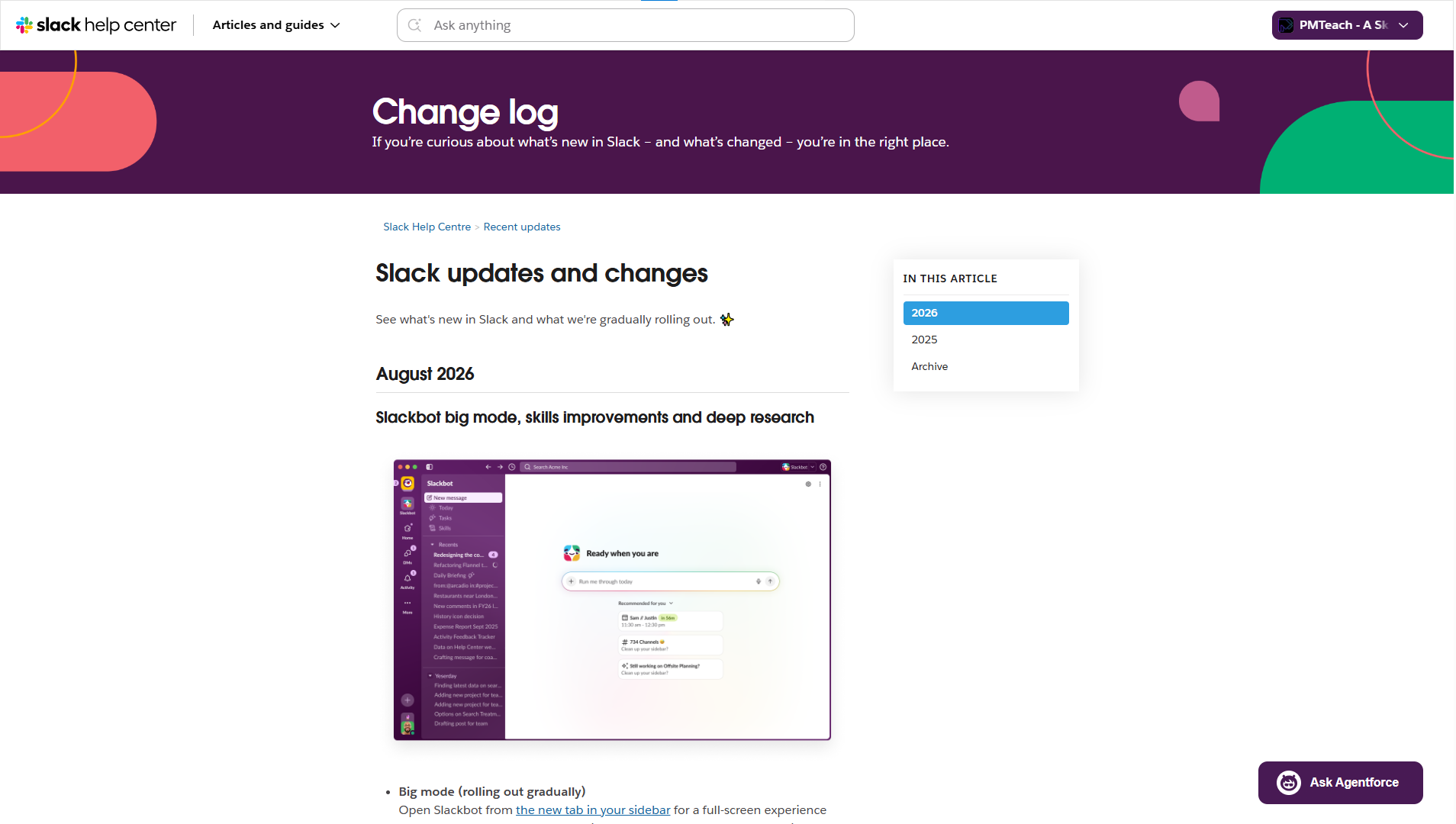
Slack deals with frequent product changes, so its release notes need to stay easy to scan. The company shares new features, fixes, improvements, and other changes across its products.
A useful lesson comes from the way small updates can stay small.
A tiny bug fix does not need five paragraphs. A simple improvement may need only two or three lines. Major features, on the other hand, can get more detail, images, and links.
This approach saves time for the product team and makes reading easier for customers.
Imagine a changelog filled with long posts for every small fix. Customers may stop checking it. Short updates keep the page fresh without filling it with unnecessary text.
Try this idea:
Give each update the right amount of space. Keep minor fixes short and give major launches more detail.
4. Linear Changelog Example
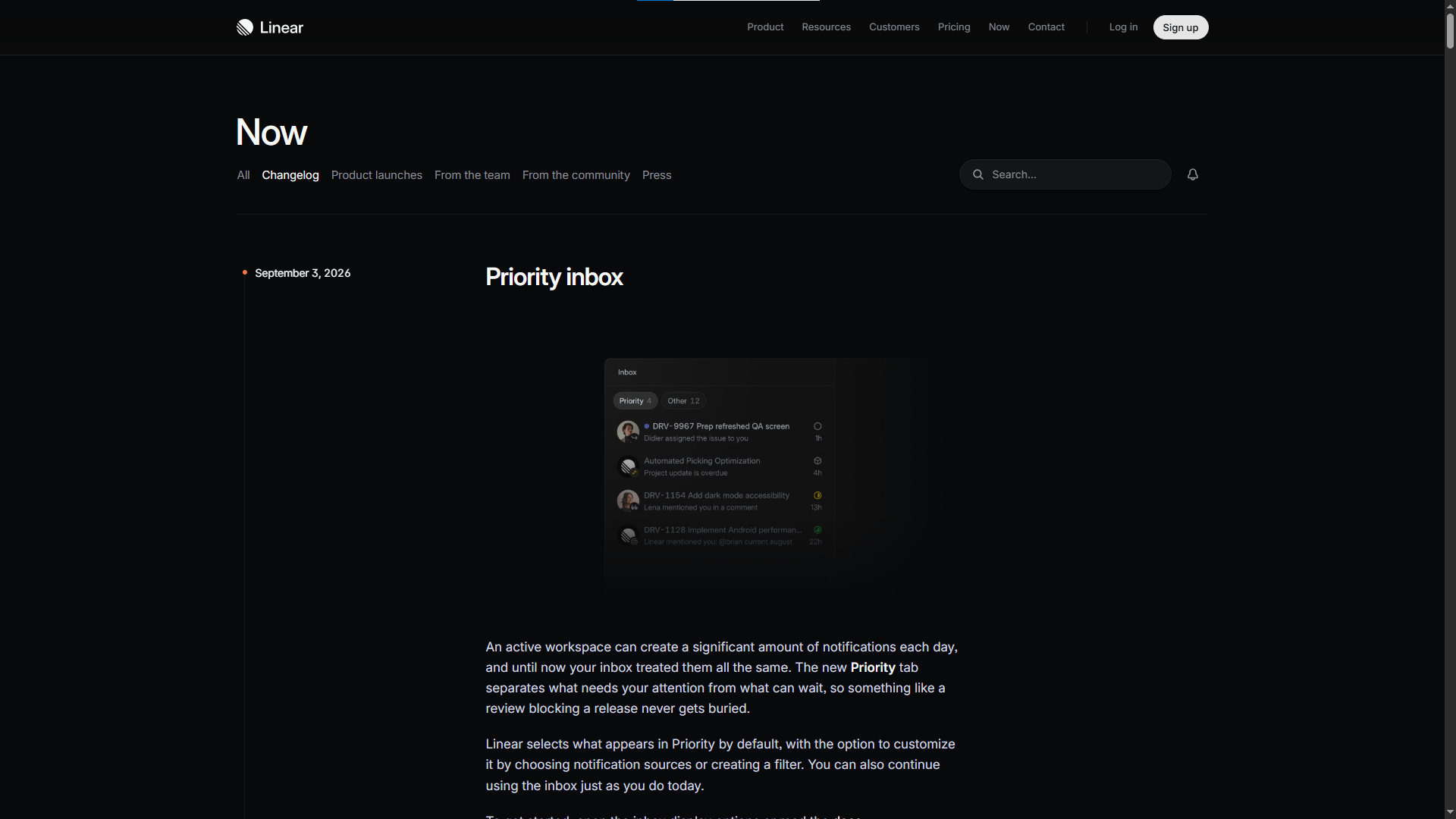
Linear takes a deeper approach to larger product updates. Its changelog includes feature launches, improvements, fixes, and other product news. The company also uses images and detailed explanations for bigger releases.
A major feature often solves more than one problem. A simple feature name may not give customers enough reason to care.
A better update can start with a common problem, introduce the new feature, and then show the new way to complete the task.
For example:
Old process: Users needed several steps to complete a task.
New process: A new tool brings those steps into one place.
Result: Users can finish the task faster.
This kind of update gives customers a reason to pay attention. It also helps them understand the feature before they open the product.
Try this idea:
Treat major launches like small stories. Start with the problem, introduce the fix, show the feature, and end with a clear next step.
5. Stripe Changelog Example
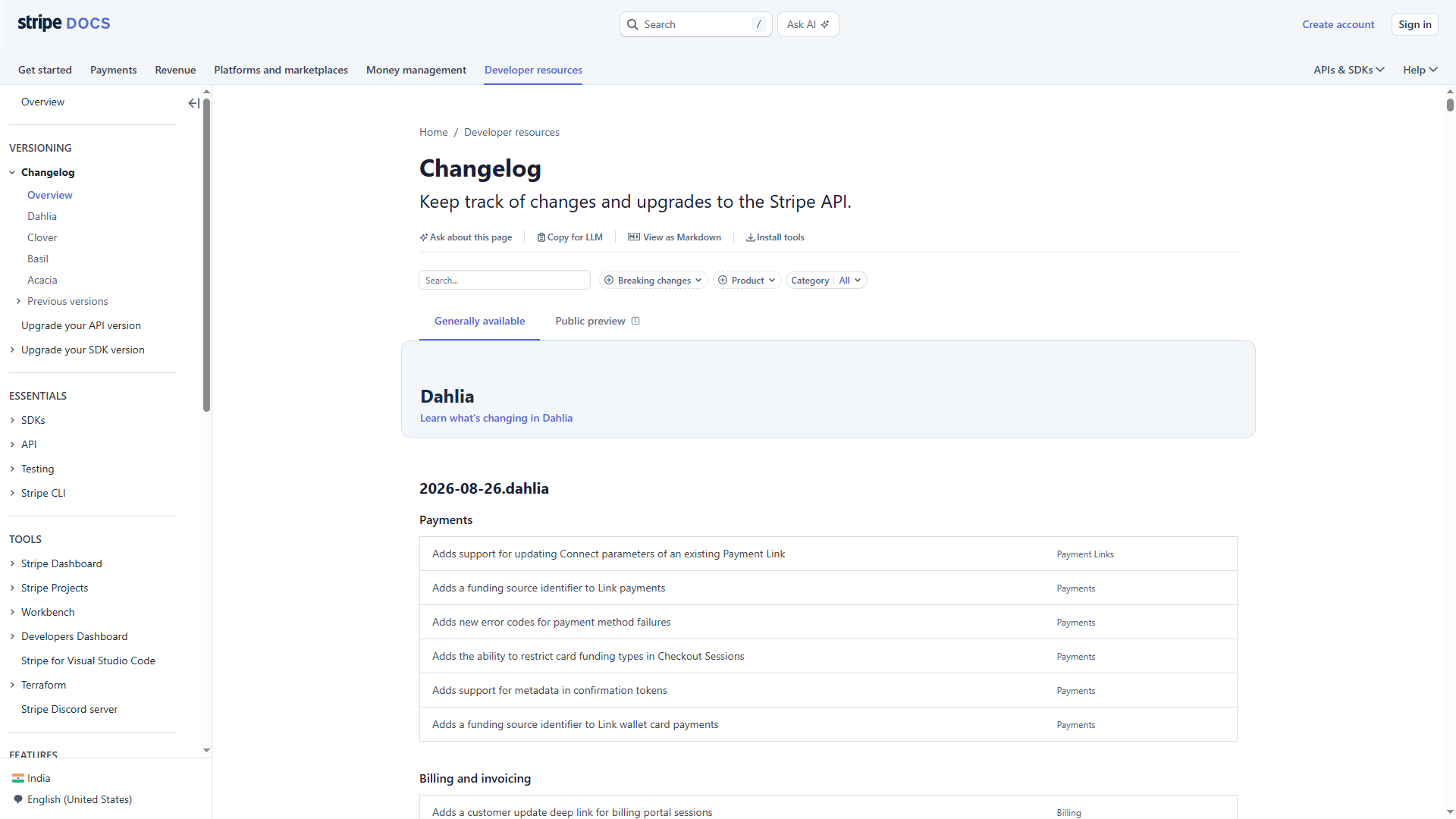
Stripe takes a more technical route. Its changelog covers changes across payments, billing, data, revenue tools, and other parts of its platform. It also maintains API-focused updates for developers.
Stripe understands its audience. Developers often need more than a short marketing message. They need details about a change, its effect on their work, and the next steps.
A technical changelog should not bury users under complicated language. Instead, it should give them the exact information they need in a clear format.
A good idea to borrow: Write for your actual users. Add technical details if they help users work with your product, but keep the language easy to follow.
6. Figma Changelog Example

Figma gives visuals a major role in its product updates. Its release notes cover new design tools, editing features, AI tools, and other improvements.
For a design product, images make a natural choice. Designers can look at a screenshot and understand a new tool much faster than they can read a long explanation.
A GIF can work even better for a feature with a short interaction. A video can help users follow a longer workflow.
For example, a new editing tool may need only three parts:
New tool → Screenshot → Short explanation
Users can see the tool, understand its purpose, and start using it.
This style also keeps the page more interesting. Customers do not need to read a wall of text before they reach the useful part.
Try this idea:
Match your changelog format with your product. Use screenshots for visual changes, GIFs for short actions, and videos for longer workflows.
7. Vercel Changelog Example
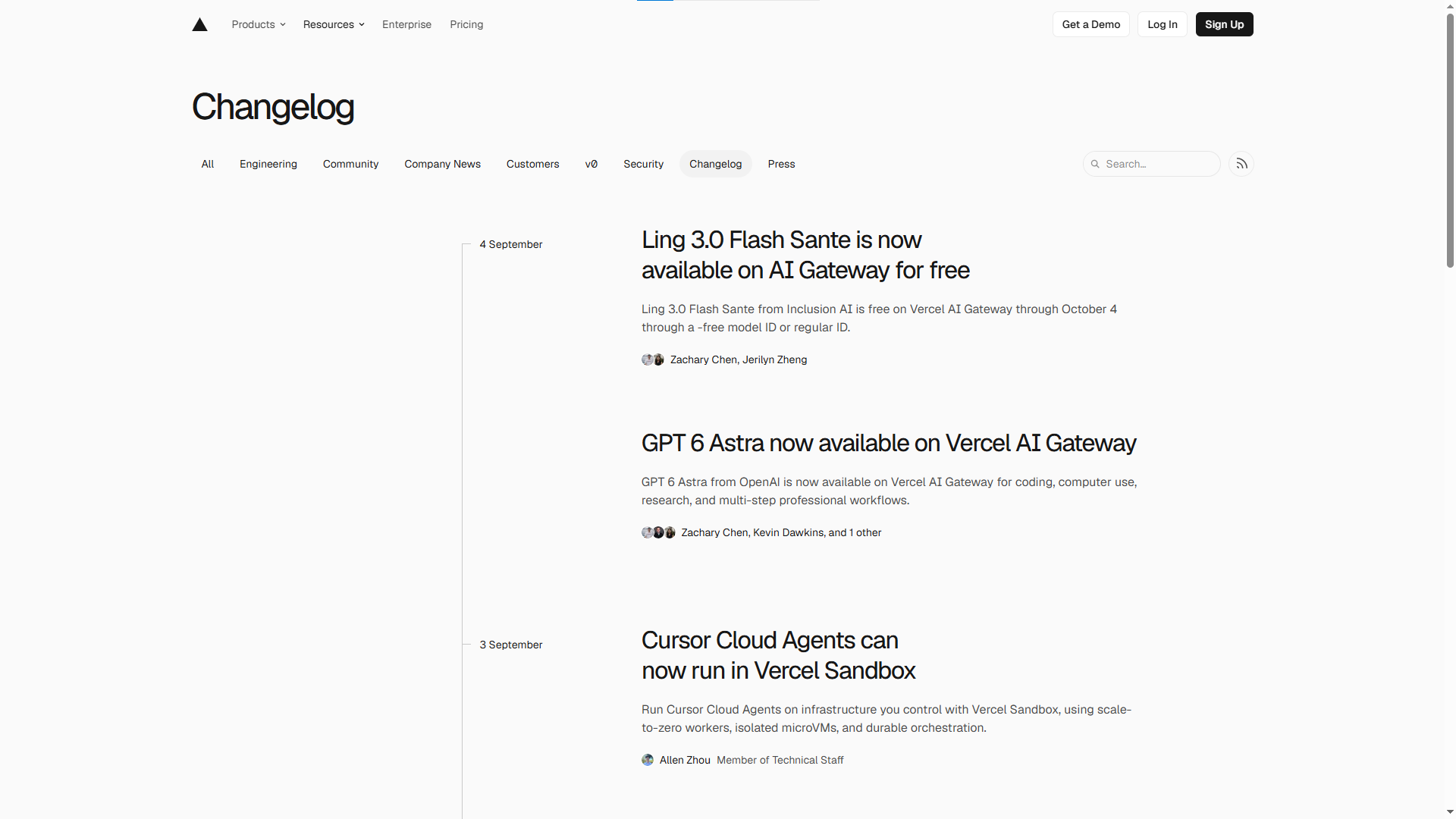
Vercel speaks to a technical audience, so its product updates need a direct and useful style. Developers usually care about the real effect of a new feature on their work.
A strong developer update can answer a few simple questions:
- How does the feature work?
- How can I use it?
- Does it change my current setup?
- Do I need to take any action?
- Where can I find the full docs?
You can place the main benefit near the top, then add technical details below it.
This structure helps both quick readers and technical users. Someone who only wants the main point can stop early. Someone who needs more information can keep reading.
Try this idea:
Put the main point first. Follow it with technical details, examples, code, or documentation links.
8. GitHub Changelog Example
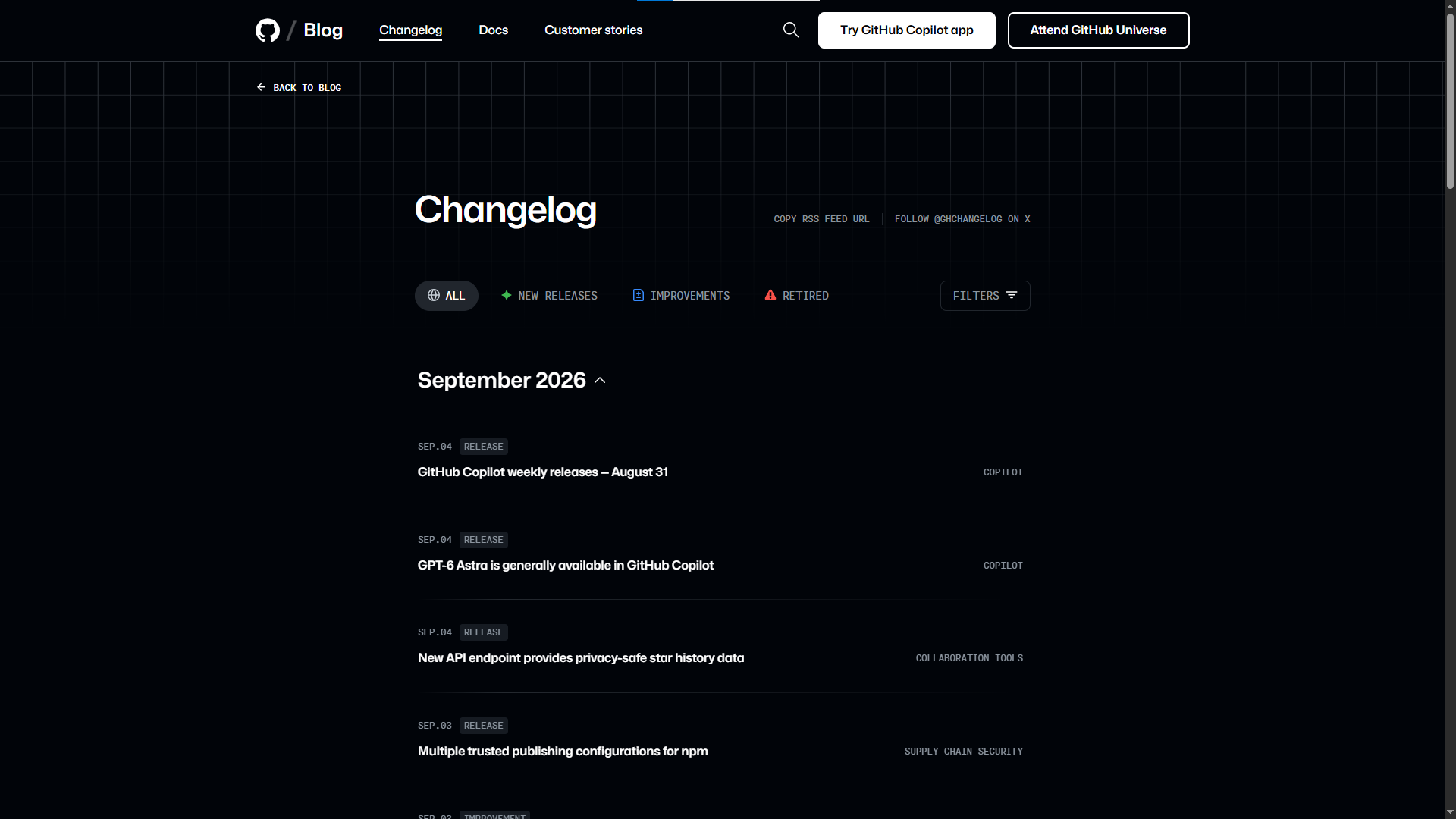
GitHub handles a huge number of product updates. Its changelog covers areas such as Copilot, Actions, security, collaboration, and enterprise features.
A large update library creates a new problem: users may struggle to find the posts they need.
GitHub solves this with categories and filters. Users can narrow the updates based on product areas and find relevant posts faster.
This idea matters for any growing SaaS company. Your changelog may start with ten posts. Later, you may have hundreds. A simple list may work at first, but users will need better navigation as the page grows.
You can add:
- Product categories
- Feature tags
- Search
- Date filters
- Update types
Try this idea:
Think about navigation early. Give users simple ways to find updates related to the products or features they use.
9. Intercom Changelog Example
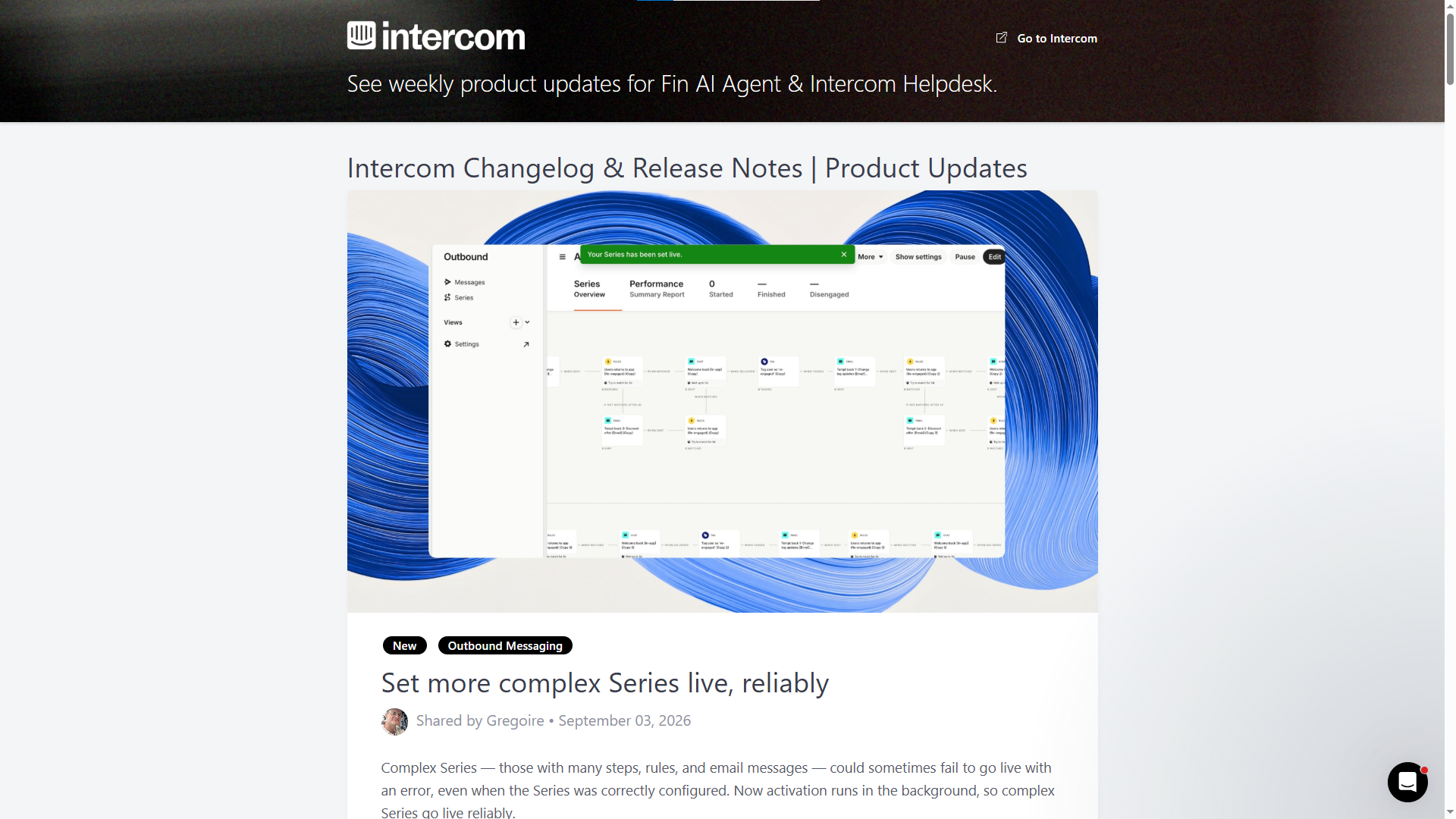
Intercom gives its product updates a strong connection to customer needs. Its changelog covers areas such as Inbox, Fin, security, and settings.
A feature becomes easier to understand once customers see the problem behind it.
For example, a team may spend too much time handling a repeated task. A new feature can remove extra steps and make the process faster.
Instead of starting with a product term, start with the daily problem:
“Spend less time sorting customer requests.”
Then introduce the feature:
“You can now group similar requests in one place.”
Now the customer can see the reason behind the update.
This style also makes product announcements feel less like sales copy. The post talks about a real task and shows a useful fix. If you’re looking for an Intercom alternative, Quickhunt also combines product updates with live chat, a knowledge base, in-app messages, and customer feedback.
Try this idea:
Start with a customer problem, introduce your feature, explain the benefit, and give users a simple next step.
10. HubSpot Changelog Example
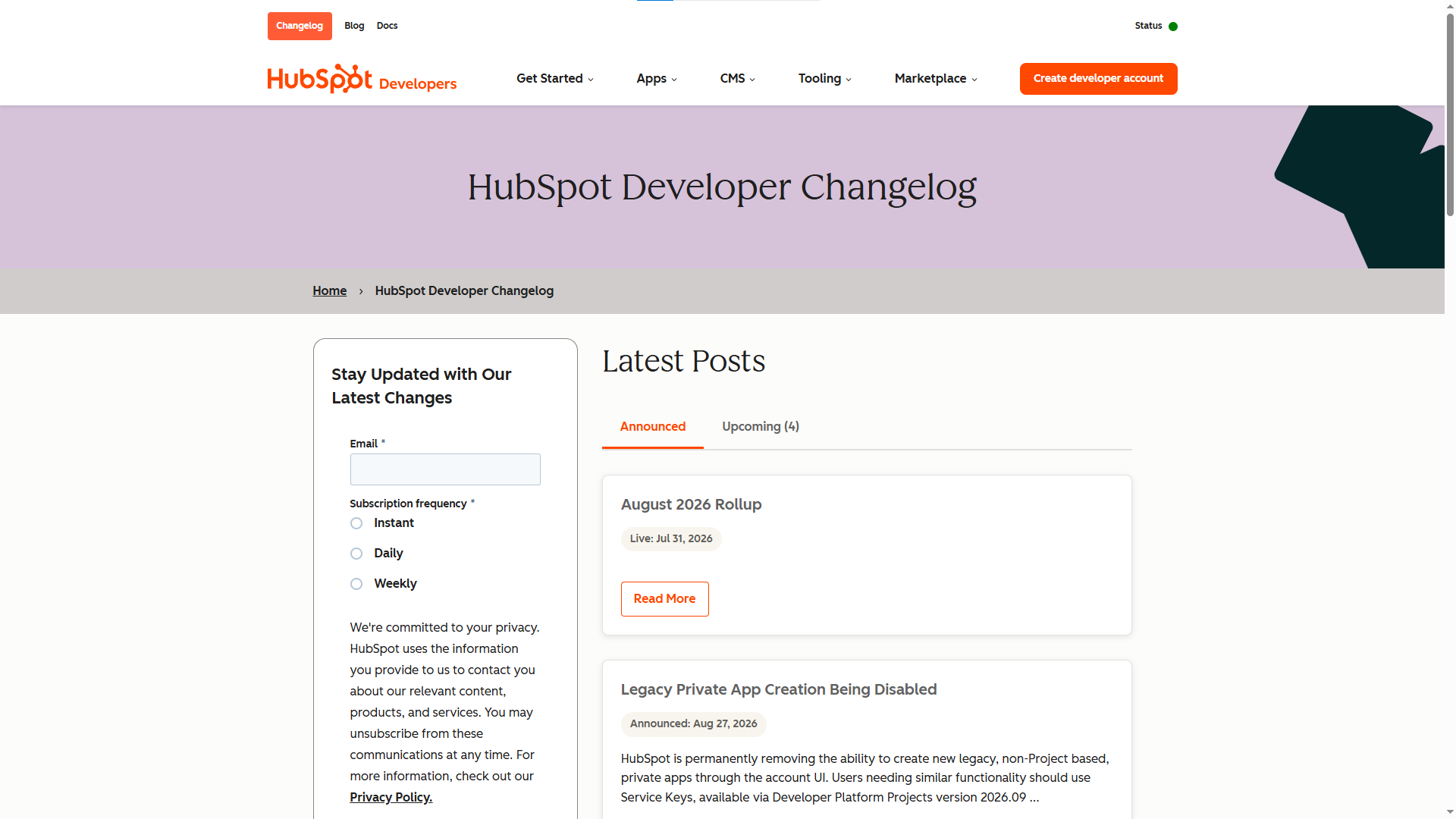
HubSpot uses its product update area to share new features and product news. It also gives users links to release notes, product resources, and its roadmap.
This approach works well for a large platform with many tools. Different customers may need different levels of detail.
One person may want a quick summary. Another person may need setup instructions. A third person may want to see future product plans.
You can follow the same idea with a simple structure:
Short update → More details → Help guide → Try the feature
Your main changelog post stays easy to read. At the same time, interested users can click through to deeper content.
This method also gives your other content more value. A product update can lead customers to a help article, tutorial, video, or feature page.
Try this idea:
Keep your main update short, then give readers clear links for more information.
These 10 changelog examples show many ways to share product updates.
You do not need to copy any of these companies.
Pick the ideas that fit your product. Keep your writing clear, show the value, use visuals where they help, and give customers an easy next step. A changelog can stay simple and still make every product update easier to notice.
What Makes a Great Changelog?
A good changelog does more than list product changes. It makes users want to learn about new features and try them. Each update should feel clear, useful, and worth reading.
Start With a Strong Title
Use a short title with a clear point. Tell users about the new feature or improvement without using complex words.
For example:
New: Better search for your customer data
This title gives users a quick reason to read the update.
Keep the Words Simple
Write like you talk to a customer. Skip long sentences, technical terms, and company jargon. Use simple words so users can understand the update on the first read.
Explain the Main Benefit
Tell users how the change can help them. A feature name alone does not give enough reason to care.
Instead of:
“Added bulk editing.”
Try:
“Edit multiple products at once and save time on large updates.”
The second line gives users a clear reason to try the feature.
Show the Change
Use a screenshot, GIF, or short video if the update changes the screen or adds a new workflow. A quick visual can show the feature faster than a long explanation.
Keep Each Update Focused
Talk about one main change in each post. Keep small fixes short. Give larger features more space for examples, steps, and images.
Post Updates Often
Share product changes soon after your team launches them. Fresh updates help customers notice new features instead of finding them months later.
Make Older Updates Easy to Find
Organize your changelog by date, product, feature, or update type. Add search or filters as your list grows. Users should find older updates without digging through page after page.
Give Users a Next Step
End each update with a simple action. Ask users to try the new feature, read the related help page, or explore the updated tool.
A great changelog makes product updates feel worth noticing. Keep it simple, show the value, and give users a reason to click.
What Should You Include in a Changelog?
Common Changelog Mistakes to Avoid
A changelog should help customers, not make them work harder. Small writing mistakes can make a useful update easy to miss. Avoid these common problems to keep your changelog clear and worth reading.
1. Writing Only About the Feature
A feature name alone does not tell customers why they should care.
For example:
“New Bulk Edit Feature”
This tells users very little. Try a benefit-focused line instead:
“Update multiple products at once and save time.”
The second version gives users a clear reason to explore the feature.
2. Using Too Many Technical Words
Your product team may use technical terms every day, but your customers may not.
Skip complex words if a simple word can do the job. For example, use “faster loading” instead of “optimized performance architecture.”
Simple writing helps more people understand your updates on the first read.
3. Making Every Update Too Long
Not every fix needs a full blog post.
A small bug fix may need two or three lines. A major feature may need screenshots, examples, and setup steps.
Give each update the space it needs. Keep small news short and save longer posts for bigger changes.
4. Using Boring Titles
A title like “Product Updates – September” does not give readers much reason to click.
Name the actual change instead.
For example:
“Create discount codes in fewer steps”
Now users can see the value right away.
5. Forgetting Screenshots
Words cannot always explain a product change well. A screenshot can show a new button, setting, page, or tool in seconds.
Add a screenshot, GIF, or short video for updates with visual changes.
6. Hiding the Main Point
Do not make customers search through a long paragraph for the important part.
Put the main benefit near the top. Follow it with the details.
A simple order works well:
New feature → Main benefit → How it works → Try it
7. Ignoring Small Fixes
Bug fixes may seem small to your team, but they can matter a lot to customers.
A fixed checkout issue, faster page, or smoother login can improve the daily user experience. Share useful fixes instead of talking only about big launches.
8. Forgetting a Clear Next Step
A product update should give readers an easy action.
You can end with:
- Try the new feature
- Learn more
- See how it works
- Read the guide
- Start using it
A simple CTA can turn a reader into an active user.
9. Letting Old Updates Get Lost
Your changelog will grow over time. Without good organization, older posts can become hard to find.
Use dates, categories, tags, or search tools to keep your updates easy to browse.
10. Posting Updates Without Checking the Details
A wrong feature name, broken link, or missing screenshot can confuse customers.
Before publishing, check the feature, links, images, dates, and instructions. A quick review can prevent simple mistakes.
Keep Your Changelog Simple
A strong changelog does not need fancy words or long posts. Tell customers about the change, show the benefit, and give them a clear next step. Keep each update useful, easy to scan, and focused on the customer.
Final Thoughts
A changelog gives your customers a simple way to follow your product updates. It can help you share new features, fixes, improvements, and small changes without filling their inbox with long emails. These changelog examples show that there is no single format that every SaaS company needs to follow.
The best changelog examples keep things simple. They use clear titles, short text, useful images, and direct links. Some companies focus on visuals, while others add more details for technical users. You can choose a style based on your product and your customers.
Start with the basics. Share each important update, explain the main benefit, and give users an easy way to try it. Keep small updates short and give bigger launches more space.
A good changelog does not need fancy words or a complex design. Keep it clear, useful, and easy to read. Over time, your changelog can help more customers notice new features and get more value from your product.
FAQs
1. What Is a Changelog?
A changelog records product changes, including new features, fixes, improvements, and design updates. It gives customers one place to follow product news.
2. Why Should a SaaS Company Use a Changelog?
A changelog helps SaaS companies tell customers about new features and improvements. It can also help more users discover and try new tools.
3. What Should You Include in a Changelog?
Add a clear title, short description, main benefit, and useful image or video. You can also add a help link or simple steps for using the new feature.
4. How Often Should You Post Changelog Updates?
Share an update each time your team makes a useful customer-facing change. Keep small fixes short and give major features more detail.
5. Can a Changelog Help Increase Feature Use?
Yes. A clear update can show customers a new feature, explain its benefit, and guide them toward trying it. Images and short videos can also make new features easier to understand.



.svg "footer-logo")




.svg "fecebook")
.svg "linkdin")
.svg "twitter")



.png)