


Table of content
Customers often need quick answers while they use a product or service. They may need help with account setup, product features, billing, or common issues. If they cannot find the right information, they may contact your support team and wait for a reply. This can take time for both customers and your team.
A knowledge base gives customers one place to find answers on their own. It can include step-by-step guides, tutorials, FAQs, troubleshooting tips, and product information. A well-organized knowledge base also helps your team answer common questions faster and spend more time on complex customer issues.
Many successful companies use knowledge bases to improve customer support and make their products easier to use. Their help centers offer useful ideas for businesses that want to build a simple and helpful support system.
In this guide, we will explore 15 of the best knowledge base examples from popular companies. You will learn about their key features, content structure, design, and navigation. We will also cover useful knowledge base ideas and best practices to help you create a knowledge base that saves time, supports customers, and improves their overall experience.
What Is a Knowledge Base?
A knowledge base is a central place where businesses store useful information about their products, services, and company. It helps customers and employees find answers without asking someone for help. A knowledge base can include how-to guides, FAQs, tutorials, troubleshooting tips, product details, and step-by-step instructions.
Businesses use knowledge base software to create, organize, and manage helpful content in one place. Customers can visit the help center, search for a topic, and find the information they need. For example, a customer who needs help setting up an account can read a setup guide instead of contacting the support team.
A good customer support knowledge base offers several benefits:
- Quick answers: Customers can find answers to common questions without waiting for a support reply.
- Better customer support: Support teams can spend more time solving complex issues instead of answering the same questions.
- Easy access to information: Clear categories and a search bar help users find useful guides quickly.
- Better customer experience: Helpful articles allow customers to understand products and use features with confidence.
- Team knowledge sharing: Employees can use an internal knowledge base to find company rules, work guides, and important details.
For example, companies like Shopify, Slack, and HubSpot offer online knowledge bases with product guides, tutorials, and FAQs. These resources help users learn about their products and solve common problems on their own.
In simple terms, a knowledge base works like an online library for your business. It keeps important information in one place and helps customers get answers faster.
Why Does Your Business Need a Knowledge Base?
Every business wants to keep customers happy and help them find answers quickly. However, your support team may spend hours answering the same questions about products, services, pricing, and account settings. A knowledge base can solve this problem by giving customers a simple place to find the information they need.
A good customer support knowledge base helps your business improve customer service, save time, and build trust. Here are some key reasons to create one.
1. Reduce Customer Support Tickets
Customers often ask the same questions about product features, account setup, payments, and common issues. Your support team spends valuable time answering these questions again and again.
A knowledge base lets customers find answers through help articles, FAQs, and step-by-step guides. As a result, your team can handle fewer repeated questions and focus on more complex problems.
2. Help Customers Find Answers Faster
Customers do not always want to contact support and wait for a reply. They prefer quick answers that help them continue their work.
A well-organized knowledge base gives users easy access to product guides, tutorials, and troubleshooting tips. Clear categories and a search bar also help customers find the right information without wasting time.
3. Improve Customer Experience
A smooth customer experience helps people feel confident about your business. If customers struggle to understand your product or find answers, they may lose interest.
A helpful knowledge base guides users through common tasks and product features. It also gives them the freedom to solve simple problems on their own. This creates a better experience and helps customers get more value from your product.
4. Save Time for Your Support Team
Your support team needs time to handle important customer issues, guide new users, and solve complex problems. However, repeated questions can take up much of their day.
A knowledge base keeps useful information in one place. Your team can share article links instead of writing the same answers in every support conversation. This simple step helps your team work faster and manage customer requests more easily.
5. Build Trust with Your Customers
Customers trust businesses that offer clear and helpful information. A detailed knowledge base shows that your company cares about customer needs and wants to make things easier.
You can include product tutorials, setup guides, FAQs, feature details, and troubleshooting steps. Regular updates also help customers find correct information about your latest products and services.
6. Support Customers 24/7
Your support team cannot answer every question at every hour. Customers may need help outside your business hours, during weekends, or on holidays.
An online knowledge base gives customers access to helpful content at any time. They can read guides, explore FAQs, and follow tutorials whenever they need help. This makes your business more accessible without requiring your support team to stay online all day.
7. Make Employee Training Easier
A knowledge base does not only help customers. It also helps your employees learn about your products, company rules, work processes, and daily tasks.
You can create an internal knowledge base with training guides, company policies, process documents, and useful resources. New employees can use these articles to understand their roles and learn how your team works.
A knowledge base does more than answer customer questions. It helps your business improve customer support, reduce repeated work, share useful information, and create a better customer experience. These benefits make knowledge base software a valuable tool for growing businesses.
15 Best Knowledge Base Examples to Inspire Your Business
A great knowledge base does more than answer customer questions. It helps people understand a product, solve problems, learn new features, and get more value from a service. Many successful companies use knowledge base software to share product guides, tutorials, FAQs, setup instructions, and troubleshooting tips.
However, every company takes a different approach. Some focus on simple navigation, while others offer detailed tutorials, videos, community discussions, and advanced search tools.
Let's explore 15 popular knowledge base examples and learn how each company helps customers find answers faster.
1. Quickhunt
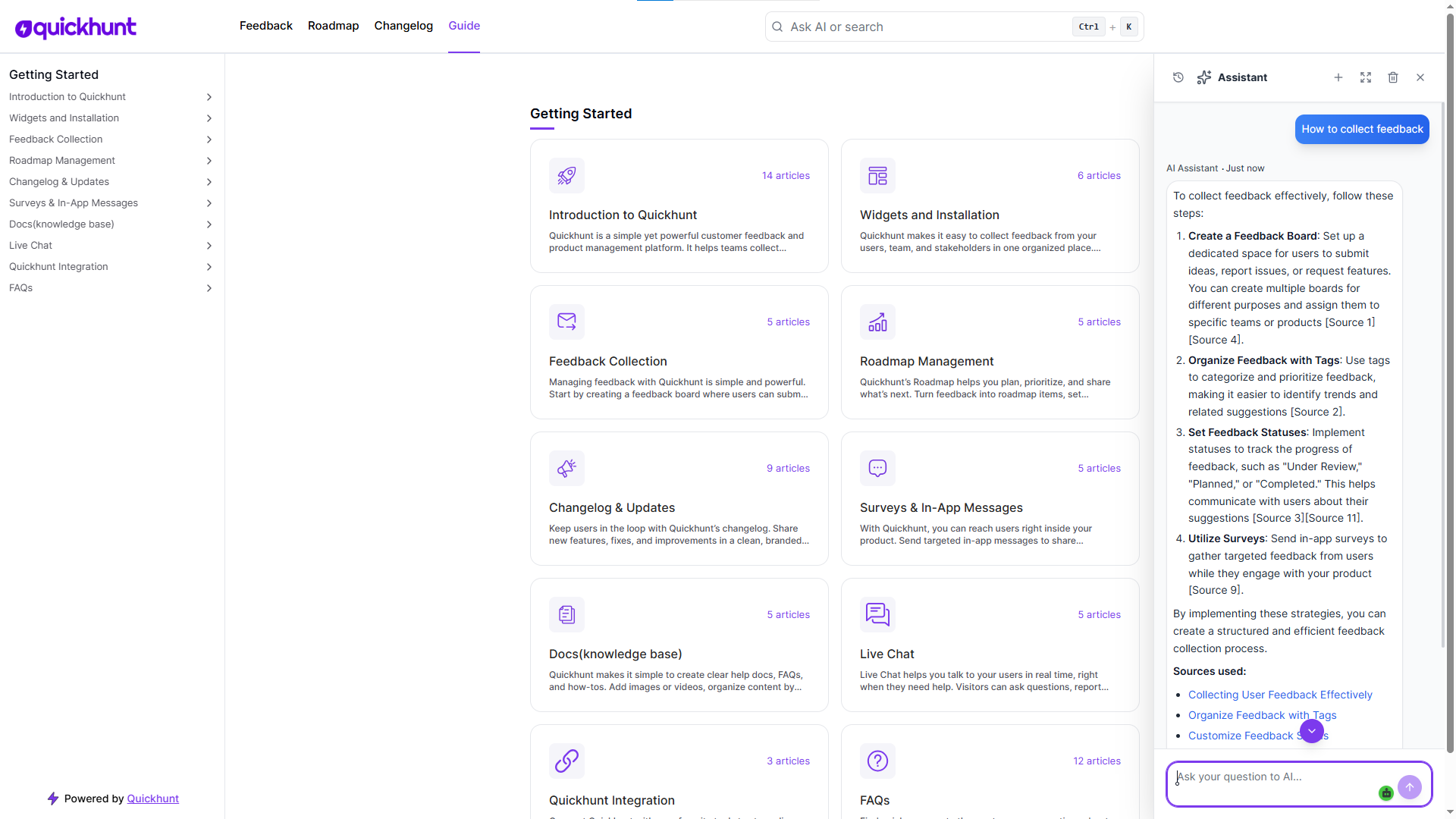
Quickhunt offers an all-in-one product management tool that helps SaaS businesses manage customer feedback, product roadmaps, changelogs, and customer support. Its knowledge base feature helps businesses create a central place where customers can find product guides, tutorials, FAQs, and helpful information.
Instead of searching through emails or contacting the support team for every question, customers can explore the knowledge base and find answers on their own. This also helps SaaS teams reduce repeated support questions and improve the customer experience.
Key features:
- Knowledge Base: Create helpful articles, guides, and FAQs to answer common customer questions.
- Feedback Boards: Collect customer ideas, suggestions, and feature requests in one place.
- Product Roadmap: Share upcoming features and product plans with customers.
- ChangelogChangelog: Announce new features, product updates, and improvements.
- Live Chat: Communicate with customers and help them solve product-related issues.
- AI-powered tools: Use AI assistant features to summarize feedback, find duplicate suggestions, and draft changelog updates.
Why does Quickhunt's knowledge base stand out?
Quickhunt brings product feedback, knowledge sharing, and customer communication together in one platform. This helps SaaS businesses manage customer relationships and product updates without switching between multiple tools.
Its knowledge base also works alongside other product management features. Customers can find answers, share feedback, and follow product updates from a connected platform.
For SaaS companies that want to improve self-service support and keep customers informed, Quickhunt offers a useful solution.
Best for: SaaS startups, product managers, customer success teams, and growing software companies.
2. Shopify
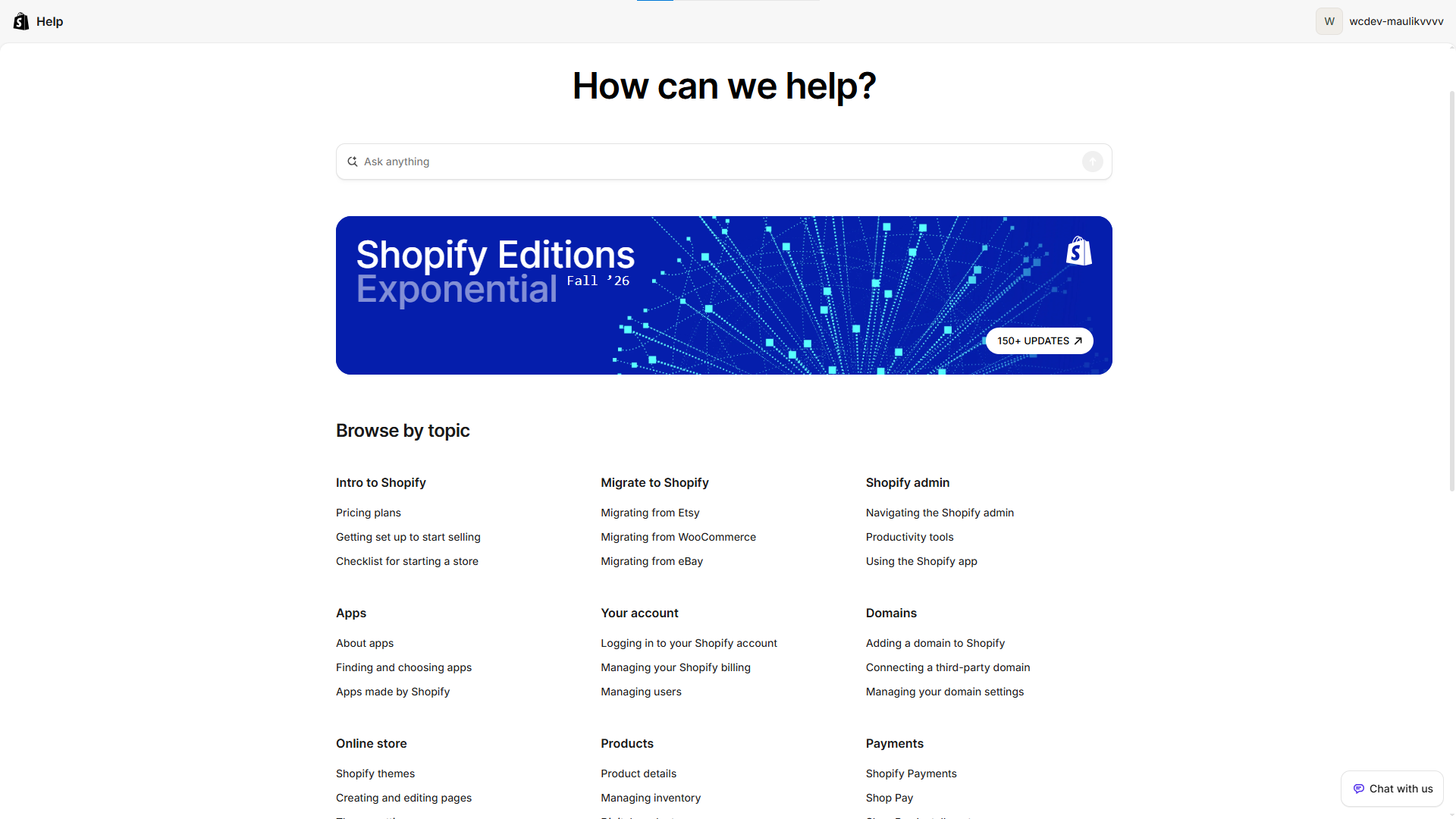
Shopify offers one of the most useful knowledge base examples for eCommerce businesses. Its Help Center supports store owners who need help setting up an online store, managing products, handling orders, configuring payments, and growing their businesses.
Shopify covers a wide range of topics because store owners often need help with different parts of their online business. Its help center includes guides, tutorials, community resources, and support options.
Key features:
- Topic-based navigation: Users can explore store setup, products, orders, payments, shipping, and marketing.
- Detailed tutorials: Step-by-step guides explain common Shopify tasks.
- Search bar: Store owners can search for specific questions and find related help articles.
- Community support: Users can connect with other Shopify merchants and share useful advice.
- Learning resources: Shopify offers additional learning materials to help merchants improve their eCommerce skills.
What makes Shopify's knowledge base a good example?
Shopify understands the different challenges store owners face. Its help center covers basic setup tasks and advanced store management topics. This approach helps users find useful answers throughout their eCommerce journey.
Businesses with complex products can follow Shopify's approach by grouping articles into clear categories and creating guides for each important feature.
Best for: eCommerce platforms, online stores, and businesses with multiple product features.
3. HubSpot
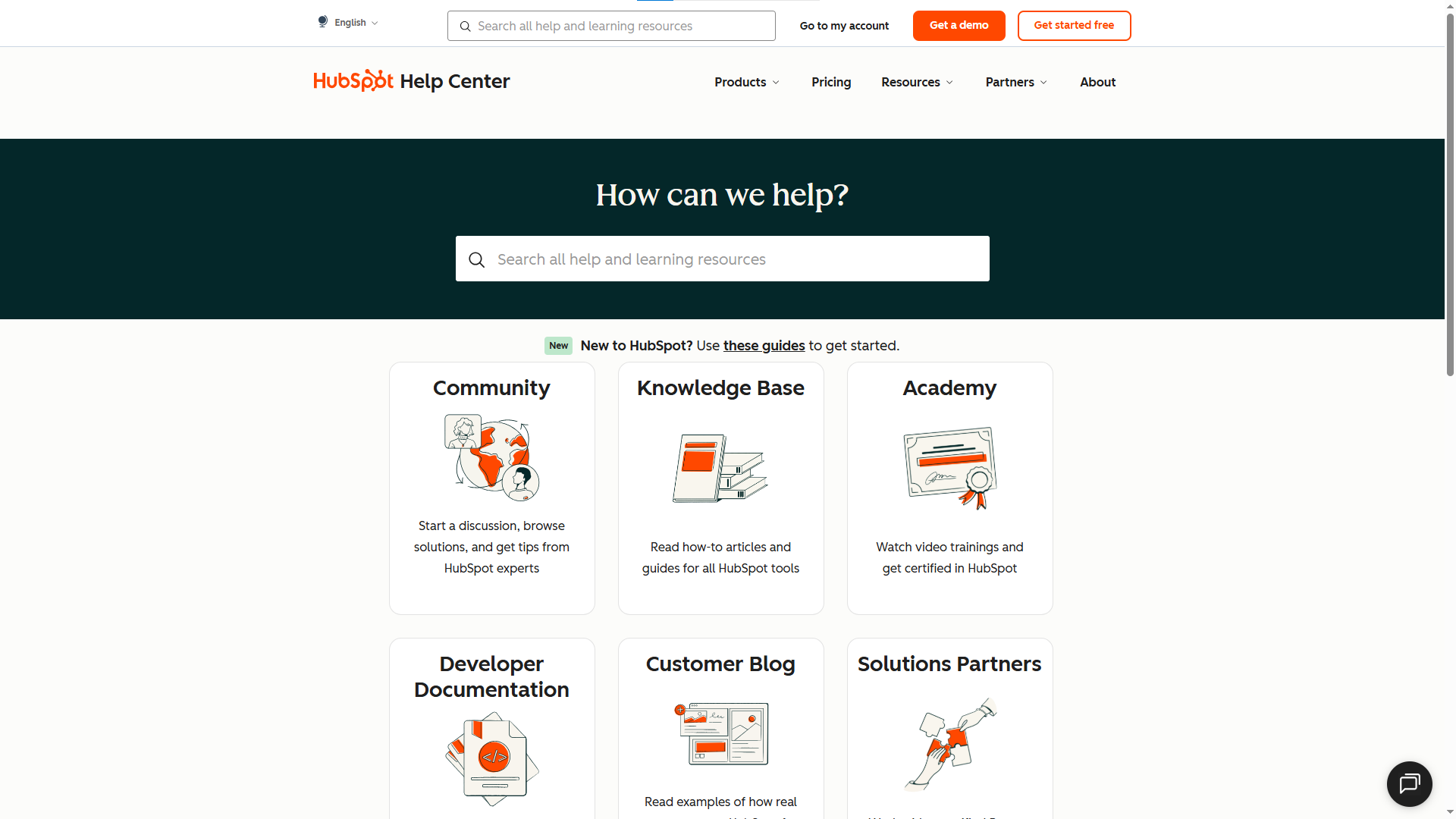
HubSpot provides a detailed knowledge base for users who work with its CRM, marketing, sales, and customer service tools. Its Help Center helps businesses understand product features, manage contacts, create marketing campaigns, and improve sales processes.
HubSpot offers more than basic FAQ pages. Its help resources include detailed articles, video tutorials, learning courses, and product documentation. This makes it a useful knowledge base example for SaaS businesses.
Key features:
- Organized help topics: Users can explore CRM, marketing, sales, service, and account management resources.
- Detailed product guides: Articles explain how to use different tools and complete specific tasks.
- Video tutorials: Videos help users follow product instructions visually.
- HubSpot Academy: Users can access courses and certifications to improve their marketing and sales skills.
- Search options: Users can look for answers across its help resources.
What makes HubSpot's knowledge base a good example?
HubSpot connects product support with education. Users can solve immediate problems through help articles and build new skills through tutorials and courses. This approach helps customers understand the product and get more value from its features.
Businesses can use a similar strategy by combining help articles, video tutorials, and learning resources in one knowledge base.
Best for: CRM platforms, marketing software, sales tools, and B2B SaaS companies.
4. Slack
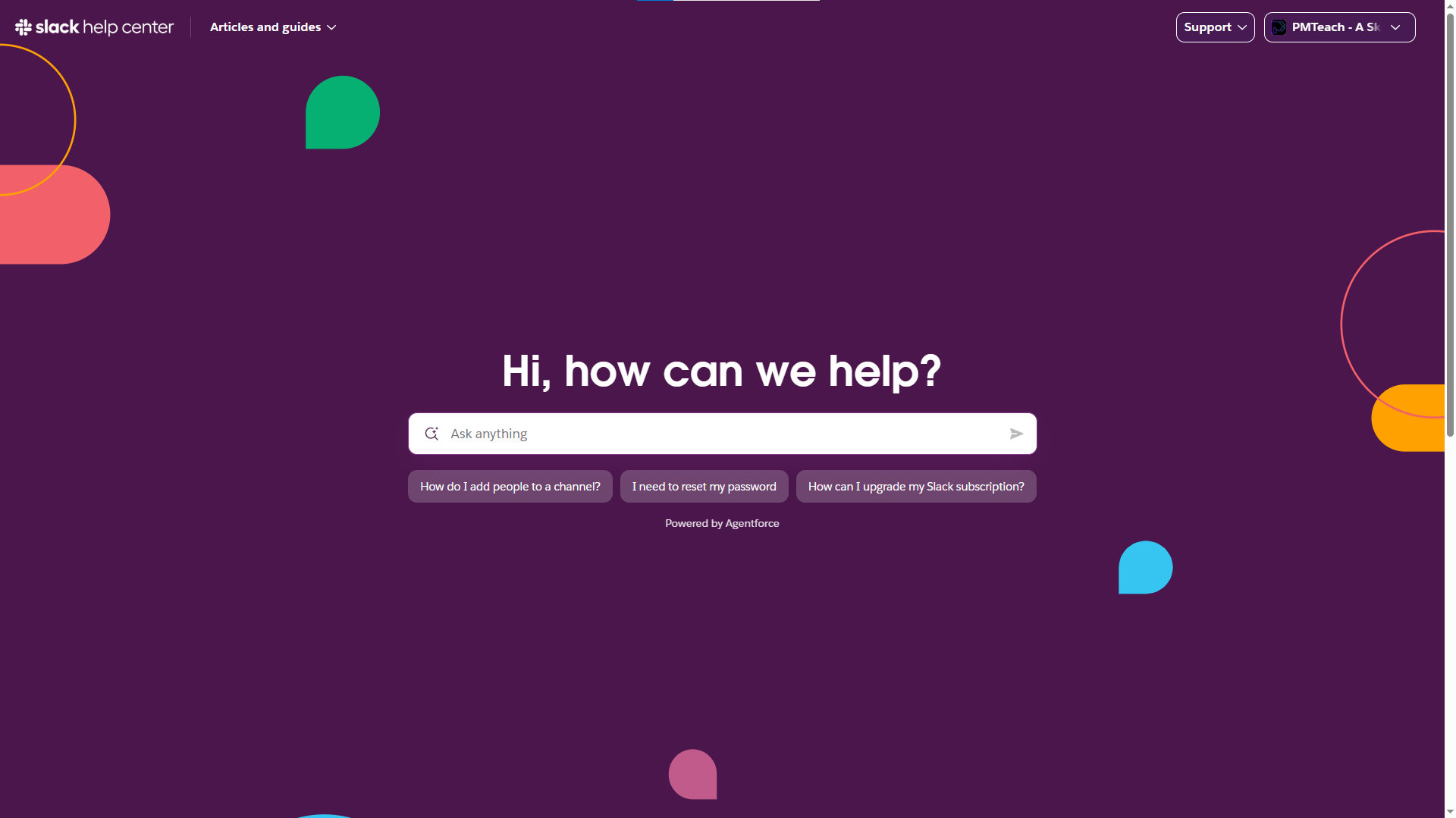
Slack offers a helpful knowledge base for teams that use its messaging and collaboration platform. Its Help Center guides users through account setup, channels, messages, notifications, integrations, and workspace management.
Slack focuses on practical instructions. Users can explore help topics or search for specific issues. Its articles explain product features in simple language and guide users through common tasks.
Key features:
- Easy-to-follow guides: Users can learn how to create channels, send messages, and manage workspaces.
- Organized categories: Help topics cover accounts, messaging, calls, security, and integrations.
- Troubleshooting articles: Users can find help with login problems, notifications, and other common issues.
- Visual instructions: Screenshots and examples help users follow product steps.
- Search tools: Users can quickly look for answers across help content.
What makes Slack's knowledge base a good example?
Slack focuses on helping teams complete everyday tasks. Its help articles cover common questions and explain features in a direct way. This approach makes its knowledge base useful for both new users and experienced teams.
Businesses can follow Slack's example by writing short, clear articles around common customer questions.
Best for: Team collaboration tools, communication platforms, and workplace software.
5. Dropbox
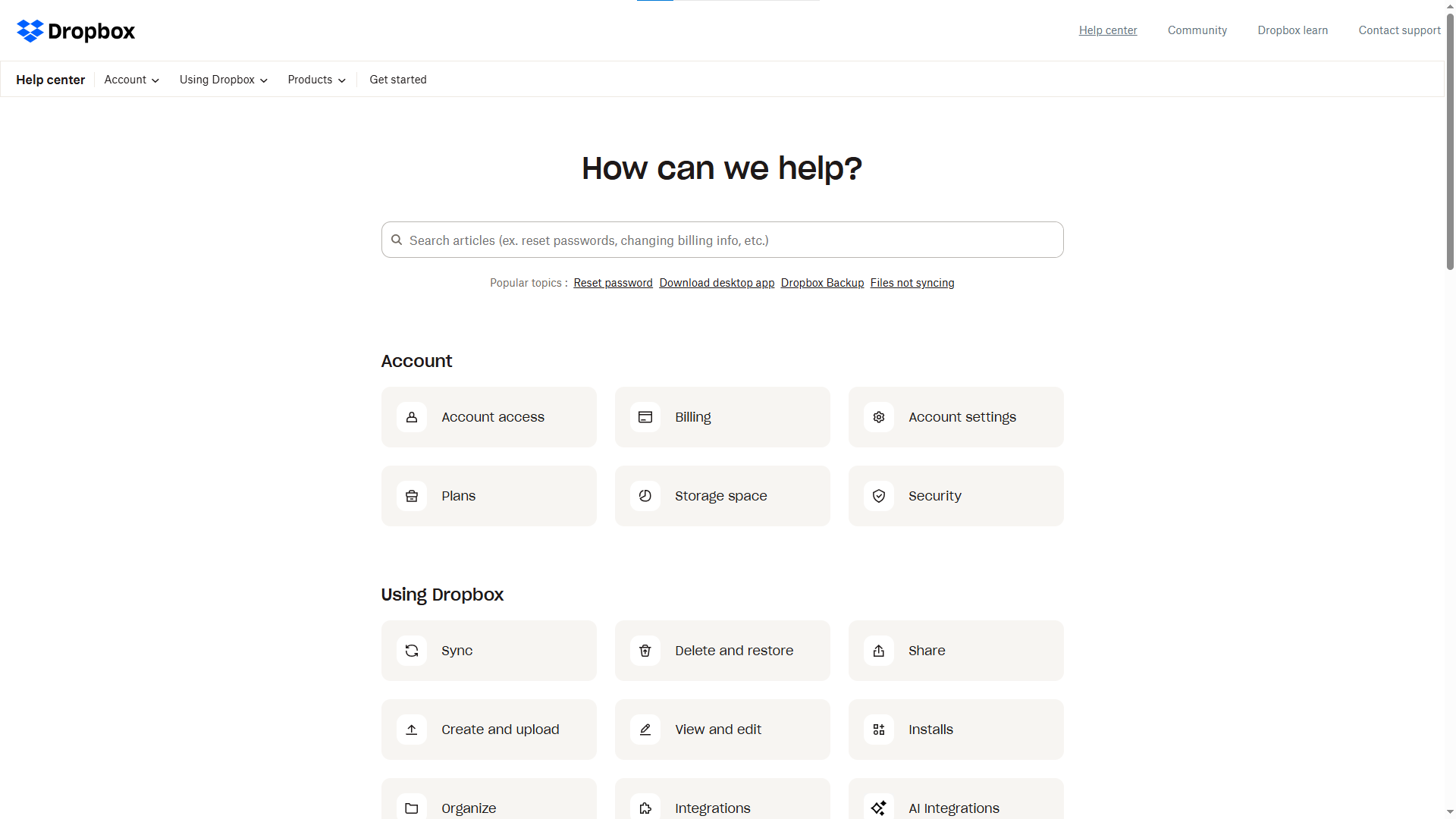
Dropbox offers a knowledge base for users who need help with cloud storage, file sharing, account settings, and team collaboration. Its Help Center guides users through common tasks and helps them solve problems without contacting customer support.
Dropbox covers topics for personal users and business teams. Its articles explain file uploads, folder sharing, account security, storage management, and app integrations.
Key features:
- Helpful categories: Users can explore account settings, file management, sharing, billing, and security.
- Step-by-step instructions: Guides explain common tasks in a simple way.
- Troubleshooting tips: Users can find solutions for syncing errors, login issues, and file access problems.
- Search functionality: A search option helps users find articles related to their questions.
- Business support: Team administrators can explore guides for user management and account controls.
Why does Dropbox's knowledge base stand out?
Dropbox focuses on everyday user problems. Its help content explains common tasks and gives users practical steps to solve issues. Businesses can follow this approach by creating articles around real customer questions.
Best for: Cloud storage platforms, file-sharing tools, and team collaboration software.
6. Stripe
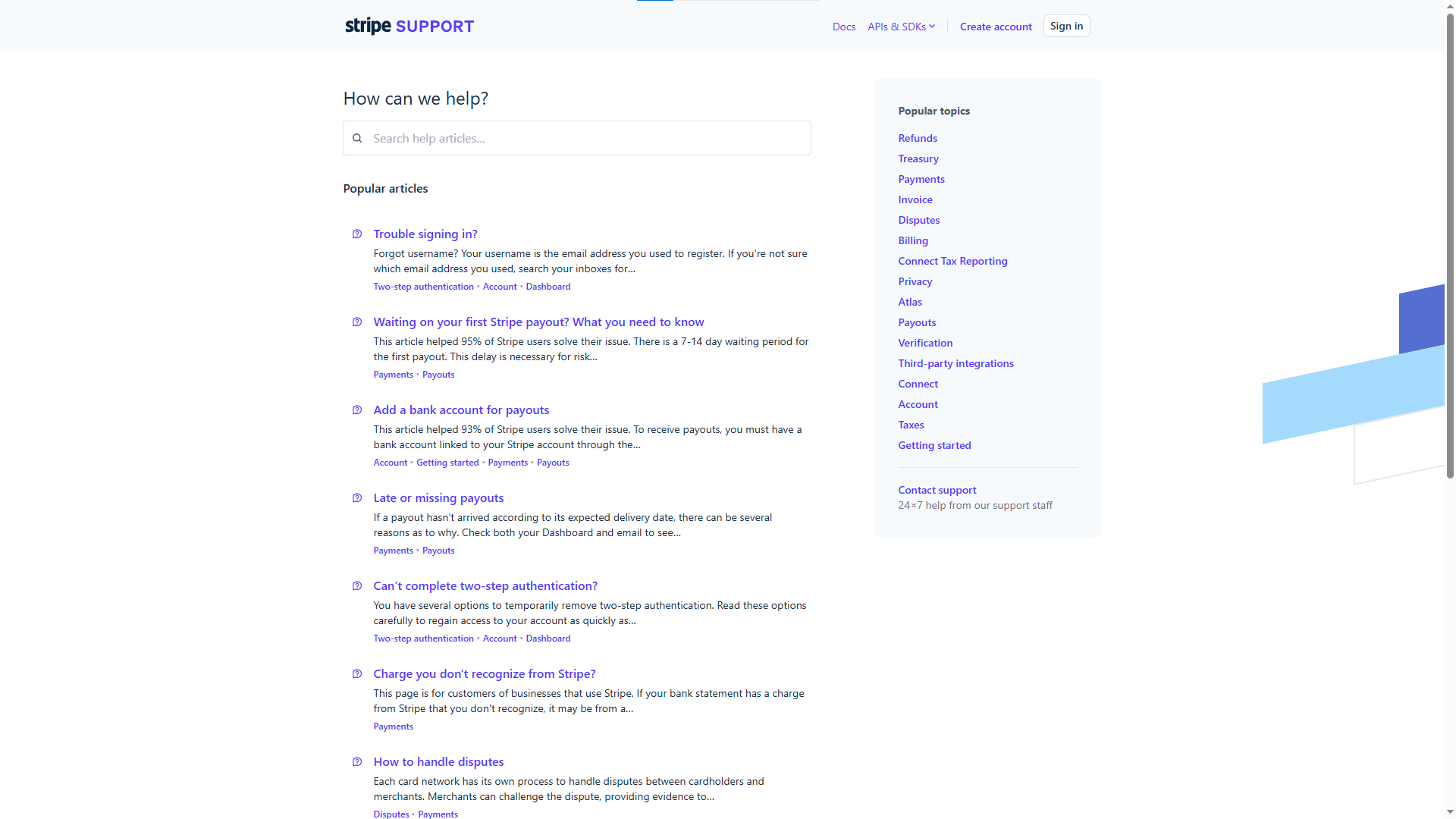
Stripe offers a detailed knowledge base through its support pages and developer documentation. Its resources help businesses understand online payments, payment processing, subscriptions, refunds, billing, and account management.
Stripe serves different types of users, including developers, business owners, and finance teams. Its documentation supports beginners who need basic payment guidance and developers who want technical instructions.
Key features:
- Developer documentation: Developers can explore APIs, code examples, and integration guides.
- Product guides: Articles explain payments, subscriptions, invoicing, and other tools.
- Code examples: Developers can follow practical examples during integration.
- Search functionality: Users can search for technical guides and product information.
- Troubleshooting resources: Help articles explain common payment and integration issues.
Why does Stripe's knowledge base stand out?
Stripe offers different levels of information for different users. Business owners can learn about payment tools, while developers can explore detailed technical guides. This structure makes it a strong knowledge base example for companies with complex products.
Businesses can follow Stripe's approach by creating separate resources for beginners, regular users, and technical teams.
Best for: Fintech companies, payment platforms, API products, and developer-focused SaaS businesses.
7. Canva
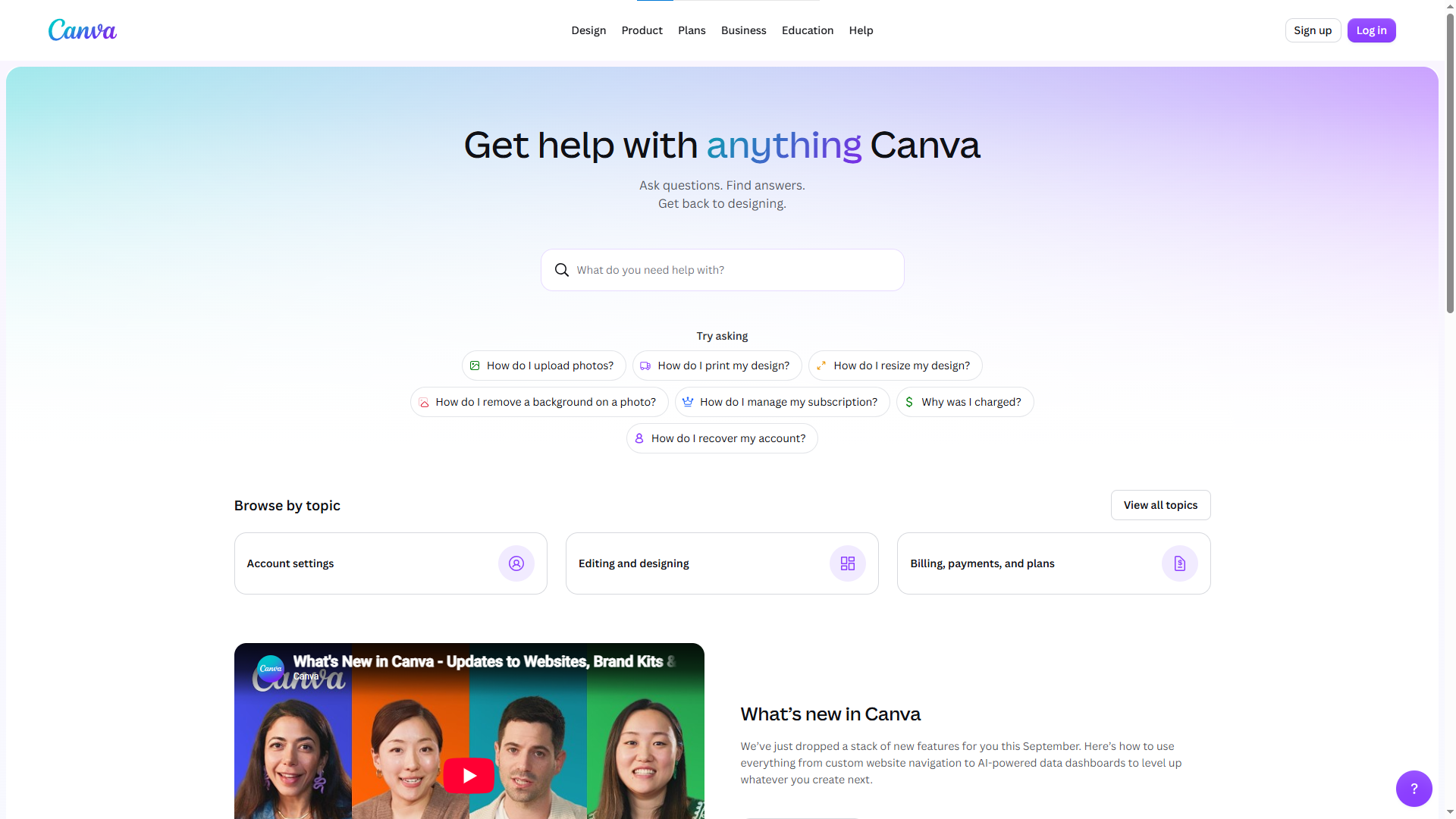
Canva offers a user-friendly Help Center for people who create presentations, social media graphics, videos, documents, and other designs. Its knowledge base helps beginners and professional designers learn product features and solve common problems.
Canva combines help articles, visual guides, and tutorials to explain its design tools. Users can explore topics related to accounts, editing, templates, collaboration, and subscriptions.
Key features:
- Beginner-friendly guides: New users can learn basic design tools and editing features.
- Visual tutorials: Images and videos help users understand design steps.
- Feature-based categories: Users can explore topics related to editing, templates, teams, and accounts.
- Troubleshooting articles: Guides help users solve common account and design problems.
- Learning resources: Canva offers additional tutorials to help users improve their design skills.
Why does Canva's knowledge base stand out?
Canva makes product learning easier through visual content and simple instructions. Its approach works well for a product with many creative tools and features.
Businesses can follow Canva's example by adding screenshots, videos, and practical examples to their knowledge base articles.
Best for: Design software, creative platforms, and businesses with visual products.
8. Intercom
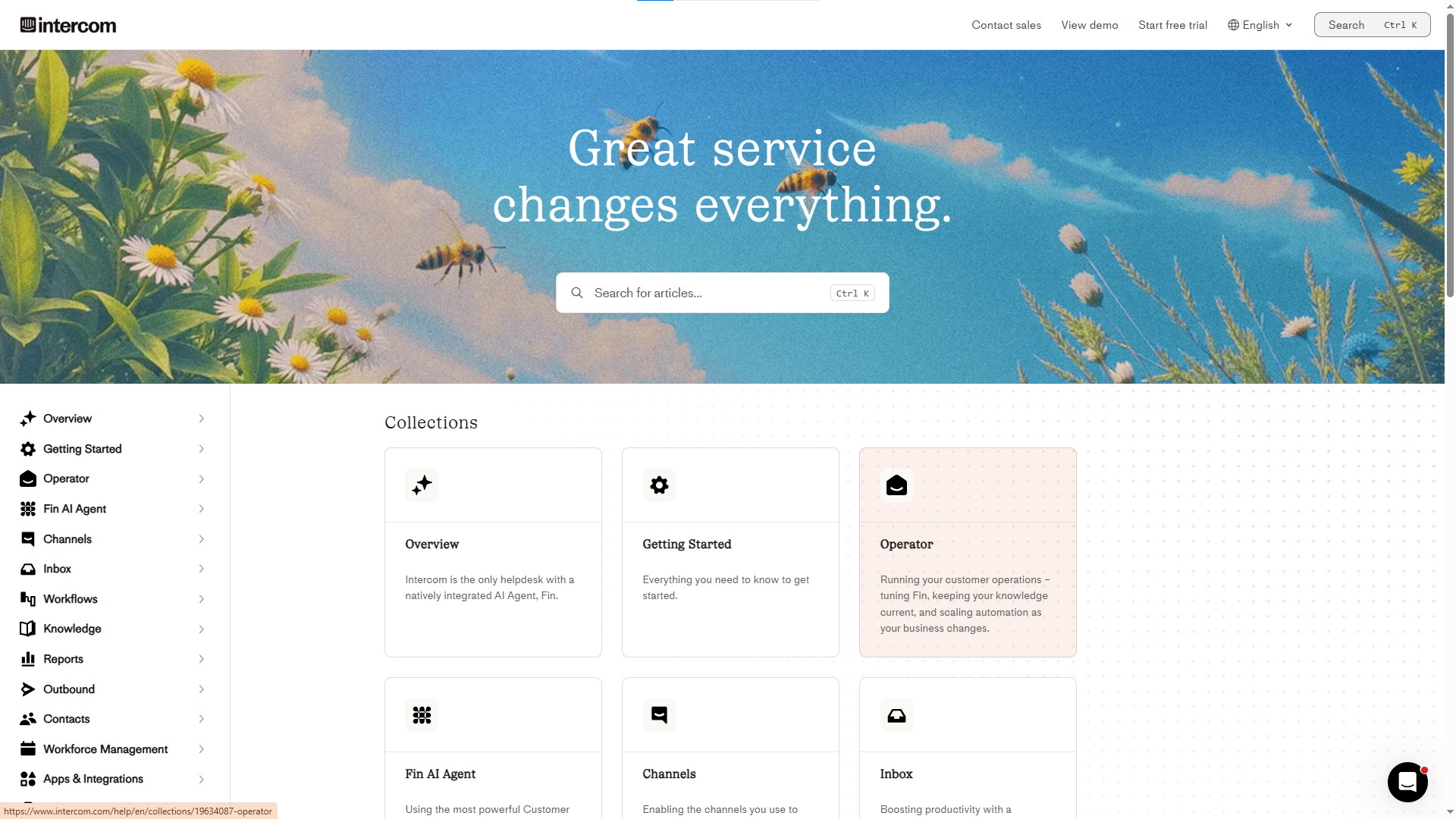
Intercom offers a strong knowledge base example for businesses that want to improve customer support. Its Help Center helps customers find answers through articles, guides, and self-service resources.
Intercom also offers knowledge base tools through its customer service platform. Businesses can create help articles, organize content, and connect support resources with their customer communication channels.
Key features:
- Help articles: Businesses can create guides for product features, account setup, and common questions.
- Content organization: Categories help customers explore related topics.
- Search experience: Customers can search for answers without browsing every article.
- Messenger integration: Businesses can connect help content with customer conversations.
- Self-service support: Customers can solve common issues without waiting for an agent.
Why does Intercom's knowledge base stand out?
Intercom connects its knowledge base with customer communication. Customers can explore help articles and access support through a connected experience. This approach helps businesses offer faster support across different channels.
Businesses can follow Intercom's example by connecting their knowledge base with live chat and other support tools.
Best for: SaaS companies, customer support teams, and businesses with live chat services.
9. Zendesk
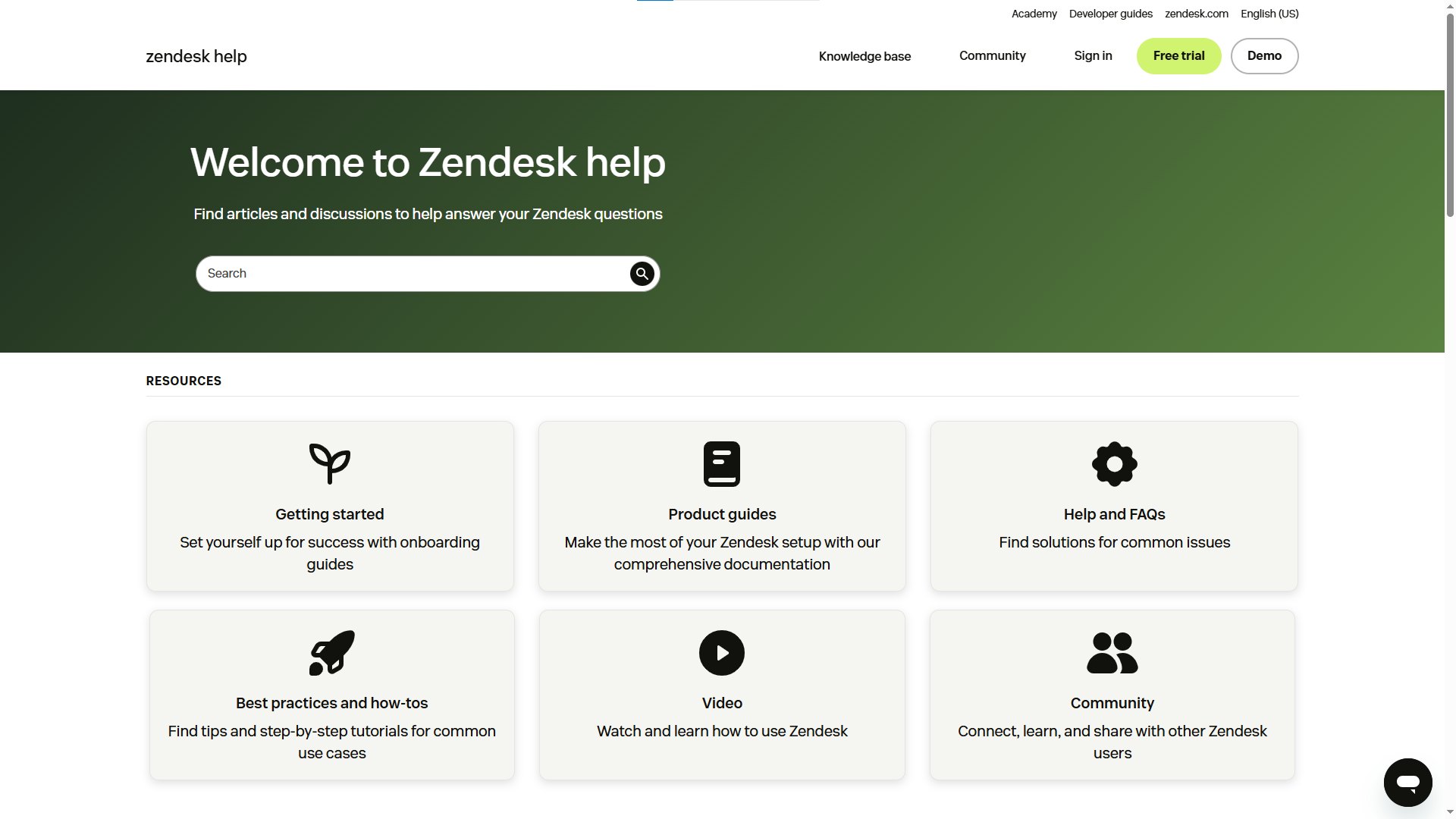
Zendesk offers a popular knowledge base solution for businesses that want to manage customer support content. Its Help Center helps customers find answers through FAQs, product guides, community discussions, and troubleshooting articles.
Zendesk gives businesses tools to create and manage help content. Support teams can organize articles into categories, update information, and build a self-service experience for customers.
Key features:
- Knowledge base articles: Businesses can publish guides, FAQs, and troubleshooting content.
- Content categories: Clear sections help customers explore related topics.
- Community forums: Customers can discuss questions and share ideas with other users.
- Search functionality: Users can search for help articles and relevant answers.
- Content management: Support teams can create, edit, and maintain articles.
Why does Zendesk's knowledge base stand out?
Zendesk combines knowledge base content with customer support tools. Businesses can help customers solve common problems while giving support agents useful resources for customer conversations.
Companies can follow this approach by connecting their help center with their ticketing system and support workflow.
Best for: Customer service teams, growing businesses, and companies with high support volumes.
10. Atlassian
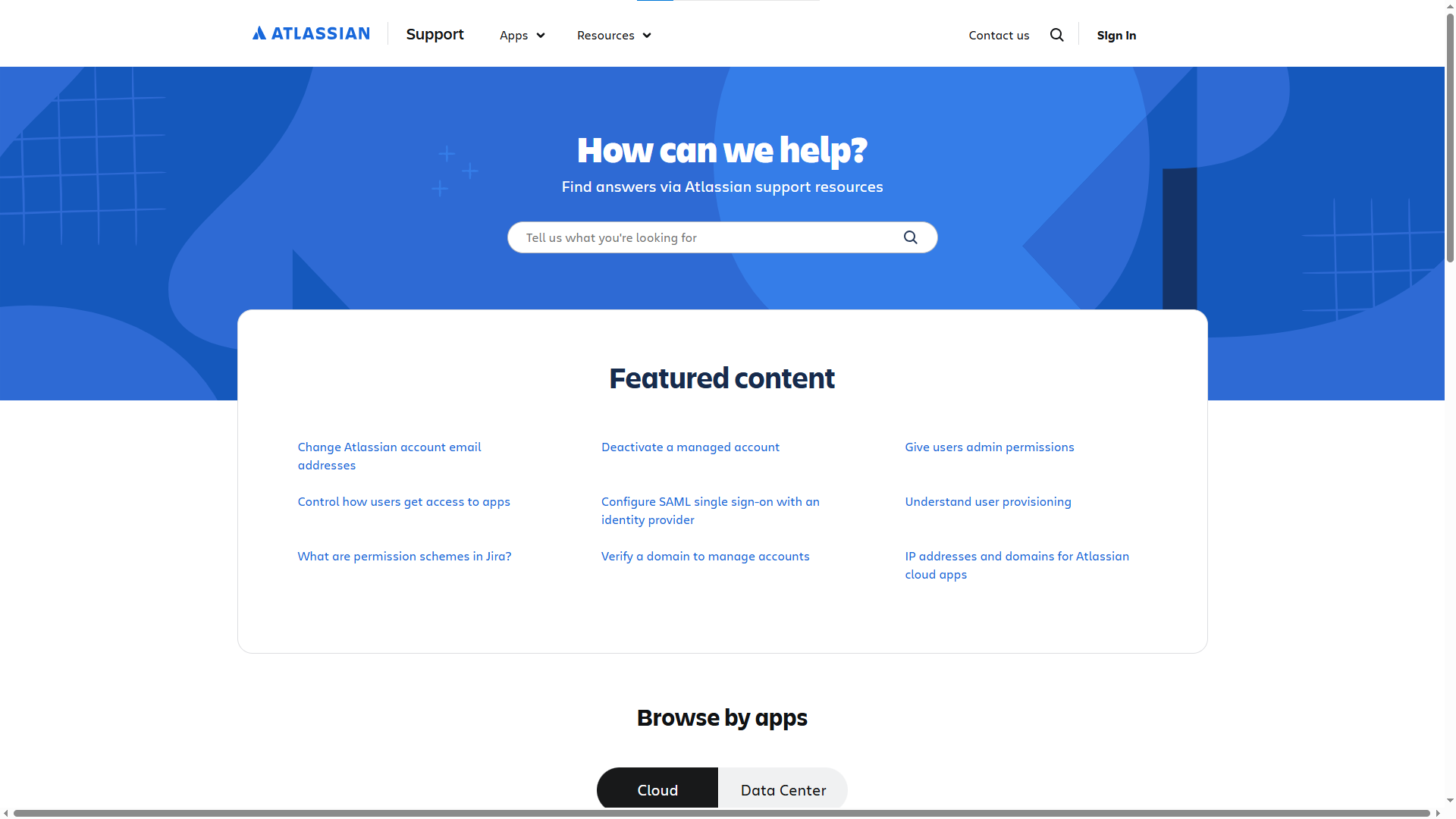
Atlassian offers detailed support resources for products like Jira, Confluence, and Trello. Its documentation helps teams manage projects, track tasks, collaborate, and improve their workflows.
Atlassian focuses on practical product guides and technical documentation. Users can explore instructions for product setup, account management, integrations, and advanced features.
Key features:
- Product-based documentation: Users can find separate guides for Jira, Confluence, Trello, and other tools.
- Technical instructions: Detailed articles explain advanced product features.
- Step-by-step tutorials: Users can follow guides to complete common tasks.
- Community discussions: Users can connect with other customers and exchange ideas.
- Search options: Users can look for product guides and technical answers.
Why does Atlassian's knowledge base stand out?
Atlassian offers detailed resources for both beginners and technical users. Its product-based structure helps users find relevant information without exploring unrelated content.
Businesses with multiple products can follow this approach by creating separate knowledge base sections for each product.
Best for: Project management tools, software development platforms, and enterprise SaaS companies.
11. Mailchimp
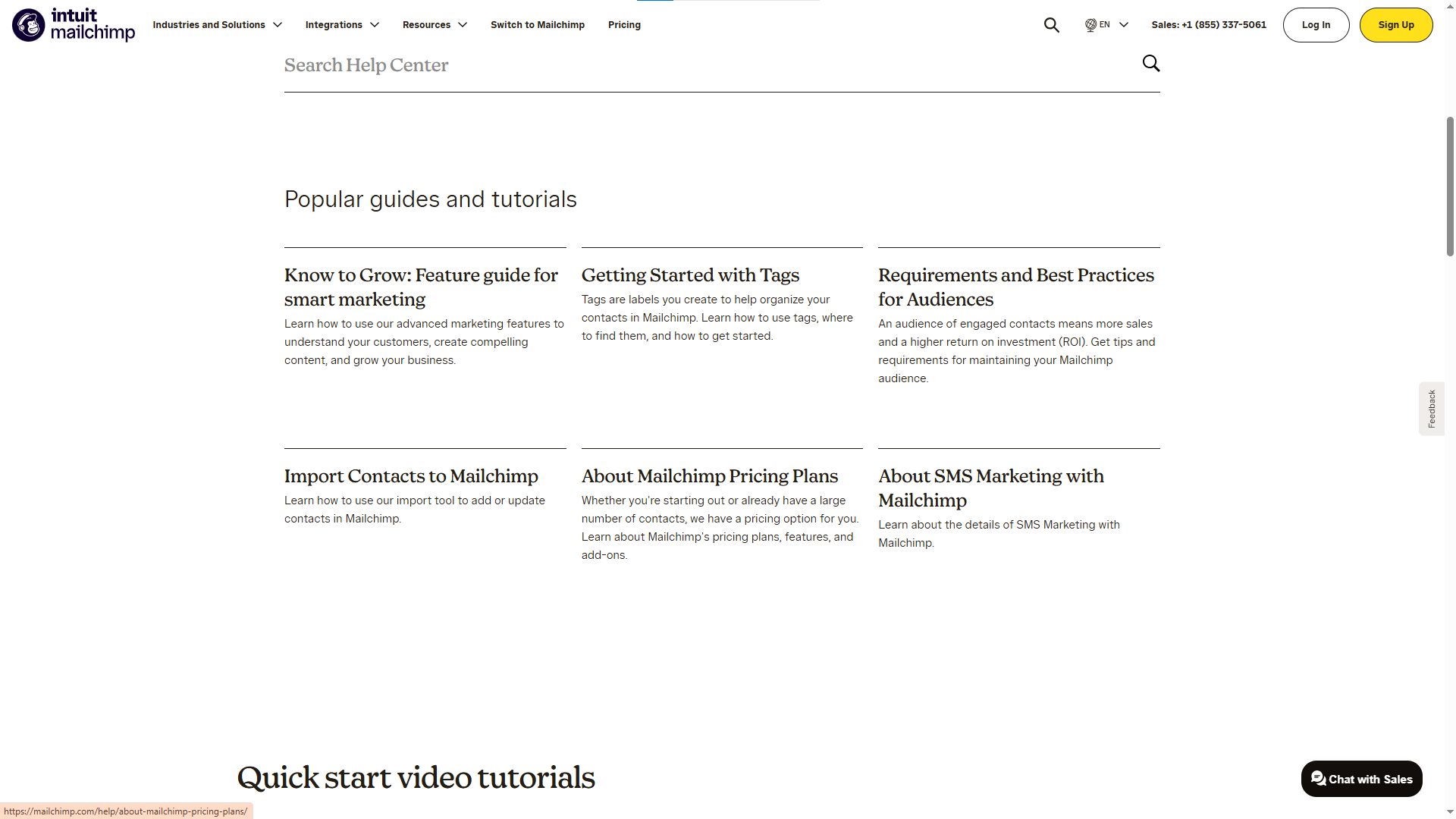
Mailchimp offers a helpful knowledge base for businesses that use email marketing and automation tools. Its Help Center guides users through email campaigns, audience management, contact lists, reports, landing pages, and marketing automation.
Mailchimp supports beginners and experienced marketers with practical guides and tutorials. Its help content explains how users can set up campaigns, manage subscribers, and improve their marketing efforts.
Key features:
- Marketing guides: Users can explore email campaigns, audience management, and automation.
- Beginner tutorials: New users can follow simple steps to start their first campaign.
- Account support: Help articles cover billing, account settings, and user access.
- Troubleshooting resources: Users can find solutions for common campaign and email issues.
- Learning materials: Mailchimp offers additional resources to help businesses improve their marketing skills.
Why does Mailchimp's knowledge base stand out?
Mailchimp connects product support with marketing education. Its guides help users solve product problems and learn better ways to use email marketing tools.
Businesses can follow this strategy by creating helpful content around product features and customer goals.
Best for: Email marketing platforms, marketing automation tools, and small businesses.
12. Figma
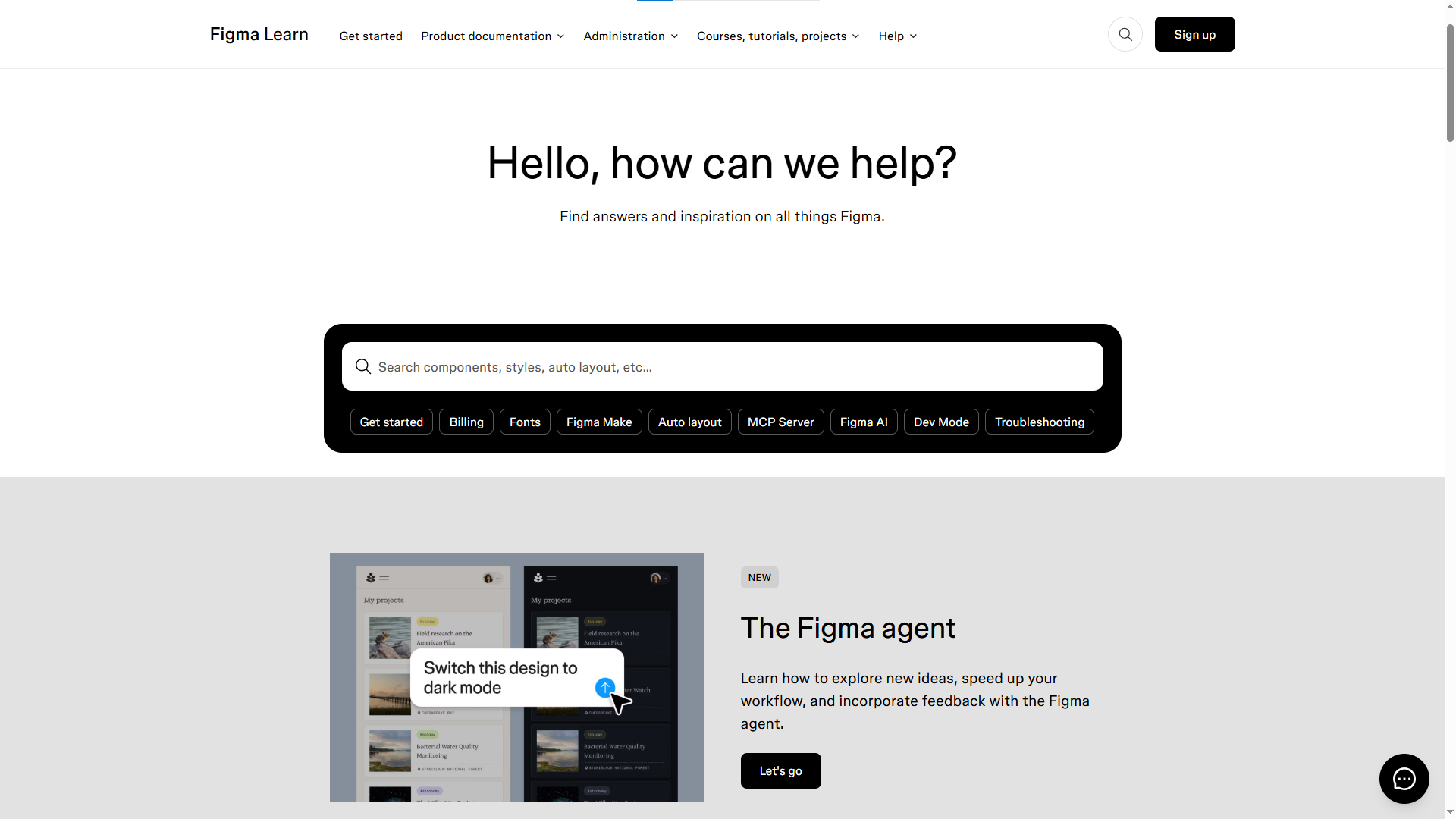
Figma offers a knowledge base for designers, developers, and teams who use its collaborative design tools. Its Help Center explains design features, prototyping, team libraries, file management, and collaboration tools.
Figma also offers detailed learning resources for people who want to improve their design skills. Users can explore product documentation, tutorials, and community resources.
Key features:
- Product guides: Users can learn about design files, components, prototypes, and collaboration.
- Visual instructions: Screenshots and examples help users understand design workflows.
- Beginner resources: New designers can learn the basics of Figma.
- Advanced documentation: Experienced users can explore detailed product features.
- Community resources: Designers can discover ideas, examples, and useful tips from other creators.
Why does Figma's knowledge base stand out?
Figma supports different skill levels through simple guides and detailed product documentation. Its resources help users learn new tools and improve their design workflow.
Businesses can follow this example by creating separate learning paths for beginners and advanced users.
Best for: Design platforms, creative software, and collaborative tools.
13. GitHub
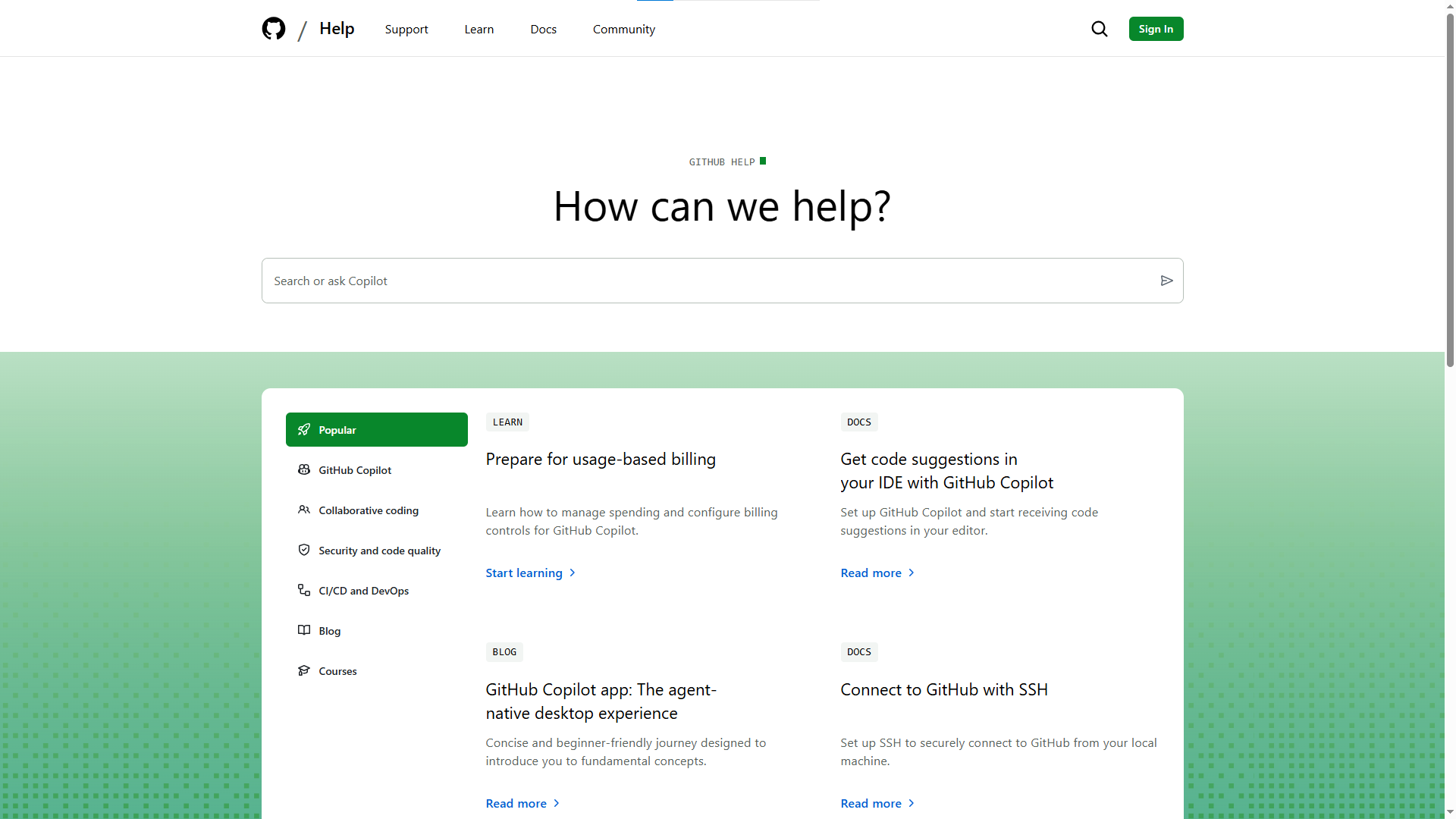
GitHub offers a detailed documentation library for developers who use its platform to manage code, collaborate on projects, and build software. Its documentation covers repositories, branches, pull requests, GitHub Actions, security, and account management.
GitHub focuses on technical knowledge and practical instructions. Developers can explore guides, code examples, and explanations for different tools.
Key features:
- Technical documentation: Developers can learn about repositories, version control, and collaboration.
- Code examples: Practical examples help developers understand product features.
- Organized documentation: Product sections help users explore relevant topics.
- Troubleshooting guides: Developers can find help with common errors and workflow issues.
- Community support: GitHub Discussions and other community resources help developers share knowledge.
Why does GitHub's knowledge base stand out?
GitHub offers detailed technical resources for developers with different experience levels. Its documentation helps users understand complex tools through examples and clear instructions.
Businesses that offer developer tools can follow GitHub's approach by adding code samples, setup guides, and technical tutorials to their knowledge base.
Best for: Developer tools, API platforms, coding software, and technology companies.
14. Webflow
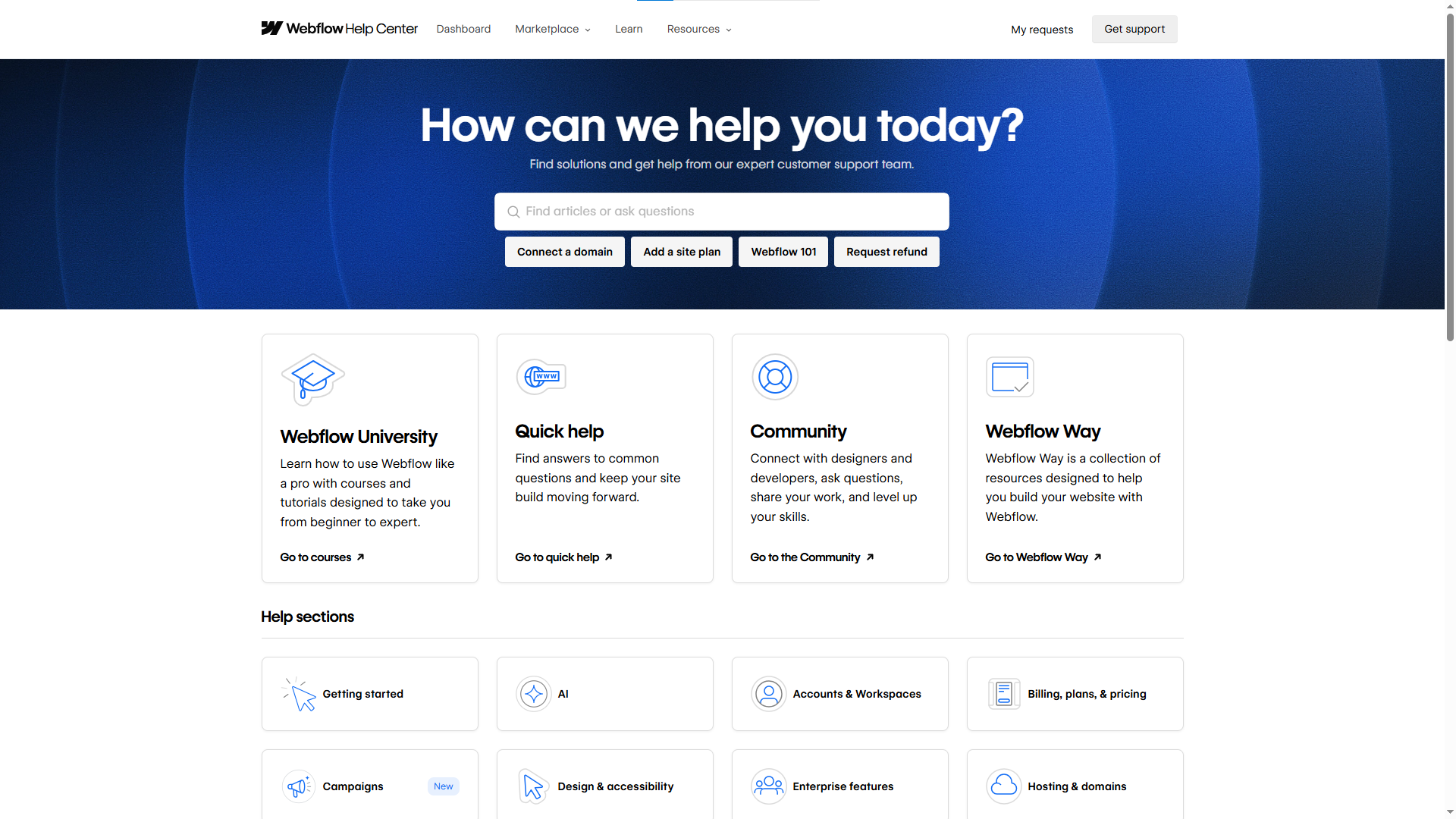
Webflow offers helpful learning resources through Webflow University and its support documentation. These resources help users build websites, manage content, customize layouts, and understand website design tools.
Webflow supports beginners and experienced web designers with video lessons, tutorials, and step-by-step guides. Users can learn everything from basic website setup to advanced design features.
Key features:
- Video tutorials: Users can follow visual lessons to learn website design.
- Step-by-step guides: Articles explain common tasks and product features.
- Webflow University: Users can explore courses and lessons to improve their skills.
- Technical documentation: Developers can learn about CMS features, APIs, and integrations.
- Community resources: Users can connect with other Webflow creators and learn from their experience.
Why does Webflow's knowledge base stand out?
Webflow combines product documentation with structured learning resources. Its video lessons help users understand complex design tasks without relying only on written instructions.
Businesses can follow this strategy by adding short videos, practical examples, and beginner guides to their knowledge base.
Best for: Website builders, web design platforms, and no-code software companies.
15. Grammarly
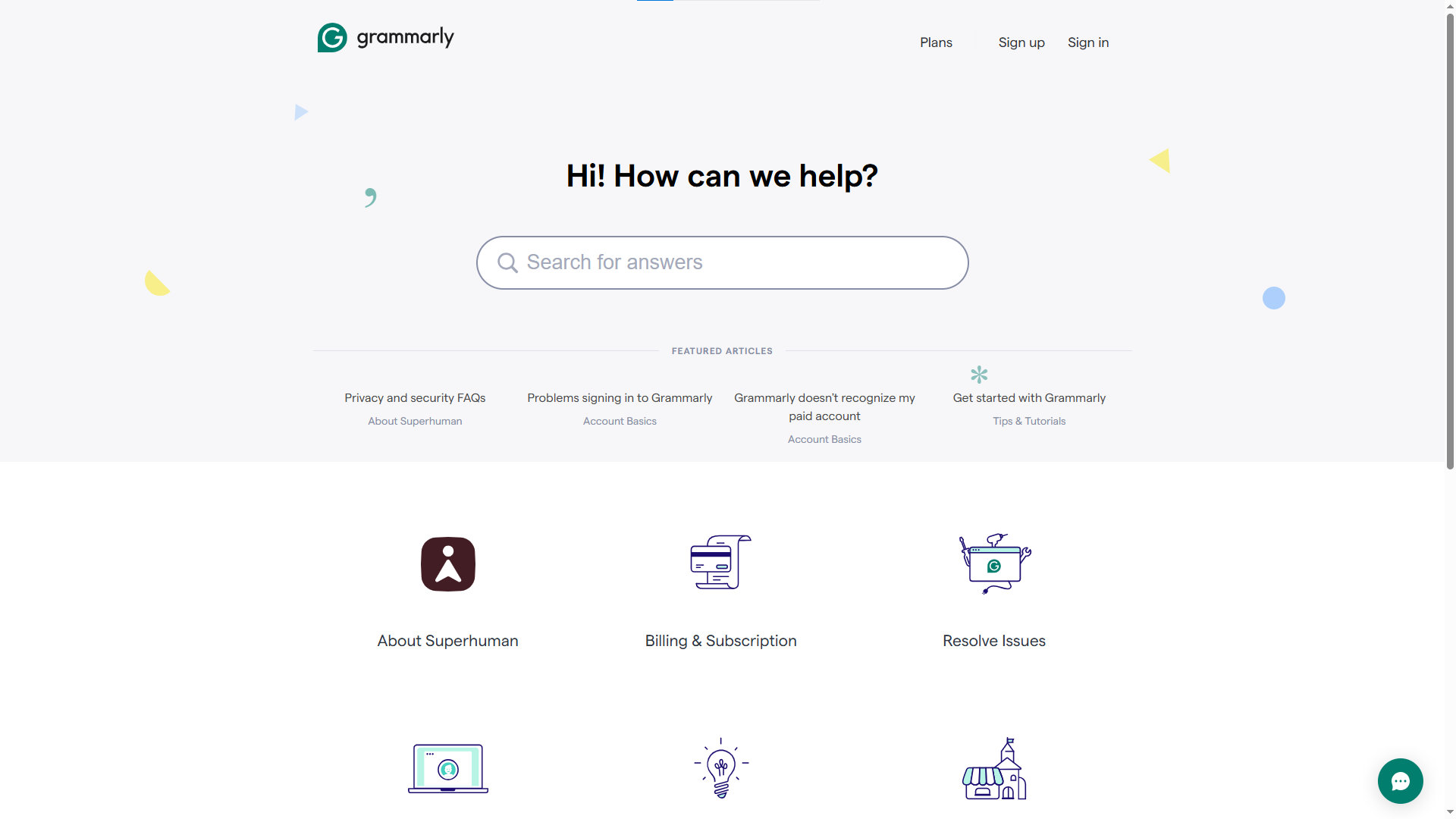
Grammarly offers a knowledge base for people who use its writing and grammar tools. Its Help Center helps users understand writing suggestions, account settings, browser extensions, subscriptions, and app integrations.
Grammarly focuses on simple explanations and useful guides. Its support content helps beginners understand product features and gives regular users answers to common questions.
Key features:
- Product guides: Users can learn about grammar suggestions, writing improvements, and other tools.
- Account support: Articles explain account settings, billing, and subscription management.
- Installation instructions: Users can follow guides to install and use Grammarly across different apps.
- Troubleshooting help: Users can find solutions for extension, login, and syncing issues.
- Simple explanations: Clear instructions help users understand product features without technical knowledge.
Why does Grammarly's knowledge base stand out?
Grammarly focuses on clear language and practical help. Its content supports users who have different levels of writing and technical skills. This makes its knowledge base a useful example for businesses that want to create simple, customer-friendly support content.
Businesses can follow Grammarly's approach by using everyday language, short instructions, and clear examples in every help article.
Best for: Writing tools, AI software, productivity apps, and SaaS companies.
Different Types of Knowledge Bases
Every business needs a simple way to share useful information with customers and employees. A knowledge base helps people find answers, learn new skills, and solve common problems without asking someone for help.
However, businesses have different needs. Some want to help customers understand their products, while others need a central place for team guides, company rules, and internal information.
Let's look at the main types of knowledge bases and their uses.
Internal Knowledge Base
An internal knowledge base gives employees one central place to find company information. Businesses use it to share work guides, company rules, training materials, project details, and team instructions.
For example, a new employee can visit the internal knowledge base to learn about company policies, work processes, and daily tasks instead of asking different team members for the same information.
External Knowledge Base
An external knowledge base helps customers find information about a company's products or services. Businesses create public help centers where users can explore guides, FAQs, tutorials, and troubleshooting tips.
For example, a customer who wants to learn how to use a product feature can visit the company's help center and follow a step-by-step guide.
Customer Support Knowledge Base
A customer support knowledge base helps customers solve common problems without contacting the support team. It gives users quick access to useful answers and product information.
Businesses can create articles around common support questions, payment issues, account problems, product features, and technical errors. This approach also helps support agents find answers faster during customer conversations.
Product Knowledge Base
A product knowledge base explains how a product works and helps users understand its features. It includes setup instructions, feature guides, tutorials, product updates, and technical details.
For example, a software company can create separate guides for account setup, dashboard navigation, integrations, and advanced features. Customers can explore these guides to get more value from the product.
Technical Knowledge Base
A technical knowledge base focuses on technical information, system instructions, and solutions for complex problems. It helps developers, IT teams, and technical users understand software, tools, APIs, and system processes.
For example, a developer can visit a technical knowledge base to find API documentation, code examples, integration steps, and error solutions.
Self-Service Knowledge Base
A self-service knowledge base allows customers to find answers without contacting a support agent. It offers easy access to help articles, FAQs, tutorials, and troubleshooting guides.
A good self-service knowledge base includes a clear search bar, simple categories, and helpful content. Customers can search for a question and follow the instructions to solve their problems.
Community Knowledge Base
A community knowledge base allows customers and users to share their knowledge, ideas, and experiences. It gives people a place to ask questions, discuss problems, and learn from other users.
For example, a software company can create a community forum where customers share product tips, suggest new features, and help others solve common issues.
How to Choose the Right Knowledge Base Software
Choosing the right knowledge base software helps your business manage information, improve customer support, and save time. The right tool should help your team create helpful articles, organize content, and give customers quick access to answers.
However, every business has different needs. Some companies need a simple help center, while others need advanced features like AI search, live chat, customer feedback, and team collaboration.
Before you choose knowledge base software, compare the following features:
Final Thoughts
A good knowledge base helps your business improve customer support, save time, and build better relationships with customers. It gives people one place to find answers, explore product features, and solve common problems without contacting your support team.
The 16 knowledge base examples in this guide show how successful companies use clear content, simple navigation, helpful guides, and search features to support their users. You can take ideas from these examples and create a knowledge base that fits your business needs.
If you run a SaaS business, start with your most common customer questions. Create simple guides, add step-by-step instructions, organize articles into clear categories, and update your content as your product grows. Also, add a search feature so customers can find answers quickly.
Choosing the right knowledge base software also plays an important role. Look for tools that offer easy content creation, customization, SEO features, analytics, and useful integrations.
Quickhunt can help SaaS businesses manage their knowledge base alongside customer feedback, product roadmaps, changelogs, and live chat. This gives your team a simple way to manage product communication and customer support in one platform.
Start building a helpful knowledge base today. Give your customers quick answers, make support easier, and help your business grow.
Frequently Asked Questions (FAQs)
1. What is a knowledge base?
A knowledge base is a central place where businesses share useful information about their products, services, and company. It includes FAQs, tutorials, product guides, troubleshooting tips, and step-by-step instructions. Customers and employees can use it to find answers without asking someone for help.
2. What are some examples of a knowledge base?
Popular knowledge base examples include Quickhunt, Notion, Shopify, HubSpot, Slack, Dropbox, Stripe, Canva, Intercom, Zendesk, and Atlassian. These companies offer help centers, product guides, tutorials, and support articles to help users understand their products.
3. What are the different types of knowledge bases?
Businesses use several types of knowledge bases, including:
- Internal knowledge base
- External knowledge base
- Customer support knowledge base
- Product knowledge base
- Technical knowledge base
- Self-service knowledge base
- Community knowledge base
Each type serves a different purpose and helps businesses share useful information with the right audience.
4. Why does a business need a knowledge base?
A knowledge base helps businesses answer common customer questions, reduce support requests, and save time. It also helps customers find product information quickly and understand how to use different features.
5. What should a good knowledge base include?
A good knowledge base should include:
- Frequently asked questions (FAQs)
- Product guides and tutorials
- Step-by-step instructions
- Troubleshooting articles
- Search functionality
- Clear content categories
- Images and video tutorials
- Contact and support options
These elements help customers find answers and improve their overall experience.
6. How do I create a knowledge base for my business?
Start by collecting common customer questions and identifying the topics your audience needs most. Next, choose knowledge base software, create clear articles, organize them into categories, and add a search bar. Review your content regularly to keep information accurate and useful.